The digital marketing landscape presents a formidable challenge for small businesses: how to achieve and maintain a competitive edge in search engine results with limited resources and budget. This quandary is non-negotiable, as a significant portion of small businesses, specifically 50% according to HubSpot’s State of Marketing report, identify their website, blog, and SEO as their most leveraged marketing channels. With organic search acting as a primary growth engine, the selection of the right technological tools becomes paramount to success. This guide aims to equip business owners and SEO teams with the knowledge to discern the most effective tools for their objectives, thereby constructing a tech stack that drives measurable results, offering recommendations from free starter options to comprehensive paid solutions.

Strategic Selection: Aligning SEO Tools with Business Goals
The selection of SEO tools for digital marketing should not be a one-size-fits-all endeavor. Instead, small business decision-makers must establish a clear framework based on their specific goals, budget constraints, and team skill levels. This strategic approach simplifies the decision-making process by outlining essential criteria that prospective tools must meet.
Mapping Growth Goals to Tool Requirements
A business’s immediate objectives dictate the types of online marketing tools it requires. A company launching its inaugural website will have different priorities than one aiming to significantly scale its content production. Understanding these growth aspirations is the first step in tool selection.
- Launching a New Website: For businesses embarking on a new digital presence, an auditing tool is crucial. This allows for an initial benchmark of the site’s current state and the identification of immediate growth opportunities.
- Driving Conversions from Organic Traffic: Businesses focused on maximizing returns from organic traffic should prioritize tools that excel in keyword research and content optimization. These tools help identify high-intent keywords and refine content to better match user search queries.
- Addressing Visibility or Ranking Drops: When website visibility or search engine rankings experience a decline, a technical SEO audit tool becomes indispensable. These tools can pinpoint underlying technical issues that may be negatively impacting performance.
- Competing Locally: For businesses with a strong local focus, prioritizing local SEO and Google Business Profile management tools is essential. These are designed to enhance visibility in geographically relevant searches.
- Demonstrating ROI to Stakeholders: To justify marketing expenditures and secure increased budgets, businesses need robust analytics and reporting tools. These tools provide the data necessary to demonstrate the tangible impact of SEO efforts.
Understanding SEO Tool Categories and Overlap
Search Engine Optimization is a multifaceted discipline encompassing several key pillars: on-page optimization, technical SEO, and backlinking. Each of these areas is supported by specialized sets of tools. For small businesses operating with tight budgets, identifying tools that offer functionality across multiple categories can lead to significant cost savings. The major tool categories to consider include:
- Keyword Research Tools: These tools help identify what users are searching for, providing insights into content opportunities and user intent.
- Technical SEO Tools: Essential for website health, these tools diagnose issues related to site structure, speed, crawlability, and indexability.
- Content Optimization Tools: These facilitate the creation and refinement of content to enhance its relevance and performance in search results.
- Backlink Research and Outreach Tools: Crucial for building domain authority, these tools help analyze link profiles and identify potential link-building opportunities.
- Rank Tracking Tools: These monitor a website’s position in search engine results pages (SERPs) for target keywords, indicating performance trends.
- Local SEO Tools: Specifically designed for businesses with a local presence, these tools manage listings, reviews, and local search visibility.
- Analytics and Reporting Tools: These provide insights into website traffic, user behavior, and the overall impact of SEO efforts on business objectives.
It is imperative for SEO teams not to acquire tools for every category prematurely. The strategic approach involves selecting tools that directly align with current growth goals and gradually expanding the tech stack as needs evolve and the team gains proficiency. The ultimate objective is to ensure that the chosen SEO software drives demonstrable growth and is actively utilized by the team.
Prioritizing User Experience and Integration
The financial investment in SEO tools can become substantial, and the return on investment diminishes if team members do not actively use them. Therefore, considering the ease of use and the seamless integration of new tools into existing daily workflows is critical. Tools that offer intuitive interfaces, clear documentation, and compatibility with other business software are more likely to be adopted and leveraged effectively.
Budgetary Considerations: Free vs. Paid Solutions
Budget often serves as a primary determinant in tool selection. While free tools offer an accessible entry point, paid solutions often provide advanced features, deeper data insights, and dedicated support that can be crucial for scaling and achieving competitive parity.
- Getting Started and Learning the Basics: For businesses in their nascent stages of SEO adoption, free tools are an excellent starting point for understanding fundamental concepts.
- Needing Advanced Data and Active Use: When a tool’s limitations become apparent and the SEO team actively utilizes it for success, investing in a paid solution becomes justifiable.
- Requiring Guided Recommendations: Teams lacking extensive SEO expertise can benefit significantly from paid tools that offer guided recommendations and automated insights.
- Reporting to Stakeholders: While free tools can provide basic data, comprehensive reporting for clients or leadership may necessitate the capabilities of paid analytics and visualization platforms.
- Specific Functionality Needs: If only one or two specific functions are required, free tools like Google Search Console may suffice.
- Managing Multiple Assets: Businesses managing SEO across numerous pages, products, or locations often find paid, scalable solutions more efficient.
- CRM and Data Integration: For advanced workflows requiring the connection of SEO data with CRM or lead data, paid solutions or integrated platforms are typically necessary.
Before committing to a new tool, it is prudent to assess for overlap with existing software. Avoiding redundant subscriptions ensures a more efficient and cost-effective tech stack.
Leveraging Free SEO Tools for Initial Momentum
Free SEO tools provide a low-cost, low-complexity entry point for small businesses, enabling them to begin their SEO journey without significant financial outlay. While they may not always offer the scalability of paid alternatives, they are invaluable for foundational tasks and initial insights.

Keyword Research Tools: Uncovering Search Opportunities
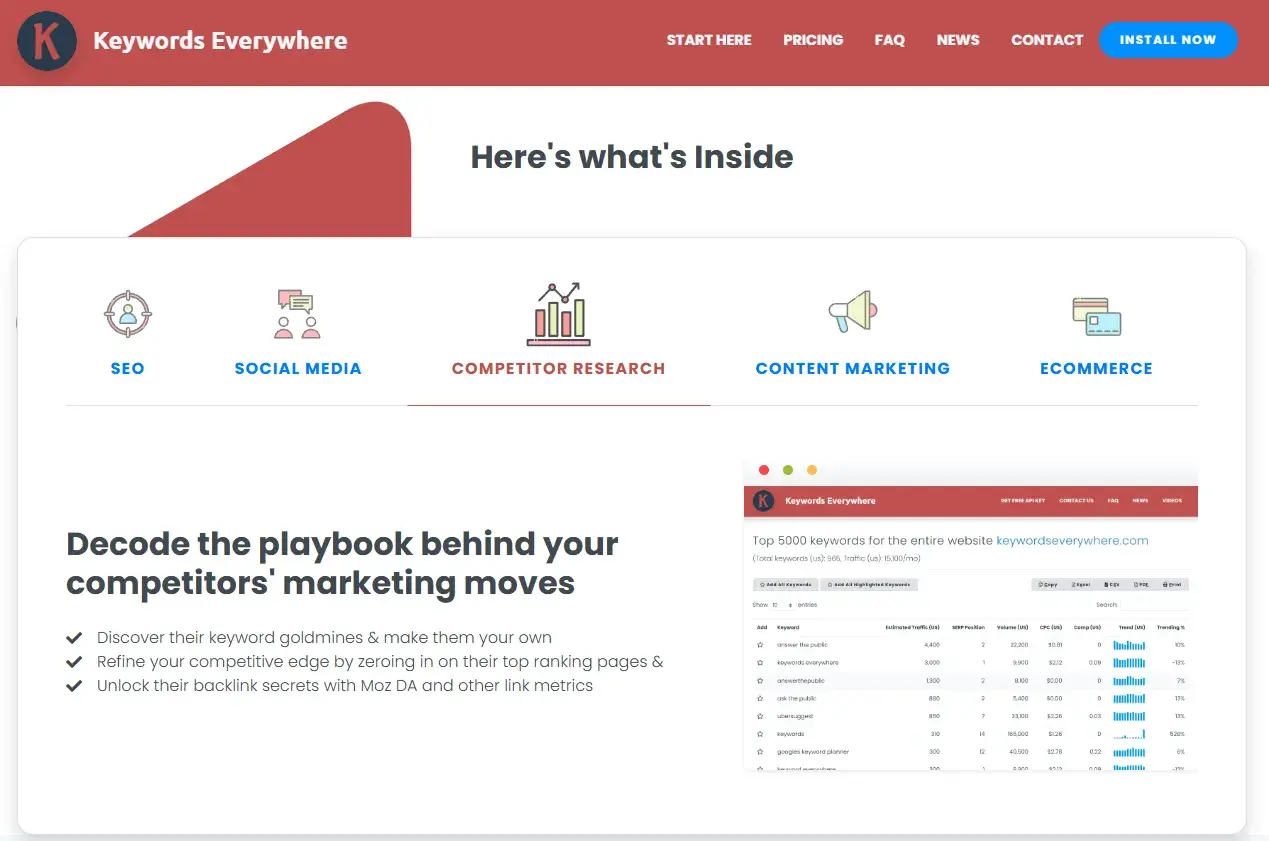
- Keywords Everywhere: This browser extension is ideal for freelancers, solopreneurs, and small teams seeking lightweight keyword insights directly within Google search results. Starting at $7 per month, it seamlessly integrates keyword data into the browsing workflow. It is worth immediate investment if teams actively use keyword insights during daily research.
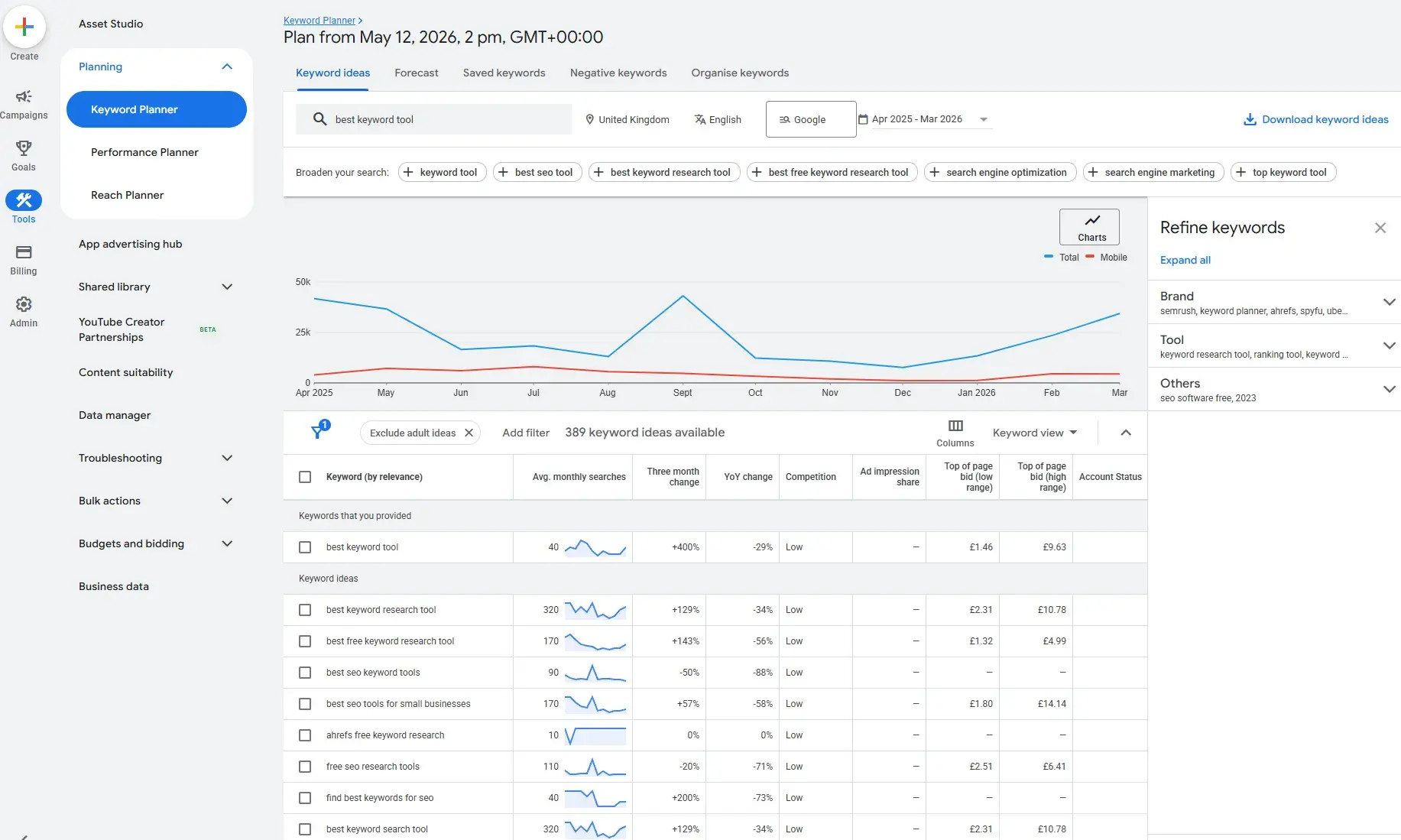
- Google Keyword Planner: A free tool within Google Ads, it offers a solid starting point for keyword research, providing keyword ideas and search volume ranges. It’s a valuable resource for small businesses with an active Google Ads account, offering free keyword findings transferable to SEO strategies. Upgrade to paid tools when enhanced user experience, competitor insights, advanced segmentation, or intent-based filtering becomes necessary.
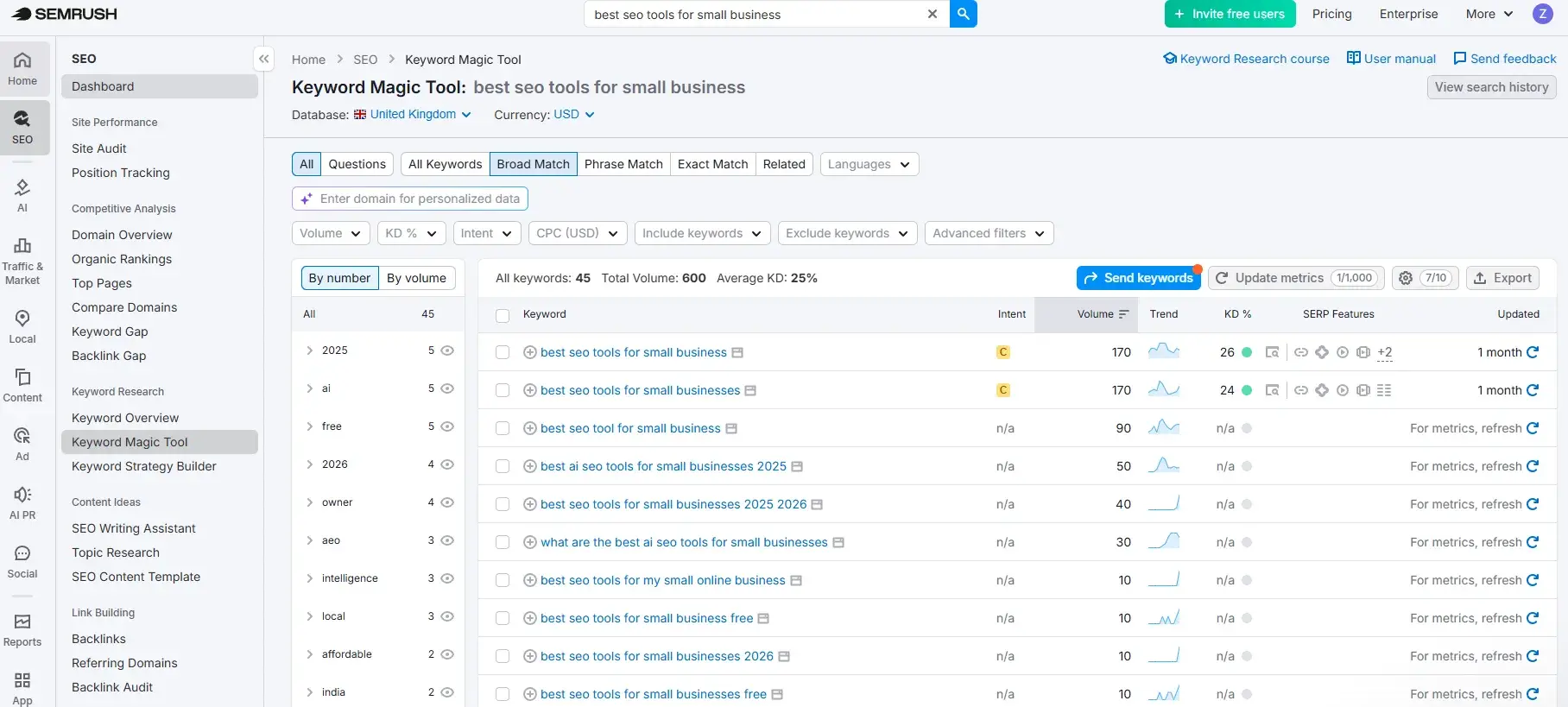
- Semrush (Free Version): While its paid plans start at $139 per month, Semrush offers a free version with limited daily searches. This makes it accessible for businesses ready for comprehensive SEO, competitor analysis, and technical SEO workflows, with the option to upgrade when advanced features are needed.
Technical SEO and Site Audit Tools: Ensuring Website Health
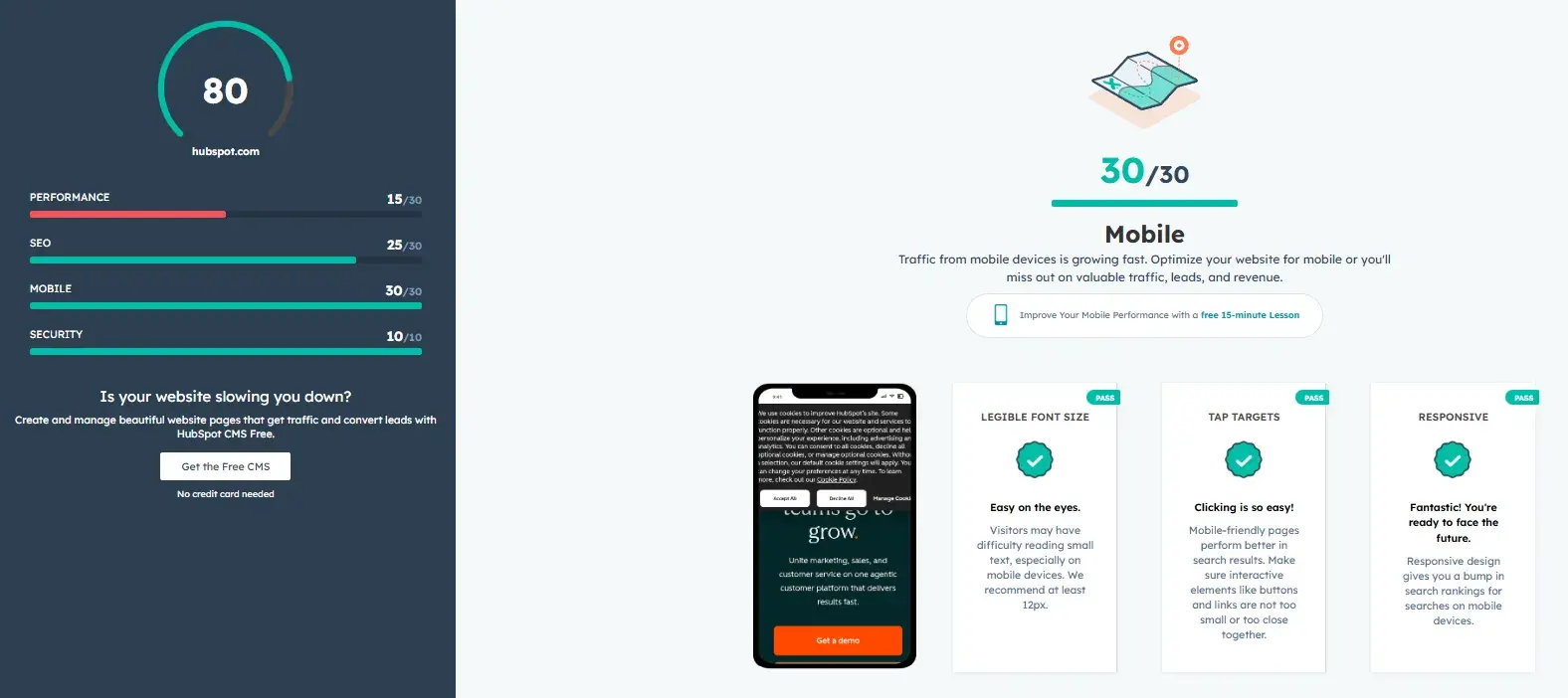
- HubSpot Website Grader: This free, forever tool is perfect for businesses conducting their first technical audit or needing simple health reports. It provides a clear, jargon-free snapshot of website performance, SEO, mobile readiness, and security, offering actionable recommendations. No upgrade is required, serving as an excellent entry-level auditing tool.
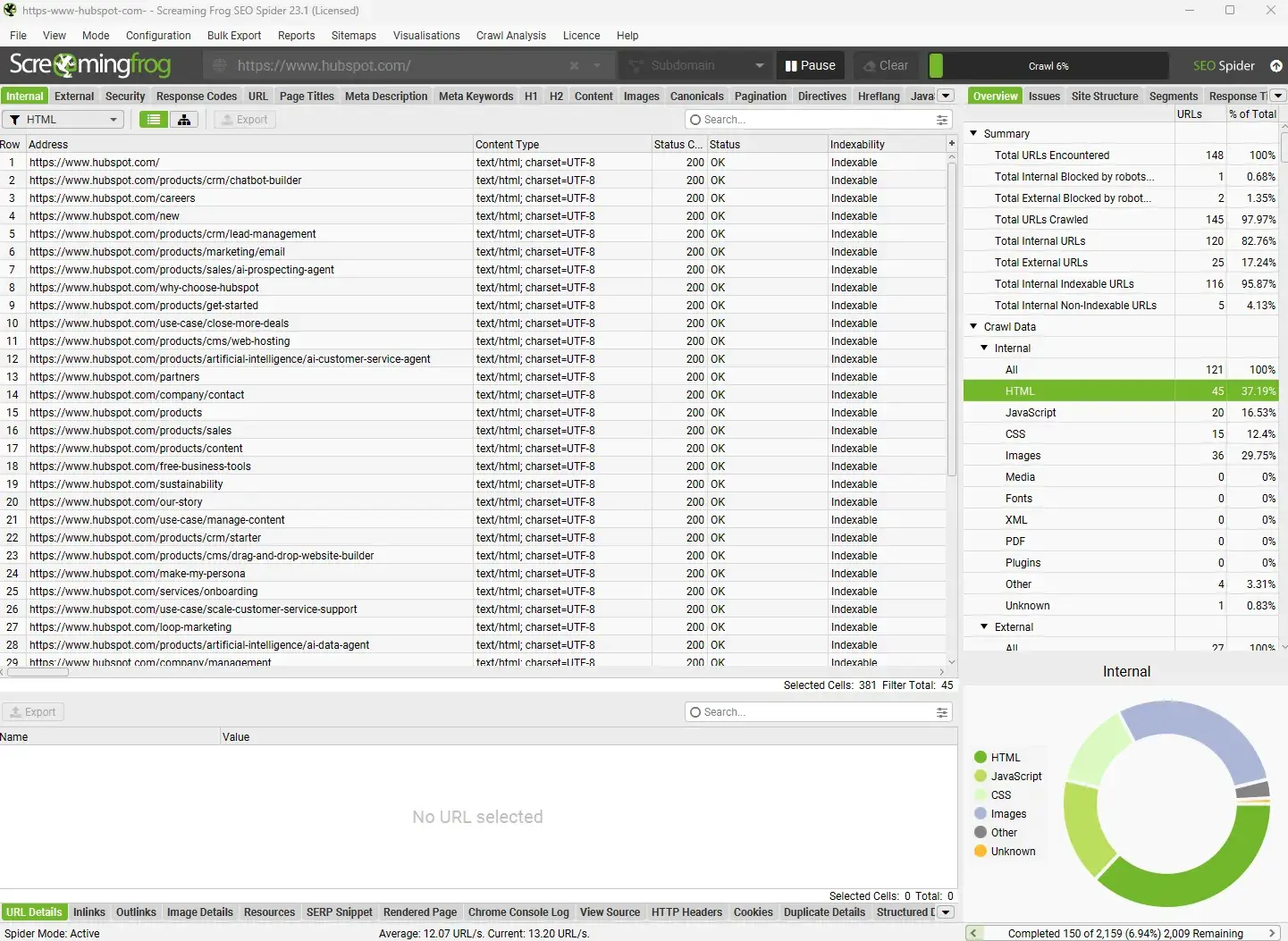
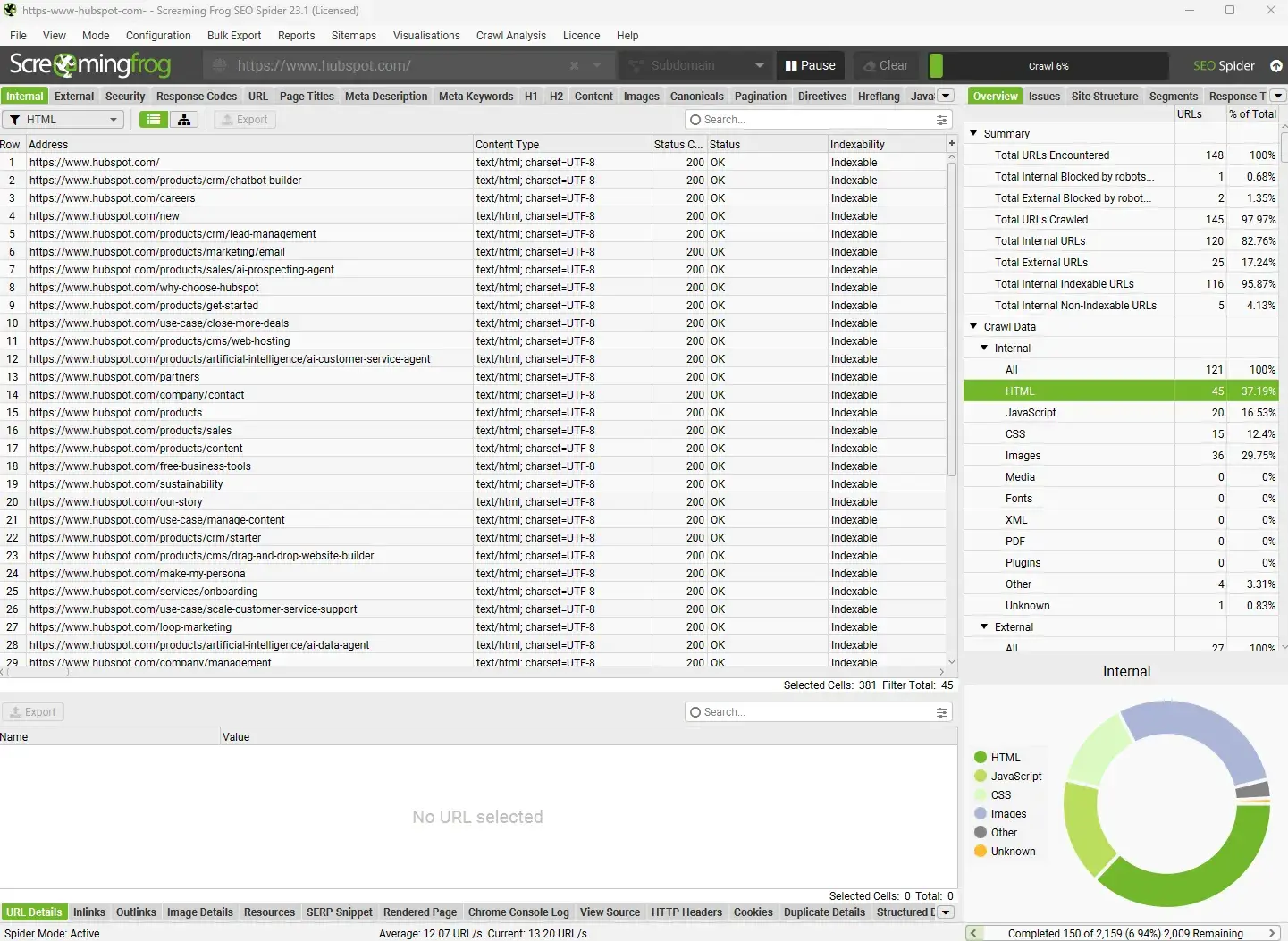
- Screaming Frog (Free Version): The free version of this desktop crawler allows for audits of up to 500 URLs. It’s ideal for growing websites needing detailed technical audits. An upgrade to the paid version ($279/year) is recommended for crawling more than 500 URLs, scheduling crawls, or integrating with Google Analytics and Google Search Console.
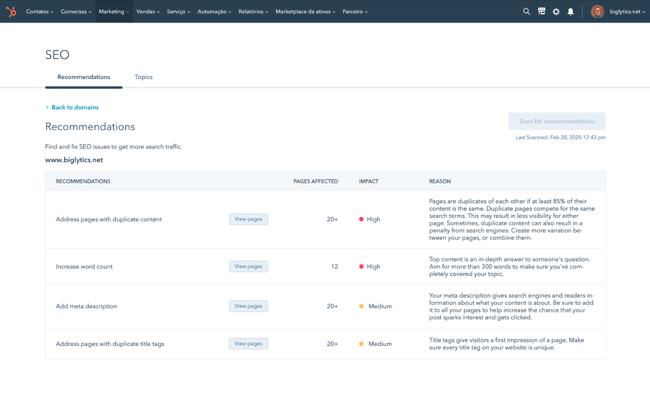
- HubSpot SEO Recommendations: Available through HubSpot Marketing Hub (with a free version and paid plans starting at $20 per month), these recommendations offer guided technical SEO workflows. An upgrade is advisable when replacing multiple marketing tools or CRM systems.
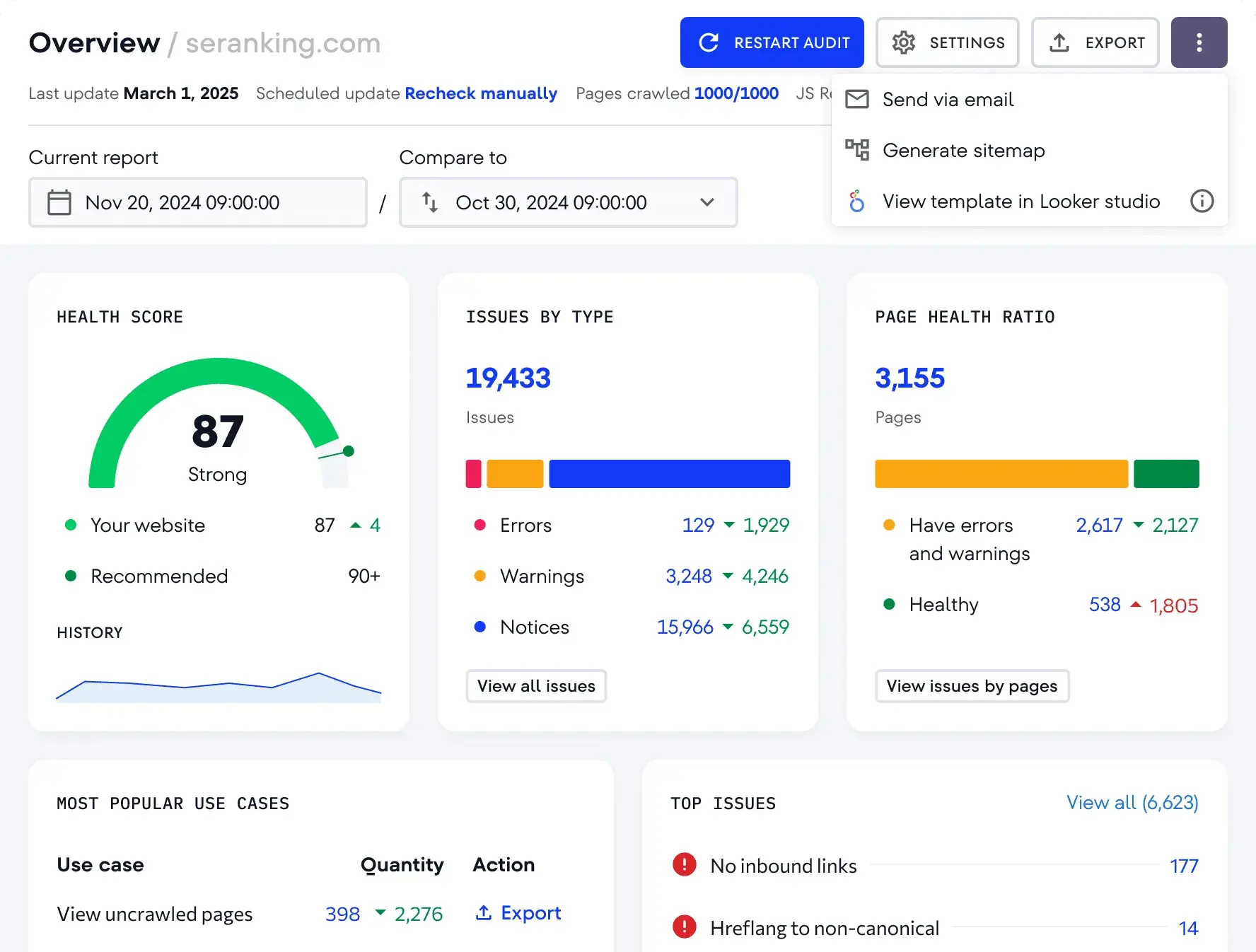
- SE Ranking (Trial/Limited Free Features): While full plans start at $103.20 per month, SE Ranking offers a trial period that can provide significant value. It’s a good option for lean teams seeking affordable all-in-one SEO tooling.
Content Optimization Tools: Enhancing Relevance and Reach
- HubSpot Content Hub (Free Version): The free version allows for content creation and basic optimization. Paid plans, starting at $20 per month, unlock more advanced features for regular content publishing, including AI content tools and lead/revenue attribution.
- HubSpot SEO Performance Analysis: Included within HubSpot Marketing Hub, this tool provides SEO insights tied to CRM and revenue data. No separate upgrade is needed if already using Marketing Hub.
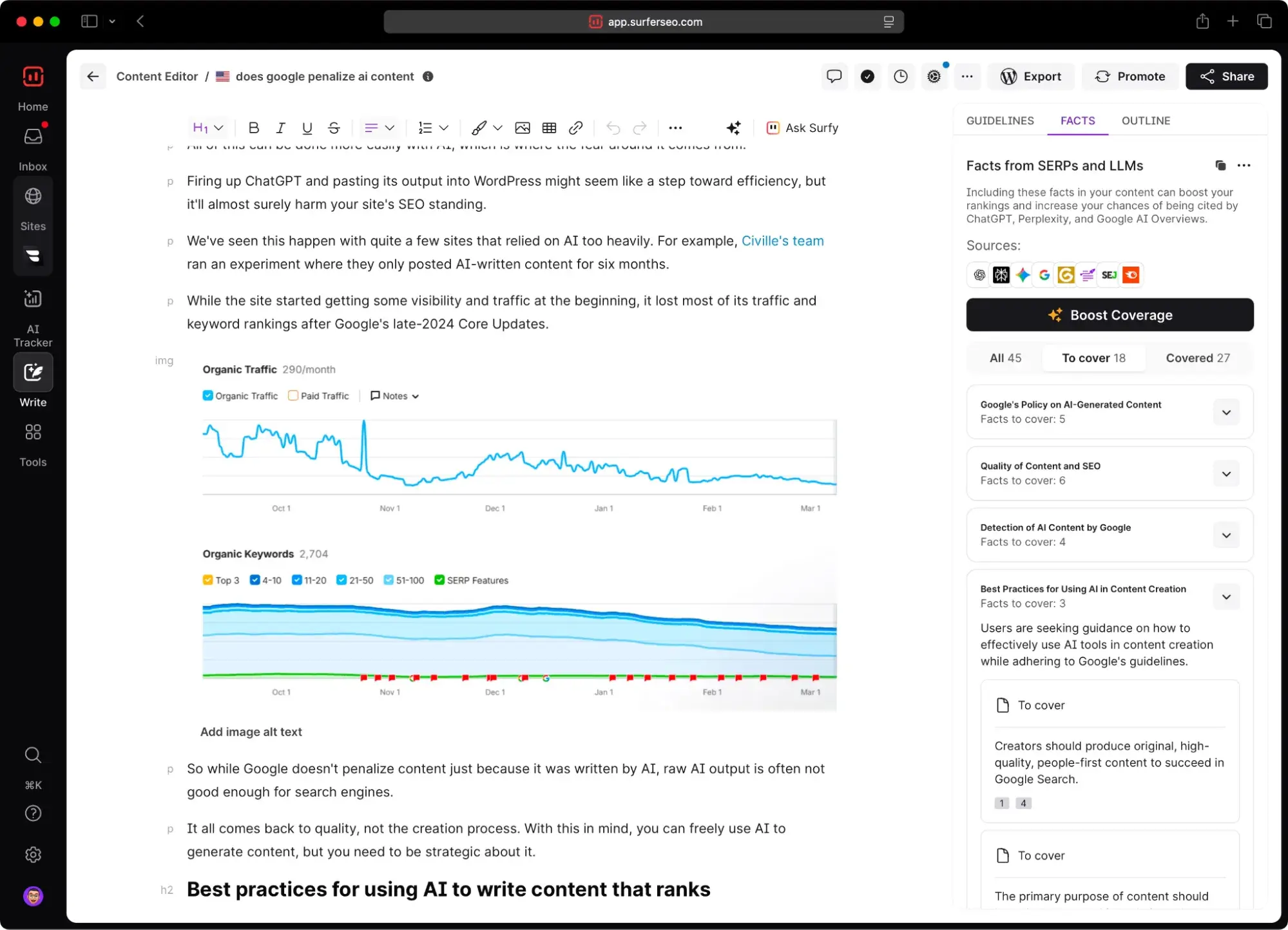
- Surfer SEO (Limited Free Features/Trial): While paid plans start at $99 per month, Surfer SEO often provides limited free features or trial periods. It’s beneficial for teams producing SEO content regularly and needing data-driven guidance to improve page rankings.
Backlink Research and Outreach Tools: Building Authority
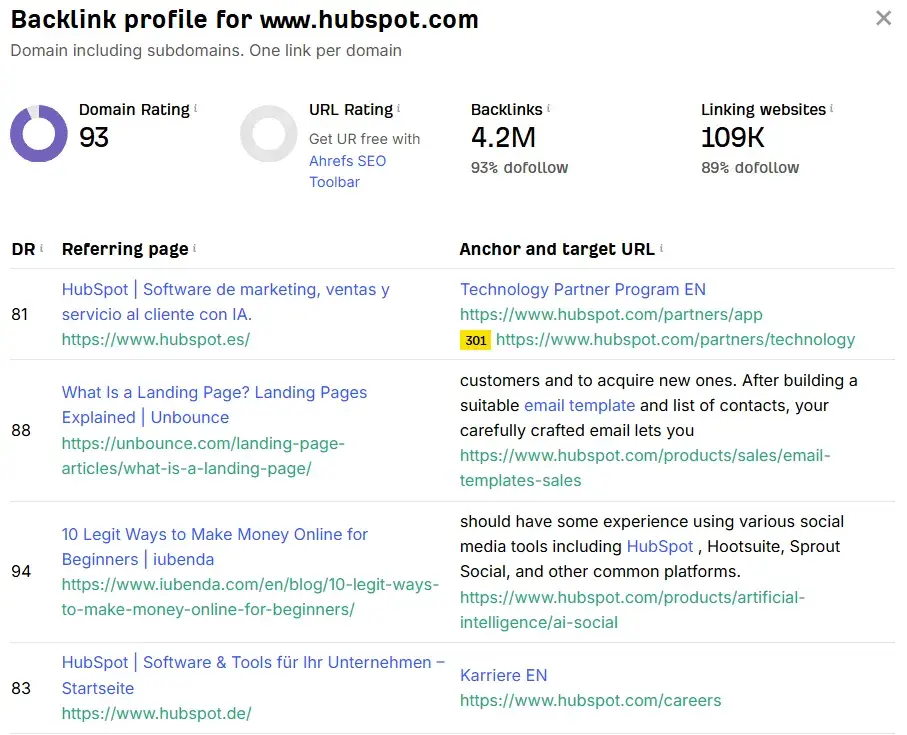
- Ahrefs (Free Backlink Checker): Ahrefs offers a free backlink checker tool, providing a glimpse into a website’s backlink profile. Paid plans start at $29 per month for the Starter plan, with full plans from $129 per month, suitable for businesses serious about scalable link building.
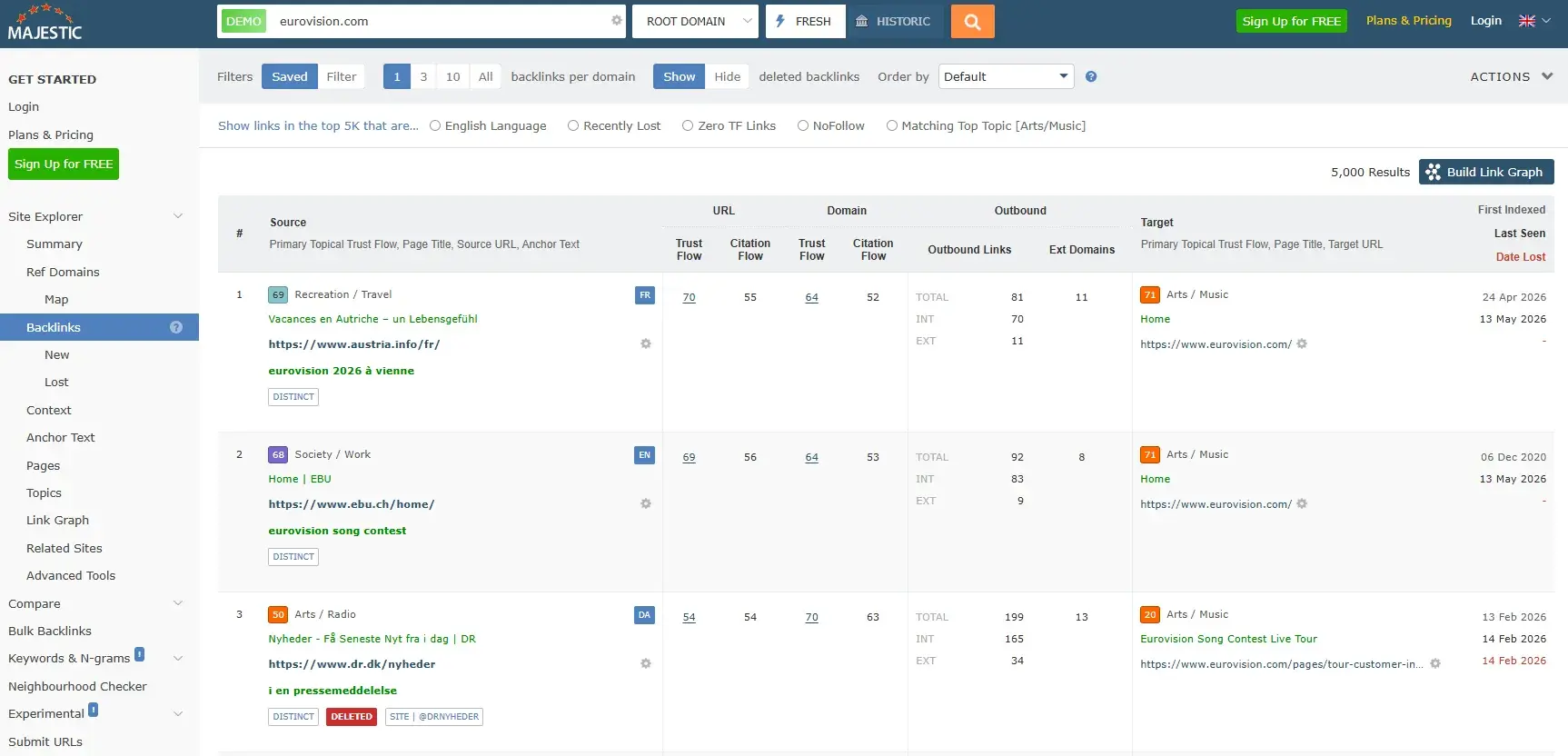
- Majestic (Limited Free Features/Trial): Majestic provides specialist backlink analysis. While paid plans start at $49.99 per month, limited free features or trial periods allow for initial exploration.
Rank Tracking Tools: Monitoring Performance
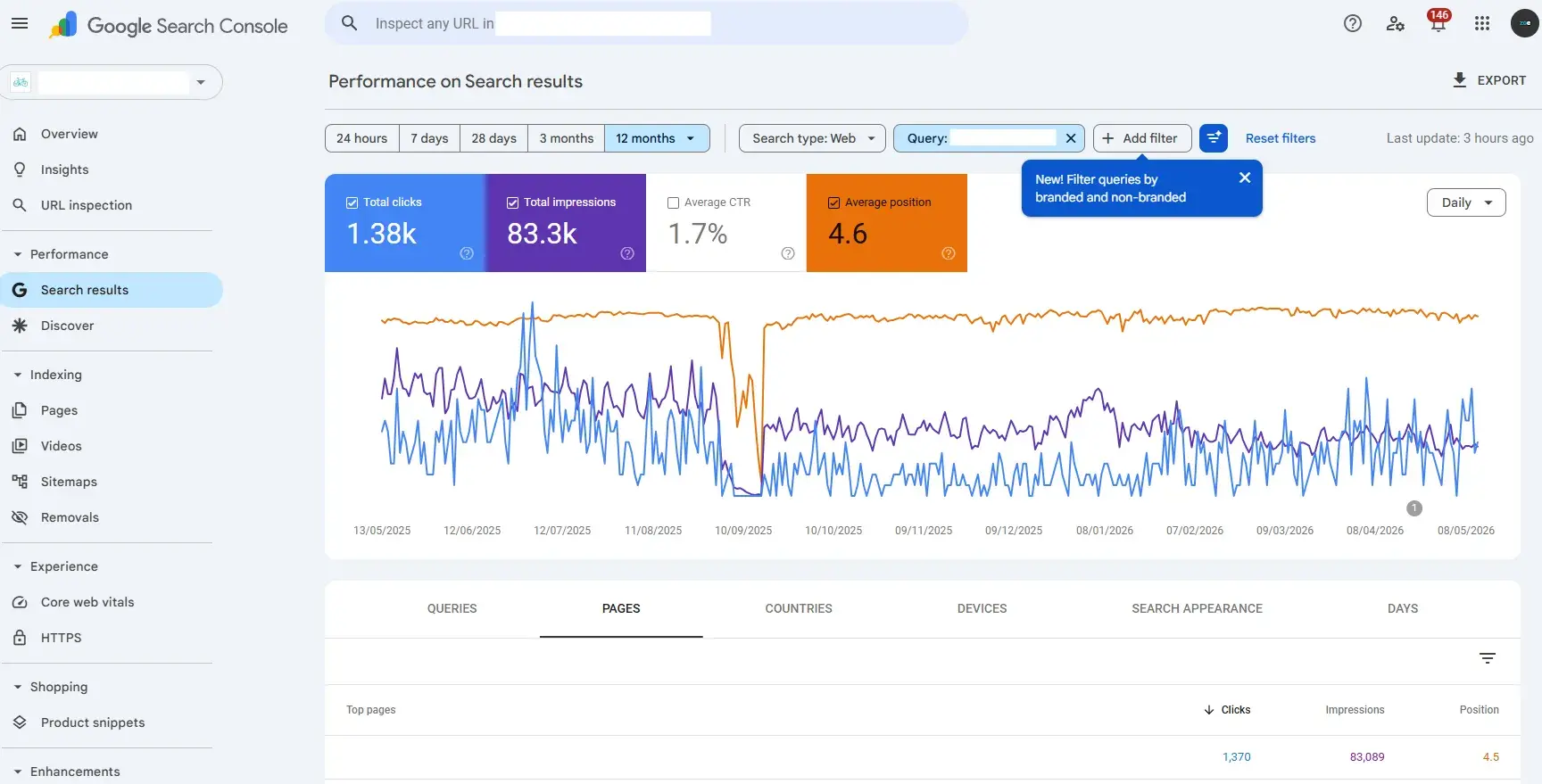
- Google Search Console: This is a fundamental, free tool for all businesses, providing essential first-party SEO performance data directly from Google. No upgrade is needed, though it can be supplemented with dedicated rank trackers for more granular monitoring.
- SERPWatcher by Mangools (Trial): SERPWatcher, part of the Mangools suite, offers accessible rank tracking. Plans start at $37.70 per month. It’s a worthwhile consideration for small businesses wanting simple daily rank tracking.
Local SEO Tools: Dominating Local Search
- Google Business Profile: Essential and free for all local businesses, this tool is the cornerstone of local search visibility.
- BrightLocal (Trial): BrightLocal, with plans starting at $29 per month, is ideal for businesses competing in local search markets. A free trial allows for testing its citation management and review monitoring capabilities.
Analytics and Reporting Tools: Measuring Impact
- Google Analytics 4: This free, industry-standard tool provides comprehensive website analytics, crucial for understanding visitor behavior and traffic sources.
- Looker Studio (formerly Google Data Studio): A free and powerful data visualization tool, it allows for the creation of shareable reports by pulling data from GA4, Google Search Console, and other sources.
- HubSpot Marketing Hub Analytics (Free Version): The free version offers basic marketing analytics, with paid plans starting at $20 per month for more advanced features and revenue attribution.
Transitioning Beyond Free: When Paid Solutions Become Essential
While free tools offer a strong foundation, businesses often reach a point where their limitations hinder growth and sophistication. Several indicators signal that it’s time to invest in paid SEO solutions:
- Data Volume and Granularity: Free tools may offer limited data points or historical tracking. Paid tools provide deeper insights, more extensive historical data, and advanced filtering options, crucial for nuanced analysis.
- Competitive Analysis Depth: Understanding competitor strategies is vital. Paid tools offer more robust competitor analysis features, including backlink profiles, content gaps, and keyword strategies.
- Scalability and Workflow Efficiency: As businesses grow and SEO efforts scale, free tools can become cumbersome. Paid platforms offer automation, bulk actions, and more efficient workflows to handle increased complexity.
- Advanced Features and Integrations: Features like AI-driven content suggestions, advanced technical audits, sophisticated link-building outreach modules, and seamless integration with CRM systems are typically exclusive to paid offerings.
- Dedicated Support and Training: Paid tools often come with dedicated customer support and comprehensive training resources, invaluable for teams needing assistance or upskilling.
- Reporting Sophistication: While free tools can generate basic reports, paid analytics and visualization platforms offer customizable dashboards, advanced attribution modeling, and professional reporting templates essential for demonstrating ROI.
The Evolving Landscape: Answer Engine Optimization (AEO)
The advent of AI-powered search experiences, such as Google’s AI Overviews and conversational AI chatbots, necessitates a shift in SEO strategies. Answer Engine Optimization (AEO) focuses on ensuring content is surfaced, summarized, and cited within these AI-generated answers. This complements traditional SEO by prioritizing visibility within generated responses rather than solely focusing on ranking positions.
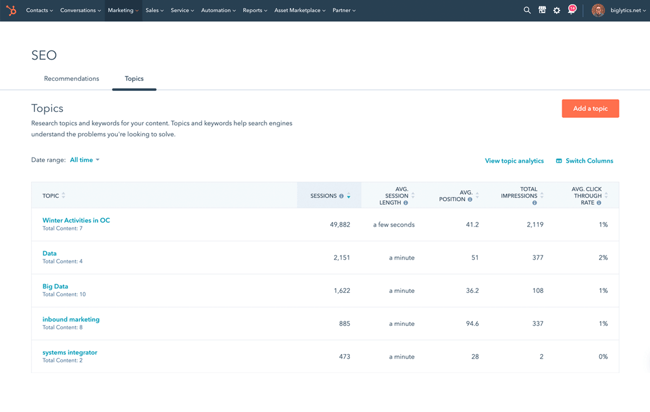
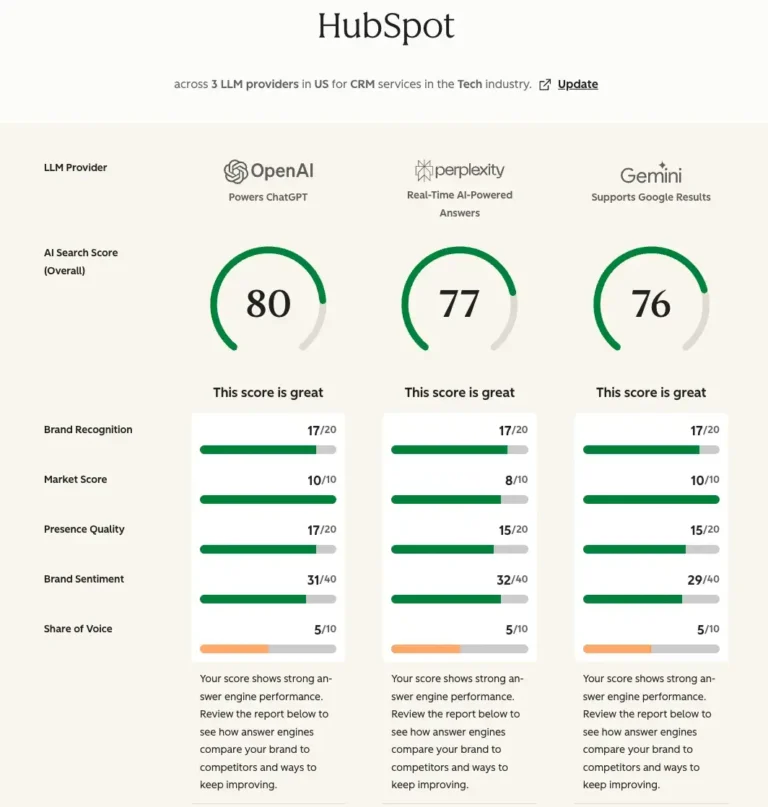
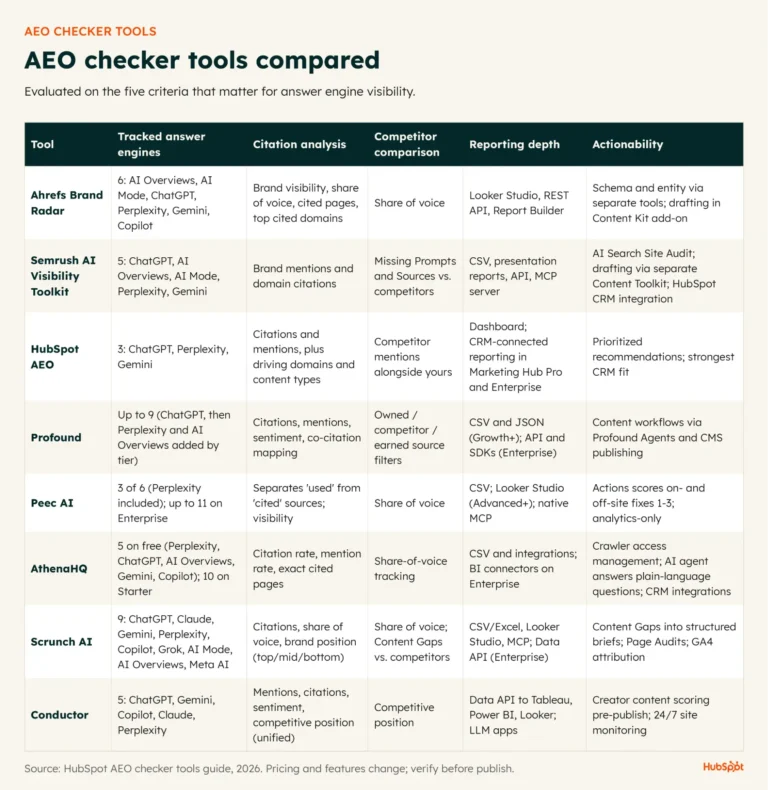
To measure AEO, businesses should monitor branded mentions, AI citations, query coverage, and visibility in AI Overviews. Tools like HubSpot AEO integrate these metrics with existing SEO, CRM, and content reporting, providing a holistic view of a brand’s presence in both traditional and AI-driven search environments. As AI search continues to evolve, the adaptation of SEO tool stacks to encompass AEO will be critical for future-proofing a business’s digital visibility.
Frequently Asked Questions About SEO Tools for Small Businesses
Do I need an all-in-one SEO platform or separate tools?
The choice between an all-in-one platform and specialized tools depends on a business’s team size, budget, and the complexity of its workflows. All-in-one platforms can offer cost-effectiveness and streamlined operations for small teams. However, specialized tools may provide deeper functionality in niche areas like advanced rank tracking or AI visibility monitoring. Many growing businesses adopt a hybrid approach, combining a core platform with a few select specialized tools.
What is the minimum tool stack to get started this month?
At a minimum, all businesses should utilize free Google-owned tools: Google Search Console for performance data and Google Analytics 4 for traffic insights. Beyond these fundamentals, consider a rank tracking tool like SERPWatcher or a more comprehensive option like Semrush. For content optimization and broader SEO insights, HubSpot’s integrated suite, built on its Smart CRM, offers visibility into technical SEO, content opportunities, and lead generation, all connected to contact and revenue data.
How should I integrate SEO tools with my website and CRM?
SEO tools are most effective when integrated with a business’s Content Management System (CMS), analytics platform, and Customer Relationship Management (CRM) system. Integrations with platforms like HubSpot or WordPress allow teams to track how SEO performance directly contributes to leads, pipeline growth, and revenue, moving beyond a singular focus on rankings. This holistic approach ensures that SEO efforts are aligned with overarching business objectives.
Building a Future-Proof SEO Tech Stack
The most effective SEO tools for small businesses empower teams to perform their tasks efficiently, analyze performance, and adapt to evolving search behaviors. A robust tech stack not only addresses current needs but also supports long-term growth. Whether opting for a comprehensive platform or a curated selection of specialized tools, the key lies in choosing solutions that make SEO measurable, actionable, and adaptable. For businesses seeking to simplify their workflow and ensure scalability, HubSpot’s SEO Marketing Software and AEO tool offer a unified solution that covers both traditional and AI search visibility, with integrated content optimization, reporting, and CRM capabilities. These tools are designed to grow with a business, even as it scales to enterprise levels, preventing major workflow disruptions and unexpected costs down the line.
About the Author