The digital marketing realm is increasingly dominated by search engine optimization (SEO), a critical component for any business aiming to establish and maintain an online presence. For small businesses, however, the challenge often lies in curating an effective and affordable technology stack that supports their SEO endeavors without straining limited resources. This comprehensive guide delves into the strategic selection of SEO tools, offering a roadmap for small business owners and marketing teams to build a robust and cost-efficient digital toolkit. With the advent of AI-driven search and an ever-evolving search engine algorithm, understanding the current landscape and future-proofing SEO strategies has become paramount.
The foundational importance of SEO for small businesses cannot be overstated. According to HubSpot’s State of Marketing report, a significant 50% of small businesses identify their website, blog, and SEO as their most leveraged marketing channels. This statistic underscores the direct correlation between strong organic search performance and business growth. As organic search continues to be a primary driver of customer acquisition, investing in the right tools to excel in this arena is not merely advantageous but essential for survival and competitiveness. This article aims to equip businesses with the knowledge to make informed decisions, recommending a blend of free and paid solutions tailored to specific growth objectives and budget constraints.

How to Choose SEO Tools for Your Small Business That Fit Your Goals
The selection process for SEO tools is not a one-size-fits-all proposition. Each business possesses unique objectives, financial capacities, and team skill sets. Therefore, establishing a clear framework for evaluating potential tools is crucial. This involves aligning tool selection with overarching business goals, understanding the diverse categories of SEO functionalities, and assessing practical considerations like ease of use and budget.
Defining Growth Goals
The immediate objectives of a business significantly influence the types of SEO tools required. A startup launching its first website will have different priorities than an established business aiming to expand its content production and reach new markets.
- Launching a New Website: For new ventures, the initial focus should be on foundational audits. Tools that can benchmark current site performance and identify immediate areas for improvement are invaluable. This sets a baseline for future growth and helps prioritize early optimization efforts.
- Driving Conversions from Organic Traffic: Businesses looking to increase conversions from their existing organic traffic should prioritize tools that offer deep keyword research capabilities and advanced content optimization features. Understanding user intent and aligning content with specific search queries can directly impact conversion rates.
- Rectifying Visibility or Ranking Drops: When a website experiences a sudden decline in search engine rankings, a robust technical SEO audit tool becomes indispensable. These tools can pinpoint underlying issues within the website’s structure, code, or indexing that may be negatively impacting performance.
- Competing Locally: For businesses with a strong local customer base, a focus on local SEO is critical. Tools that facilitate management of Google Business Profiles, monitor local citations, and track local search rankings are essential for capturing nearby customers.
- Demonstrating ROI to Stakeholders: To secure increased budgets or justify existing investments, SEO teams need tools that provide clear, data-driven reporting. Analytics and reporting platforms that translate SEO efforts into measurable business outcomes are paramount for stakeholder communication.
Matching Tools to SEO Categories
SEO is a multifaceted discipline encompassing several key pillars: on-page optimization, technical SEO, and backlinking. Each of these areas benefits from specialized toolsets, although many modern platforms offer integrated solutions that span multiple categories.
- Keyword Research: Understanding what your target audience is searching for is the bedrock of any SEO strategy. Tools in this category help identify relevant keywords, analyze search volume, and understand keyword difficulty.
- Technical SEO & Site Audits: This pillar focuses on the technical health of a website, ensuring search engines can crawl, index, and understand its content effectively. Tools here identify issues like site speed, mobile-friendliness, broken links, and crawl errors.
- Content Optimization: Once keywords are identified and technical issues are addressed, content must be optimized for both search engines and users. These tools assist in crafting engaging, relevant, and well-structured content that aligns with search intent.
- Backlink Research & Outreach: Backlinks remain a significant ranking factor, signaling authority and trustworthiness to search engines. Tools in this category help analyze existing backlinks, identify opportunities for new links, and manage outreach campaigns.
- Rank Tracking: Monitoring keyword performance over time is crucial for assessing the effectiveness of SEO efforts. Rank trackers provide insights into how a website’s positions change in search engine results pages (SERPs).
- Local SEO: For businesses serving a specific geographic area, local SEO tools are vital for optimizing Google Business Profiles, managing local citations, and improving visibility in local search results.
- Analytics & Reporting: Ultimately, the success of SEO must be measured. Analytics tools provide data on website traffic, user behavior, and conversion rates, while reporting tools help synthesize this data into actionable insights for stakeholders.
A strategic approach involves identifying which categories directly align with current growth goals and selecting tools that either address those needs comprehensively or offer overlap across multiple functions. This can lead to more cost-effective solutions by consolidating functionalities.
Ease of Use and Integration Considerations
Beyond functionality, the practicality of integrating a new tool into existing workflows is paramount. Subscriptions can quickly become expensive if the tools are not actively used or if they present a steep learning curve for the team. When evaluating tools, consider:
- User Interface (UI) and User Experience (UX): Is the tool intuitive and easy to navigate? Can team members quickly find the information they need?
- Learning Curve: How much training or onboarding will be required for the team to become proficient with the tool?
- Integration Capabilities: Does the tool seamlessly integrate with other essential platforms in your tech stack, such as your Content Management System (CMS), CRM, or analytics software? This is particularly important for data flow and automation.
- Support and Documentation: What level of customer support is available, and is there comprehensive documentation or tutorials to assist users?
Budgetary Constraints and Value Proposition
Budget is often a deciding factor. While free tools can be excellent starting points, they may have limitations in depth, scale, or features. Paid tools, conversely, offer more advanced capabilities but require careful justification of their ROI.
| Situation | Recommendation |
|---|---|
| Just starting and learning the basics | Start Free: Leverage free tools to understand core concepts and gain initial insights. |
| Need data beyond free tool limits, and the team is engaged | Go Paid: Invest in paid tools when free options become restrictive and the team actively utilizes the tool for SEO success. |
| Team lacks SEO expertise and needs guided recommendations | Go Paid: Premium tools often offer guided workflows and actionable insights that can compensate for a lack of in-house expertise. |
| Need to report results to clients or leadership | Start Free (initially): Free reporting tools can be sufficient, but paid tools often offer more sophisticated customization and automation. |
| Only need one specific function (e.g., rank tracking) | Stay Free (if possible): Utilize free tools like Google Search Console for specific needs if they fulfill the requirement. |
| Managing SEO across multiple pages, products, or locations | Go Paid: Scaled operations require tools that can handle complexity and volume efficiently. |
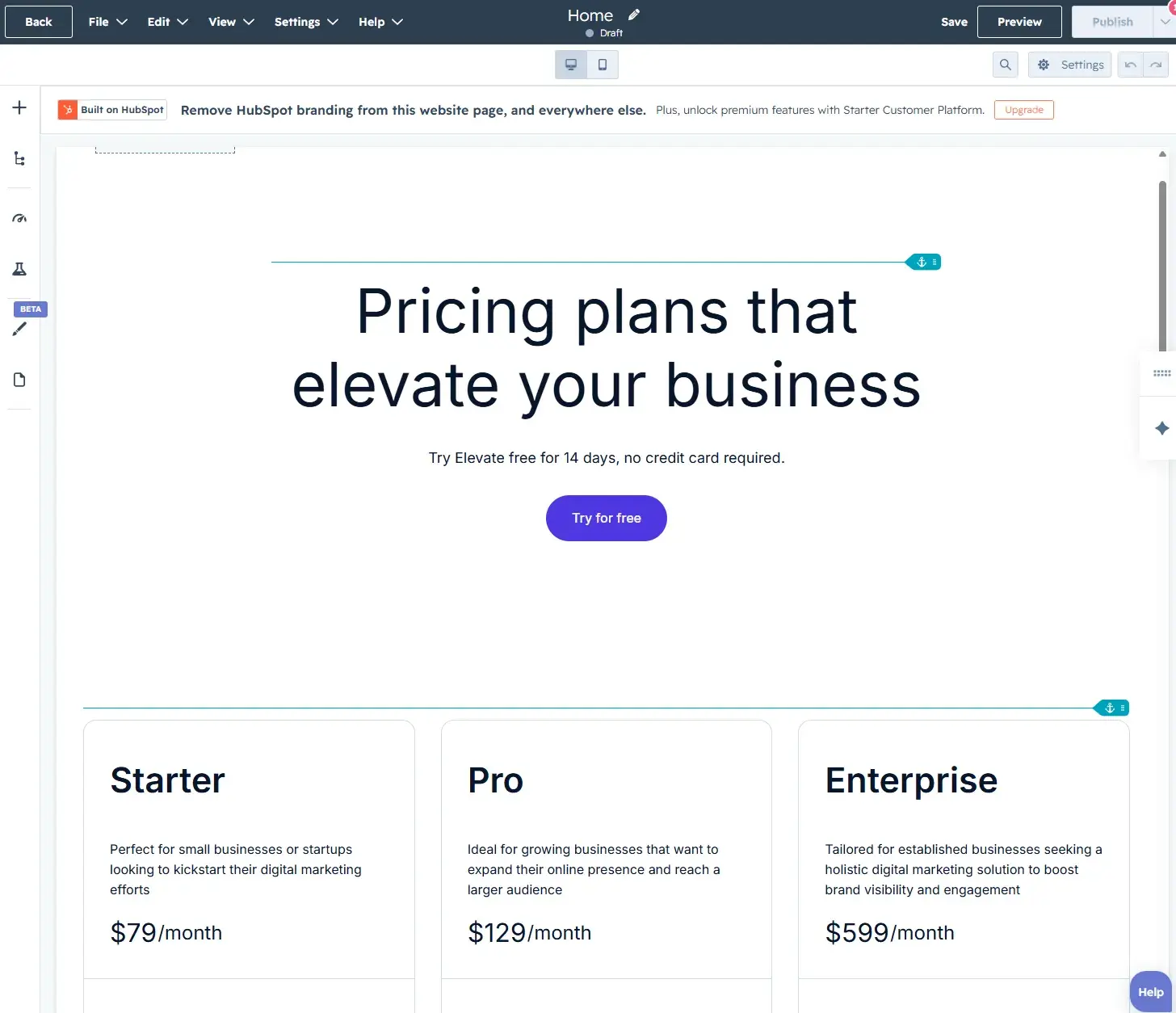
| Need SEO data to connect with CRM or lead data | Go Paid or leverage integrated platforms: Platforms like HubSpot offer seamless integration, bridging the gap between SEO and revenue. |
A crucial tip before investing in any paid tool is to thoroughly assess existing subscriptions. Often, functionalities might overlap, rendering an additional purchase unnecessary.

Free SEO Tools for Small Businesses to Start Fast
For small businesses operating with tight budgets, a wealth of free SEO tools can provide a solid foundation for their digital marketing efforts. These tools, while sometimes limited in scope or advanced features, are invaluable for understanding the fundamentals and making initial progress.
Keyword Research Tools
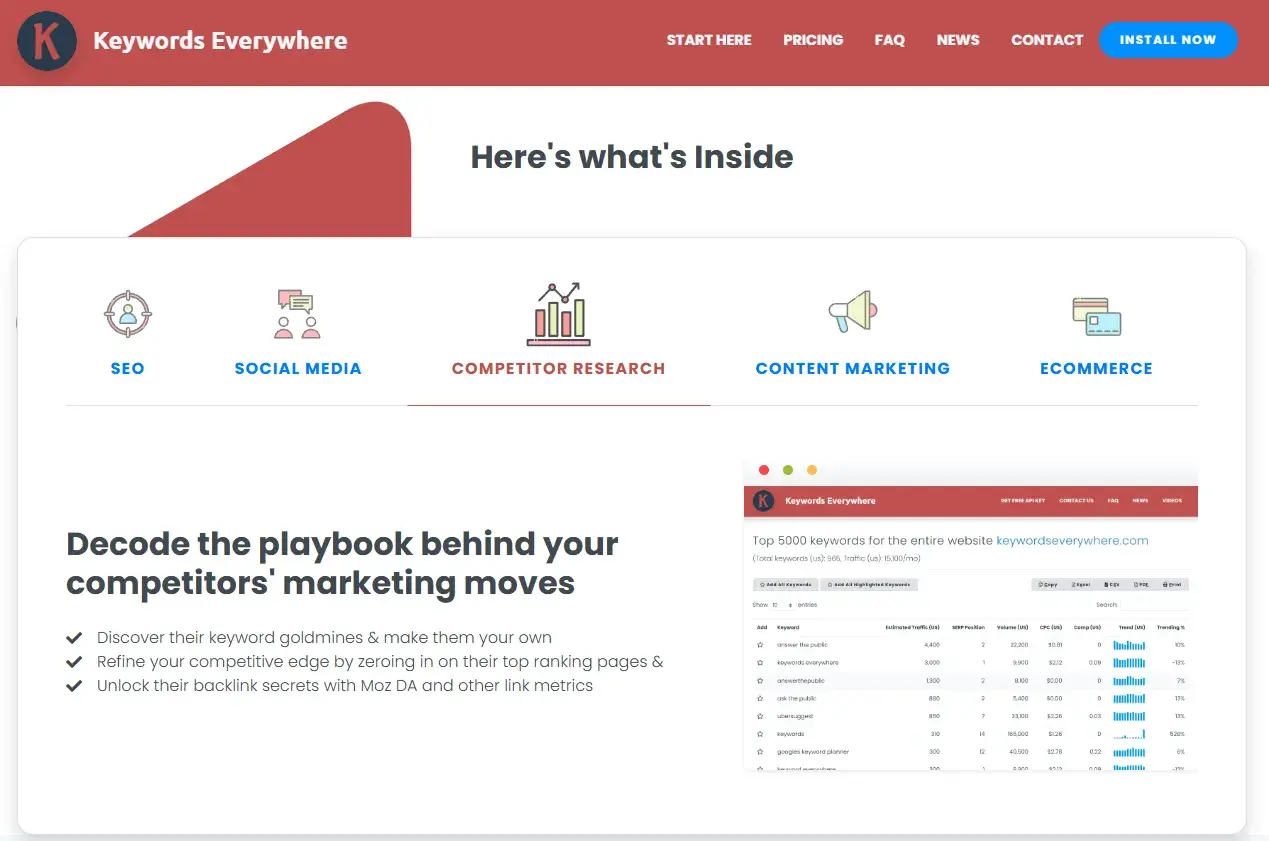
- Keywords Everywhere: This browser extension offers lightweight keyword insights directly within Google search results pages. It provides search volume, cost-per-click (CPC), and competition data, making keyword discovery an integrated part of daily browsing. While it has transitioned to a paid model, its affordability (starting at $7/month) makes it an immediate worthwhile investment for those who actively use keyword insights.
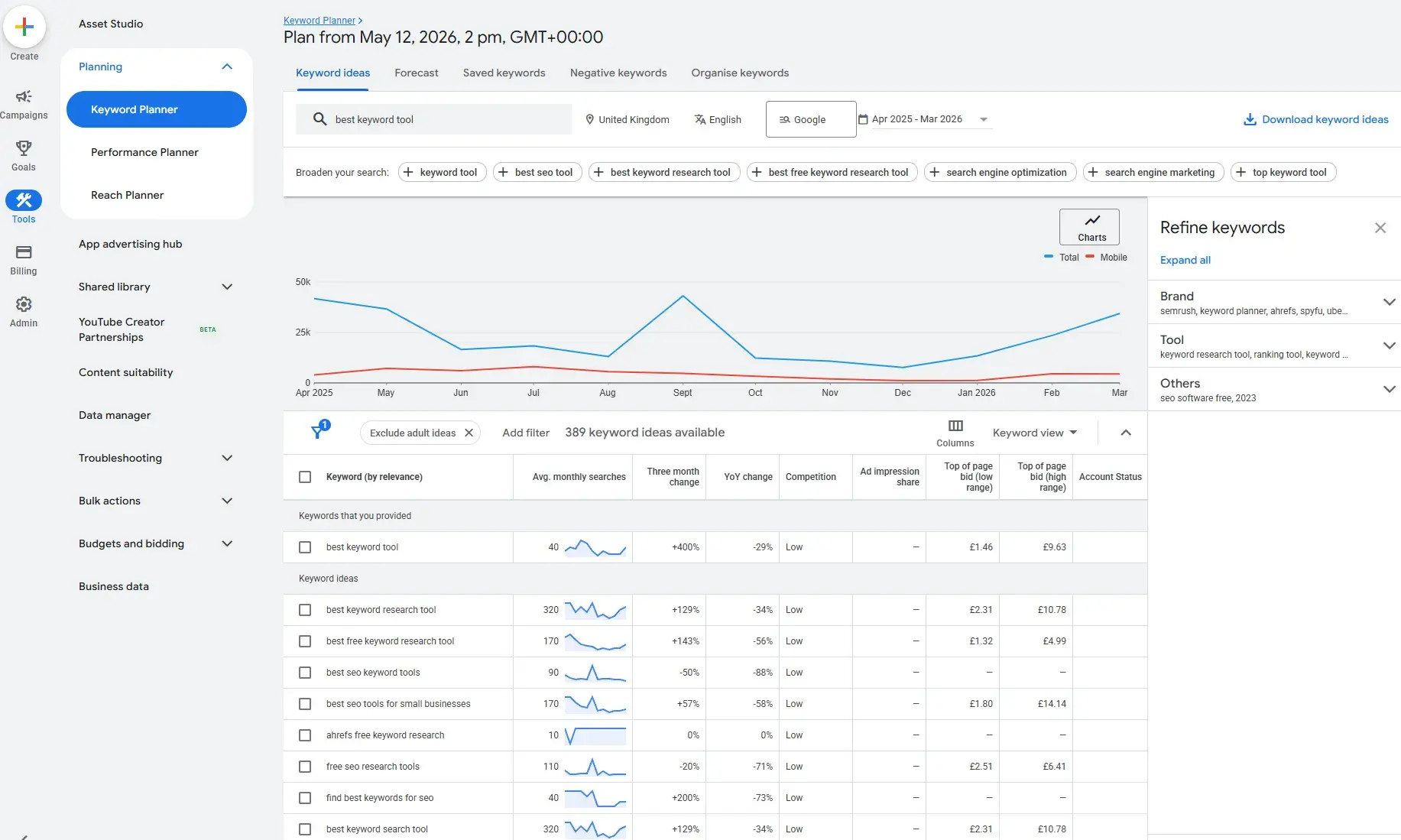
- Google Keyword Planner: A free tool within the Google Ads ecosystem, Keyword Planner offers keyword ideas, search volume ranges, and competition data. It’s an excellent starting point for businesses seeking a no-cost keyword research solution. The primary limitation is the need for a Google Ads account and potential reliance on broad search volume ranges if not actively running paid campaigns. As businesses scale, they may seek paid tools for more advanced segmentation, intent analysis, and competitive insights.
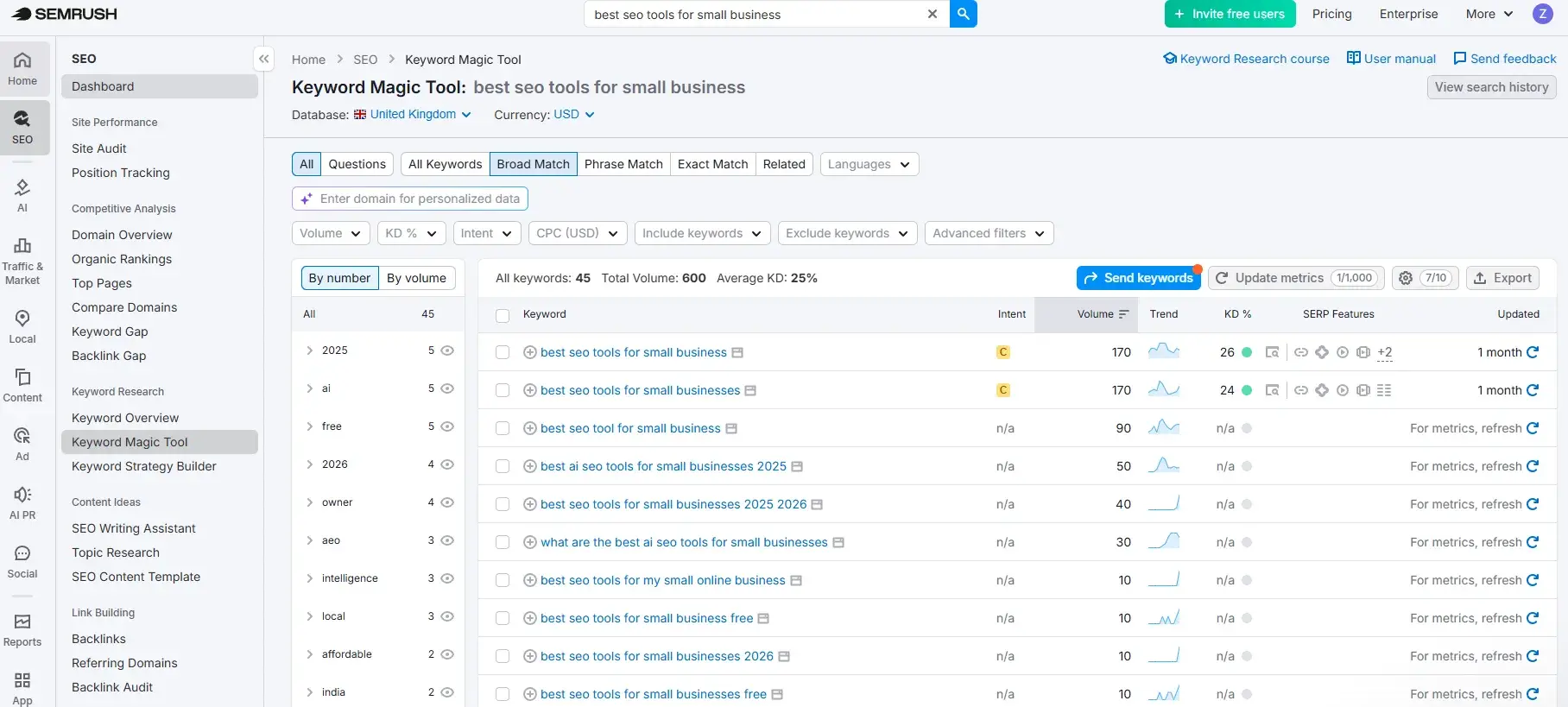
- Semrush (Free Version): While primarily a paid, comprehensive SEO suite, Semrush offers a limited free version that provides a glimpse into its powerful keyword research capabilities. This can be useful for initial exploration and understanding the potential of more advanced tools.
Technical SEO and Site Audit Tools
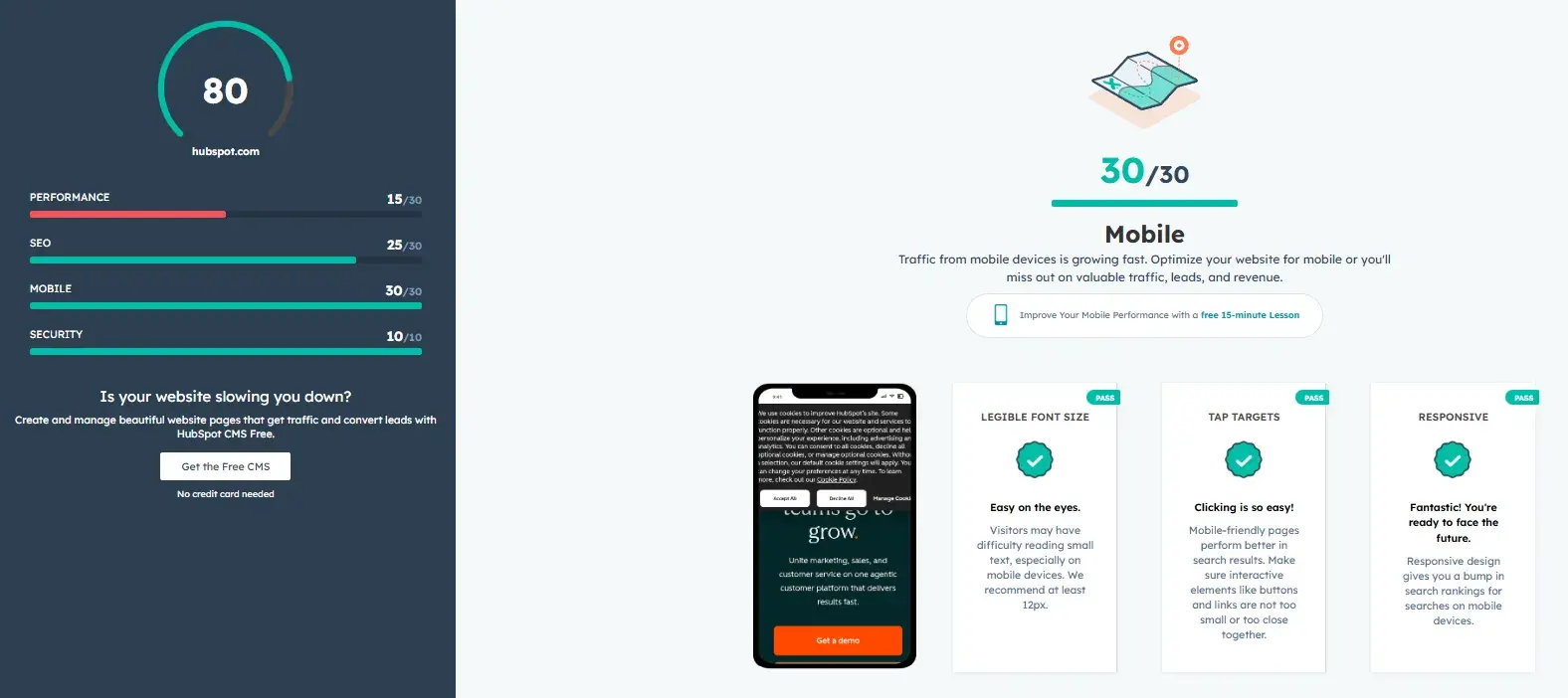
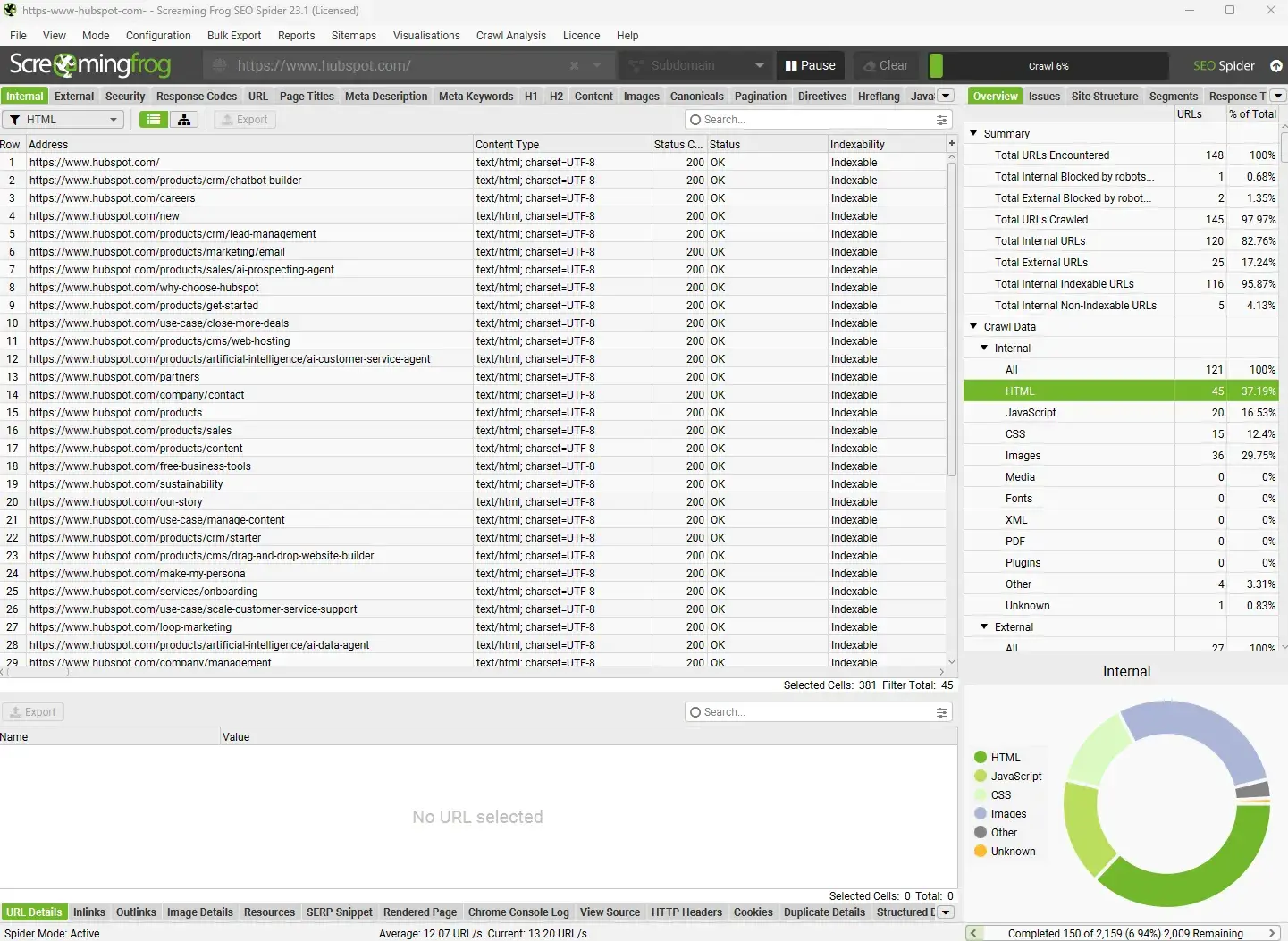
- HubSpot Website Grader: This free tool provides a quick, jargon-free technical audit of a website, assessing performance, SEO, mobile readiness, and security. It offers actionable recommendations suitable for businesses conducting their first audit or needing a clear snapshot of site health.
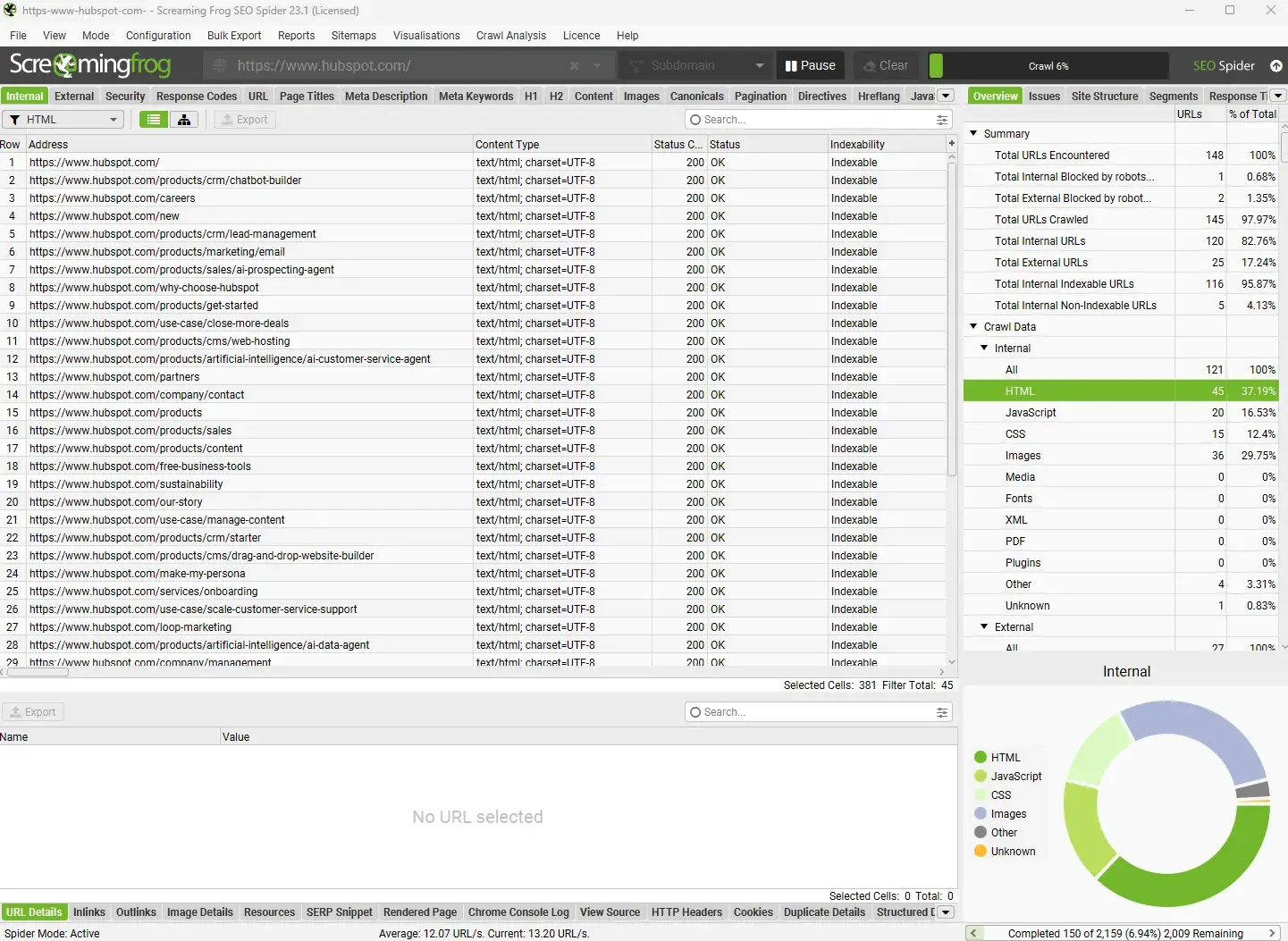
- Screaming Frog (Free Version): The free version of Screaming Frog allows crawling up to 500 URLs, providing detailed technical audits. It’s invaluable for identifying issues like broken links, duplicate content, and missing metadata. For larger sites, the paid version becomes necessary.
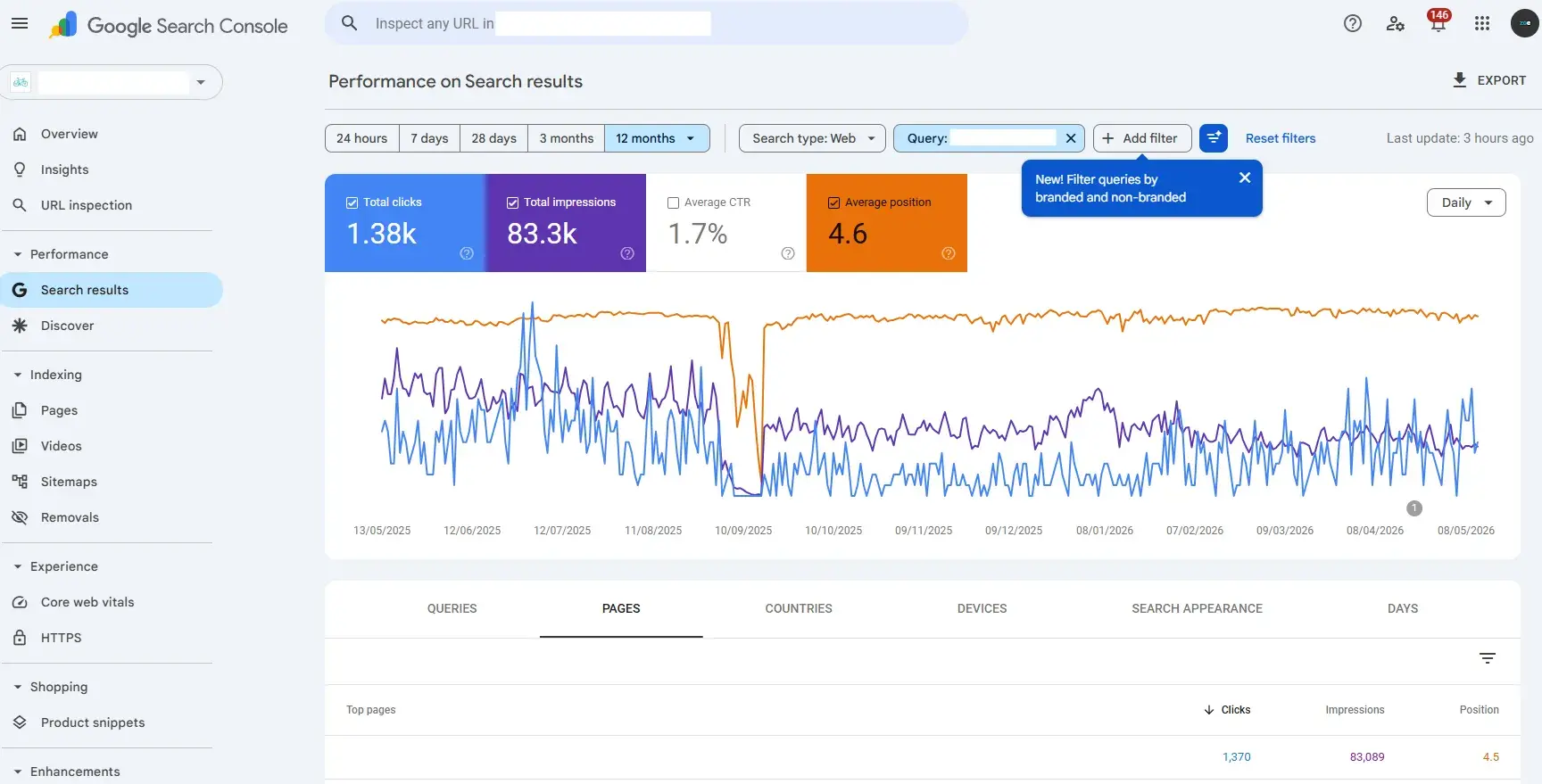
- Google Search Console: Essential for all businesses, Google Search Console offers free insights into how Google sees your website. It provides data on indexing status, mobile usability, and crucial performance metrics that inform technical SEO priorities.
Content Optimization Tools
- HubSpot Content Hub (Free Version): The free version of Content Hub offers basic content management capabilities. While it may not have all the advanced optimization features of paid tiers, it provides a structured environment for content creation and management.
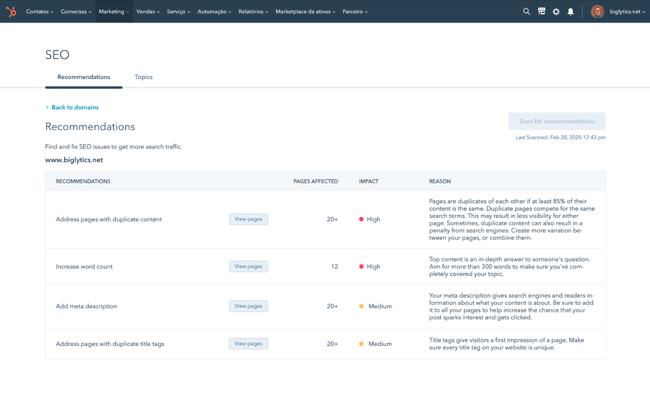
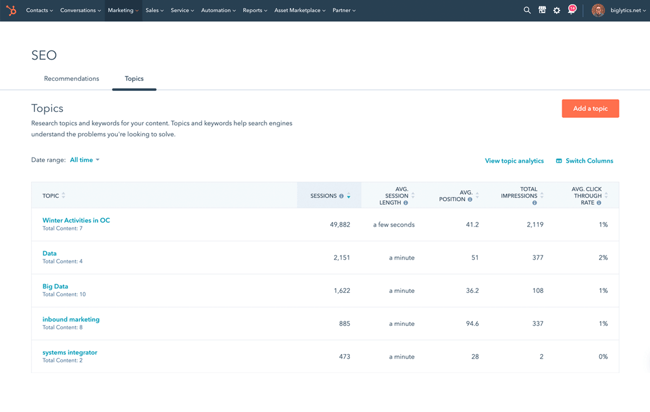
- HubSpot SEO Recommendations (Included in Free Tools): Even within HubSpot’s free offerings, basic SEO recommendations are often surfaced, providing guidance on on-page elements and technical aspects.
Backlink Research and Outreach Tools
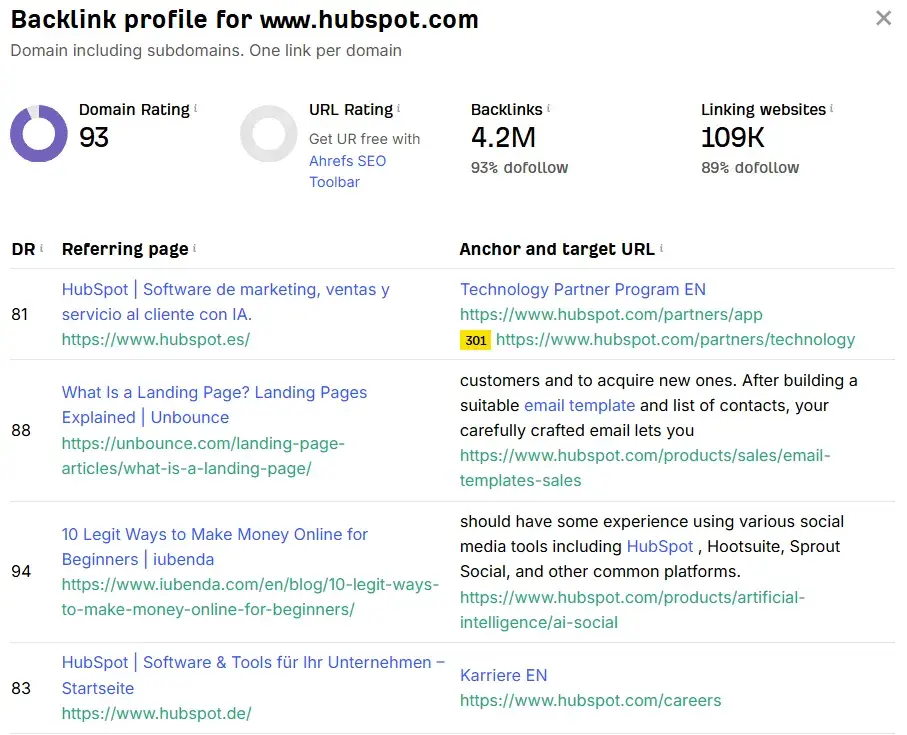
- Ahrefs Free Backlink Checker: Ahrefs offers a free version of its backlink checker, allowing users to analyze the backlink profile of any website. This provides a valuable, albeit limited, overview of a site’s link authority and identifies some key referring domains.
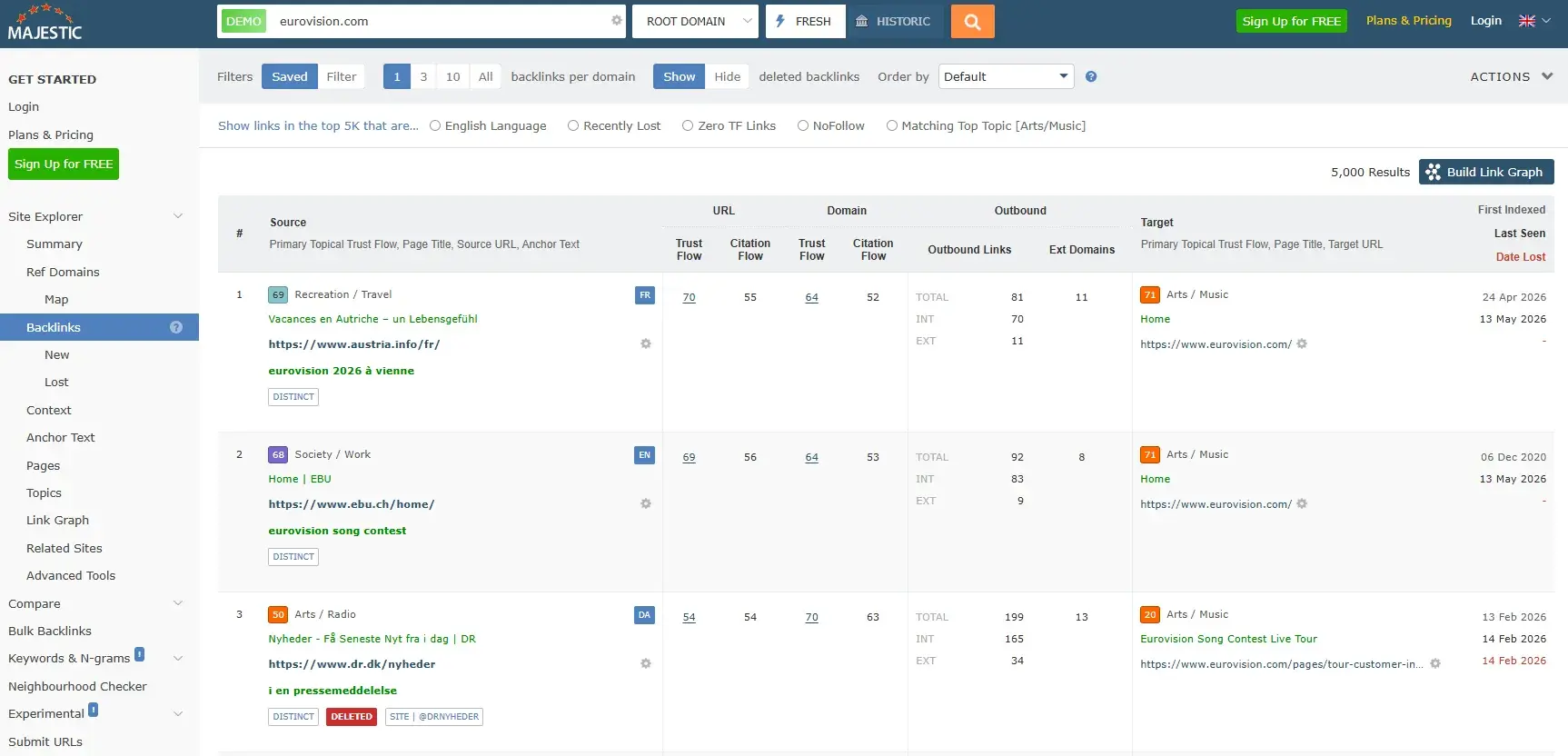
- Majestic (Limited Free Data): Majestic, a specialist in backlink analysis, often provides limited free access to its extensive database, enabling basic exploration of link profiles.
Rank Tracking Tools
- Google Search Console: As mentioned, GSC’s "Performance" report allows users to track average keyword positions over time. While not a daily, granular rank tracker, it provides essential data for understanding search visibility.
Local SEO Tools
- Google Business Profile: This is the cornerstone of local SEO and is entirely free. Businesses can create and manage their profiles, collect reviews, and ensure accurate listing information, which is critical for local search visibility.
When Free Stops Being Enough
As businesses grow and their SEO strategies mature, the limitations of free tools become apparent. Several indicators signal that it’s time to consider investing in paid solutions:
- Data Volume and Granularity: Free tools often provide aggregated or limited data. Paid tools offer deeper insights, more extensive databases, and the ability to analyze larger datasets.
- Advanced Features: Features like competitor analysis, predictive keyword research, in-depth technical audits, and automated reporting are typically exclusive to paid platforms.
- Scalability: Free tools may struggle to keep up with the demands of rapidly growing websites or complex multi-location businesses.
- Efficiency and Automation: Paid tools often automate repetitive tasks, saving valuable time and resources. This includes scheduled crawls, automated reporting, and workflow integrations.
- Competitive Edge: In highly competitive markets, the insights provided by advanced paid tools can be the differentiator needed to outperform rivals.
- Team Expertise: When a team requires guided recommendations or needs to compensate for a lack of specialized SEO knowledge, paid tools with intuitive interfaces and comprehensive support become essential.
- Integration with Business Intelligence: Connecting SEO performance directly to CRM data, sales pipeline, and revenue is a hallmark of sophisticated marketing operations, usually requiring paid platforms.
Best SEO Tools for Small Businesses By Category and When to Buy
The following sections detail specific tools within key SEO categories, outlining their primary use cases, pricing structures, and ideal upgrade points for small businesses.
Keyword Research Tools
- Keywords Everywhere:
- Best For: Solopreneurs, freelancers, and small teams needing quick keyword insights directly in Google SERPs.
- Pricing: Starts at $7/month.
- When to Upgrade/Buy: Worth buying immediately if SEO teams will actively use keyword insights during daily browsing.
- Google Keyword Planner:
- Best For: Small businesses that want a free keyword research starting point.
- Pricing: Free with a Google Ads account.
- When to Upgrade/Buy: Upgrade to paid SEO tools when the team could benefit from a better UX, competitor insights, advanced keyword segmentation, or filters like intent and keyword type.
- Semrush:
- Best For: Businesses ready for comprehensive SEO, competitor analysis, and technical SEO workflows.
- Pricing: Free version available; paid plans start at $139/month.
- When to Upgrade/Buy: Upgrade when teams need multiple SEO tools in one platform, competitor analysis, keyword tracking, or technical audits. This is an excellent all-in-one solution for growing businesses.
Technical SEO and Site Audit Tools
- HubSpot Website Grader:
- Best For: Businesses running their first technical audit or needing simple health reports.
- Pricing: Free forever.
- When to Upgrade/Buy: No upgrade required; use this entry-level auditing tool before moving to deeper crawlers.
- Screaming Frog:
- Best For: Growing websites needing detailed technical audits.
- Pricing: Free version (up to 500 URLs); paid version is $279/year.
- When to Upgrade/Buy: Upgrade if crawling sites over 500 URLs, scheduling crawls, or integrating with tools like Google Analytics or Google Search Console.
- HubSpot SEO Recommendations:
- Best For: Teams using or considering HubSpot Marketing Hub.
- Pricing: Through Marketing Hub; free version available, Starter from $20/month.
- When to Upgrade/Buy: Upgrade when replacing multiple marketing tools or CRM systems, or needing guided technical SEO workflows within an integrated platform.
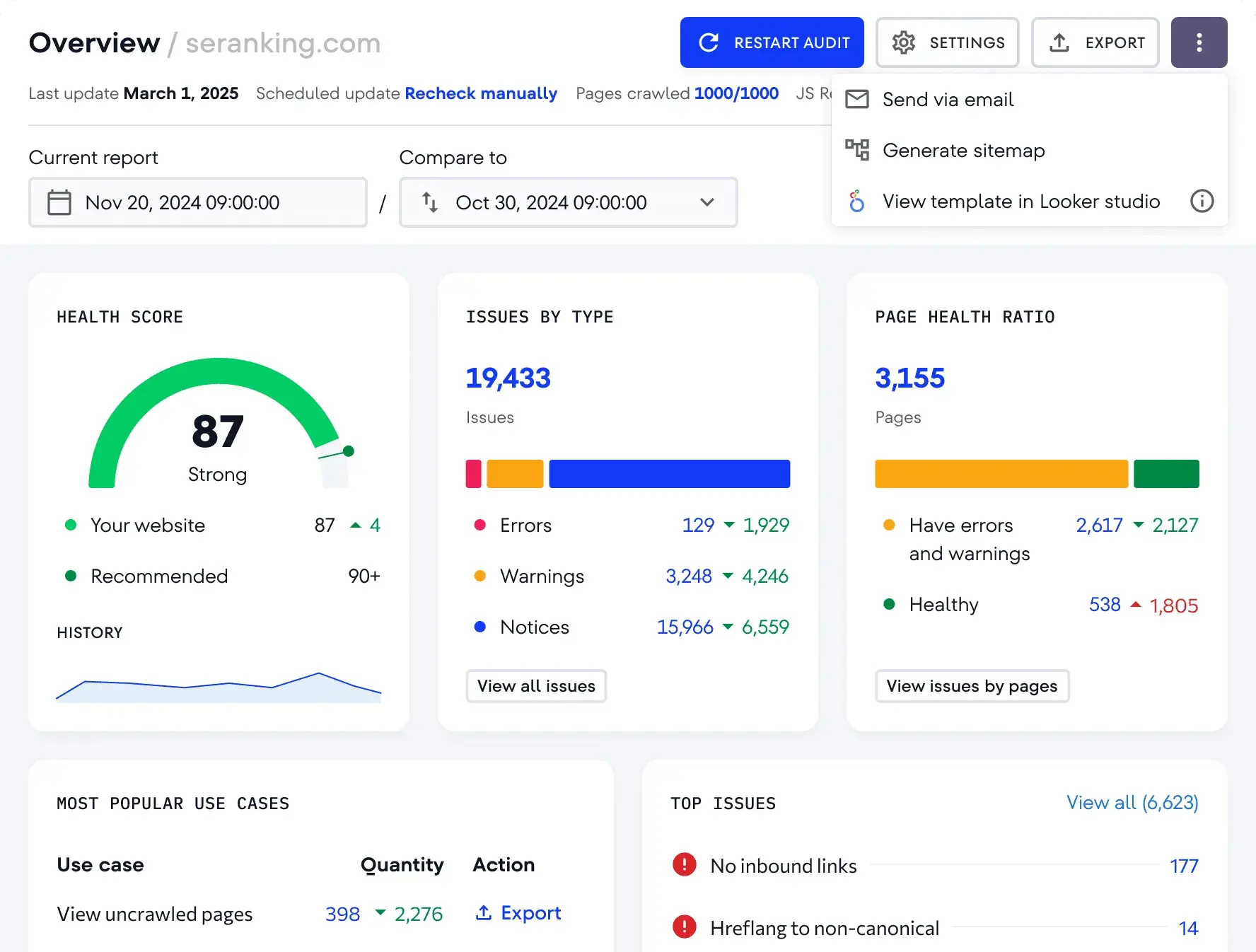
- SE Ranking:
- Best For: Lean teams wanting affordable all-in-one SEO tooling.
- Pricing: Plans start at $103.20/month.
- When to Upgrade/Buy: Upgrade when managing multiple domains, scaling SEO operations, or needing white-label reporting.
Content Optimization Tools
- HubSpot Content Hub:
- Best For: Businesses wanting content creation, SEO optimization, and analytics on one platform.
- Pricing: Free version available; paid plans start from $20/month.
- When to Upgrade/Buy: Upgrade when publishing content regularly and needing lead/revenue attribution and AI content tools.
- HubSpot SEO Performance Analysis:
- Best For: HubSpot users wanting SEO insights tied to CRM and revenue.
- Pricing: Included within Marketing Hub.
- When to Upgrade/Buy: Upgrade the broader HubSpot package when merging SEO, CRM, reporting, and content workflows for full-funnel attribution.
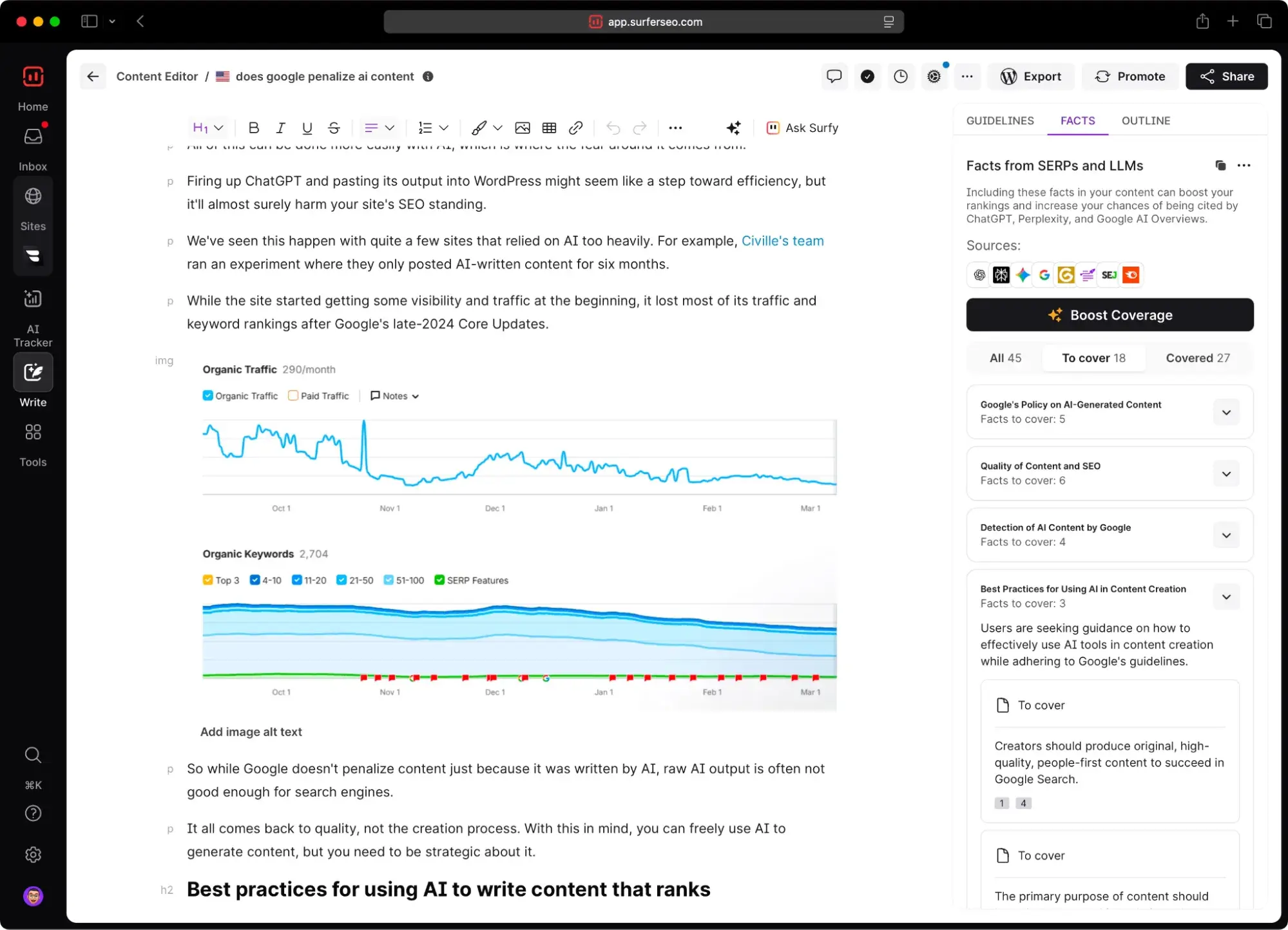
- Surfer SEO:
- Best For: Teams producing SEO content regularly.
- Pricing: Plans start at $99/month.
- When to Upgrade/Buy: Upgrade if content teams will benefit from a tool that helps them write with SEO in mind and close the gap with top-ranking content.
Backlink Research and Outreach Tools
- Ahrefs:
- Best For: Businesses serious about scalable link building.
- Pricing: Free version available; Paid Starter plan is $29/month; full plans from $129/month.
- When to Upgrade/Buy: Upgrade when scaling outreach and needing deep backlink intelligence for advanced link building campaigns.
- Majestic:
- Best For: Businesses needing specialist backlink analysis.
- Pricing: Plans start at $49.99/month.
- When to Upgrade/Buy: Upgrade when analyzing competitor link profiles at scale or integrating backlink data into workflows.
Rank Tracking Tools
- Google Search Console:
- Best For: All businesses needing first-party SEO performance data.
- Pricing: Free forever.
- When to Upgrade/Buy: No upgrade needed, but supplement with dedicated rank trackers for daily keyword monitoring and more granular historical data.
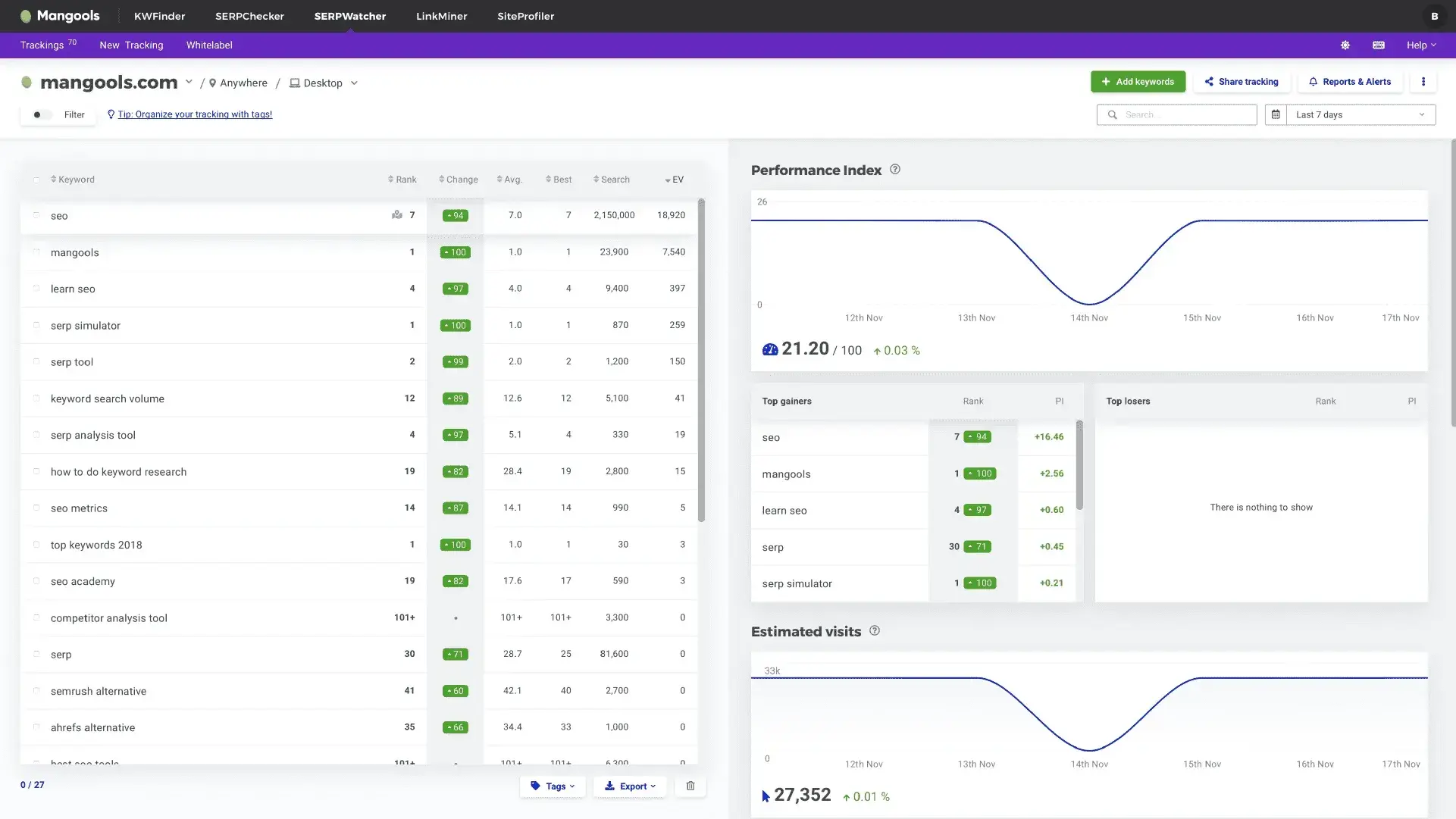
- SERPWatcher by Mangools:
- Best For: Small businesses wanting simple daily rank tracking.
- Pricing: Starts at $37.70/month.
- When to Upgrade/Buy: Upgrade as soon as tracking multiple keywords consistently over time becomes a core workflow.
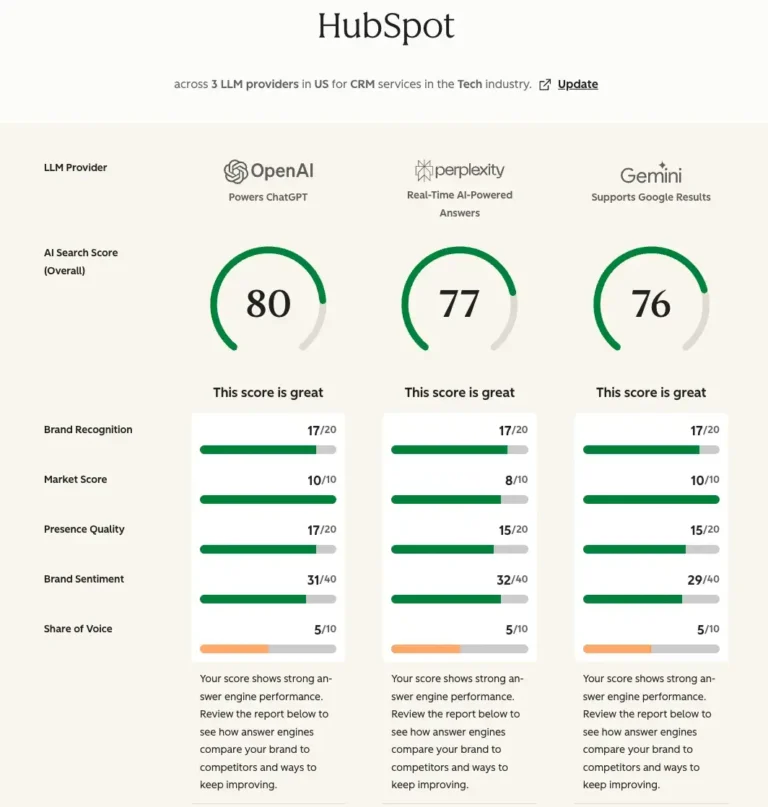
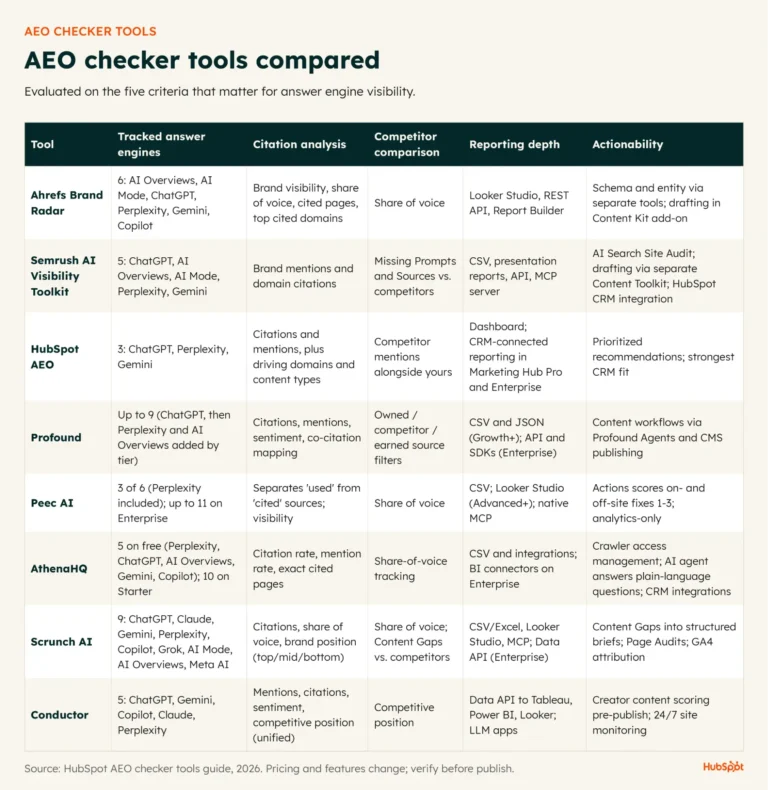
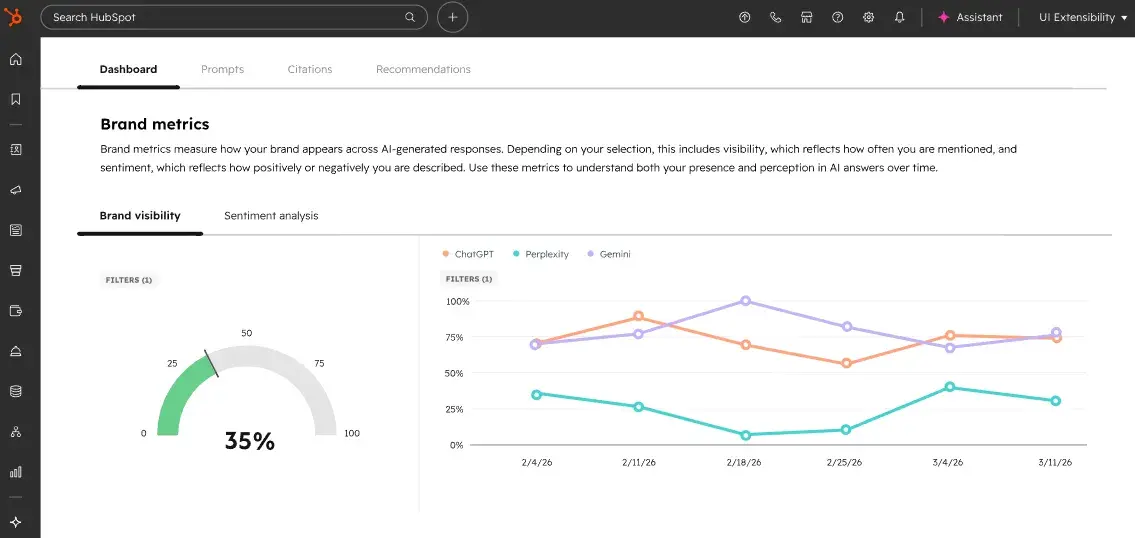
- HubSpot AEO (AI Engine Optimization):
- Best For: Businesses monitoring visibility in AI search engines.
- Pricing: Standalone from $50/month or included in Marketing Hub Pro/Enterprise.
- When to Upgrade/Buy: Upgrade when teams desire prompt tracking and continuous monitoring of AI search performance, a growing area of importance.
Local SEO Tools
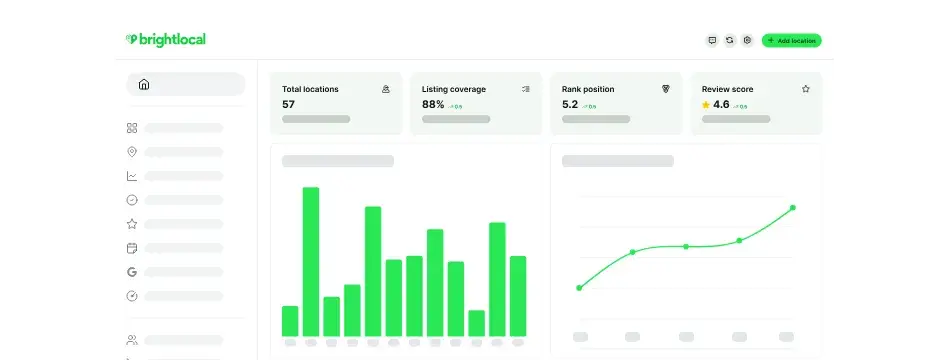
- BrightLocal:
- Best For: Businesses competing in local search markets.
- Pricing: Plans start at $29/month.
- When to Upgrade/Buy: Upgrade when managing reviews/listings across multiple locations or requiring white-label reporting for local clients.
- Nightwatch:
- Best For: Businesses needing highly granular local rank tracking.
- Pricing: Paid plans start at €79/month.
- When to Upgrade/Buy: Upgrade when tracking many keywords across multiple geographic locations for precise local SEO performance assessment.
Analytics and Reporting Tools
- Google Analytics 4:
- Best For: Any business needing behavioral website analytics.
- Pricing: Free.
- When to Upgrade/Buy: No upgrade needed for most small businesses; it’s a foundational tool.
- Looker Studio (formerly Data Studio):
- Best For: Teams needing shareable SEO and marketing reports.
- Pricing: Free.
- When to Upgrade/Buy: No upgrade needed unless moving to enterprise BI/reporting ecosystems. It’s an essential free tool for data visualization.
- HubSpot Marketing Hub Analytics:
- Best For: Businesses wanting SEO tied directly to leads, pipeline, and revenue.
- Pricing: Free version available; paid Starter plan from $20/month.
- When to Upgrade/Buy: Upgrade when needing full-funnel attribution and consolidated marketing analytics that connect SEO to tangible business outcomes.
When Free Stops Being Enough
The transition from free to paid SEO tools is a natural progression for growing businesses. It’s driven by the increasing complexity of SEO, the need for deeper insights, and the demand for demonstrable ROI. Key triggers for upgrading include:
- Limited Data Depth: Free tools often provide surface-level data. Paid tools offer comprehensive datasets, allowing for more nuanced analysis and strategic decision-making.
- Lack of Competitor Analysis: Understanding what competitors are doing is crucial for staying ahead. Advanced competitor analysis features are typically found in paid platforms.
- Inefficient Workflows: Manual data collection and reporting become time-consuming. Paid tools offer automation, saving significant hours and reducing the risk of human error.
- Need for Actionable Insights: While free tools can highlight issues, paid platforms often provide more prescriptive recommendations and guided workflows, making it easier to implement improvements.
- Measuring True Business Impact: Connecting SEO efforts directly to lead generation, sales, and revenue is a critical step. Paid analytics platforms excel at this full-funnel attribution.
- AI-Driven Search: The rise of AI Overviews and conversational search engines necessitates tools that can measure and optimize for this new landscape. HubSpot’s AEO tool is an example of a solution addressing this emerging need.
Build an SEO Tech Stack That Future-Proofs Small, Growing Businesses
Selecting the right SEO tools is an ongoing strategic decision, not a one-time purchase. The ideal tech stack for a small business is one that not only addresses current needs but also possesses the flexibility and scalability to support future growth. This means prioritizing tools that offer:
- Measurable Results: Tools that directly link SEO efforts to tangible business outcomes like leads, sales, and revenue are invaluable for demonstrating value and securing ongoing investment.
- Actionability: Insights are only useful if they can be acted upon. Tools that provide clear, prioritized recommendations streamline the optimization process.
- Adaptability: The digital marketing landscape is constantly evolving. The chosen tools should be capable of adapting to algorithm changes, new search behaviors (like AI-driven search), and emerging technologies.
- Integration: A well-integrated tech stack ensures seamless data flow between different platforms, eliminating data silos and enabling a holistic view of marketing performance.
- Cost-Effectiveness: While investing in powerful tools is necessary, it’s crucial to balance features with budget. Exploring tiered pricing, bundled solutions, and free versions can help optimize spend.
For businesses seeking to streamline their workflow and future-proof their SEO strategy, integrated platforms like HubSpot offer a compelling solution. Their SEO Marketing Software and AEO tool, for instance, provide a unified environment for managing traditional SEO, AI search visibility, content optimization, reporting, and CRM integration. This approach not only simplifies operations but also ensures that the technology stack can scale seamlessly alongside the business, even into enterprise-level complexity. By making informed choices about their SEO tool stack, small businesses can build a sustainable competitive advantage in the digital arena, driving measurable growth and adapting to the future of search.
About the Author