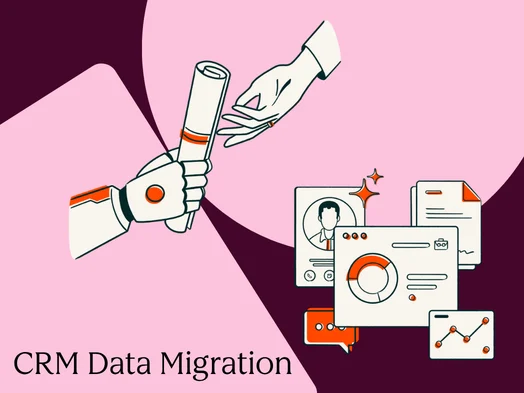
CRM data migration is the complex yet critical process of transferring data, established workflows, and associated assets from one Customer Relationship Management system to another. This undertaking is paramount because the CRM serves as the central nervous system for any revenue-generating team. When the data within this system is compromised—whether through inaccuracies, duplications, or incompleteness—every subsequent process, from sales outreach to customer service, is fundamentally undermined, leading to operational breakdowns and missed opportunities. Industry analysis consistently shows that data quality issues are a leading cause of CRM project failure, with some studies indicating that up to 60% of CRM implementations do not meet their initial objectives due to poor data integrity. This comprehensive guide details the end-to-end CRM data migration process, from initial strategic planning through the crucial post-launch hypercare phase, offering insights gleaned from numerous successful and challenging migrations.
Understanding the Nuances of CRM Data Migration
At its core, CRM data migration involves more than simply “moving data.” It is a sophisticated operation encompassing the transfer of records, intricate relationship histories, user permissions, and interconnected automated workflows. A superficial understanding of this process, often equating it to a basic CSV import, dramatically understates the complexity involved. A true migration necessitates a holistic approach that addresses:
- Data Integrity: Ensuring that the accuracy, completeness, and consistency of data are maintained throughout the transfer.
- Relationship Preservation: Replicating the vital links between different data objects, such as associating contacts with companies, deals with specific accounts, and activities with individual records.
- Workflow Continuity: Rebuilding and validating automated processes, triggers, and sequences in the new environment.
- Permission Mapping: Accurately translating user roles and access levels to ensure appropriate data security and operational efficiency in the new system.
It is also vital to distinguish migration from integration. While integration focuses on maintaining real-time synchronization between two or more active systems, migration is a discrete event—often phased—aimed at establishing a new, singular source of truth. Both processes may occur concurrently, but they represent distinct workstreams with different objectives and ownership structures. Therefore, CRM data migration should be viewed as a structured business transformation initiative, akin to implementing a robust revenue performance management framework, rather than a purely technical data transfer. A successful migration is defined by clear goals, defined constraints (such as freeze windows and rollback triggers), and measurable success criteria, including specific record counts, accuracy rates, and user validation milestones.
The Strategic Blueprint: Crafting a Robust Migration Plan
The foundation of any successful CRM data migration lies in a meticulously crafted plan. This document serves as the central guiding principle for the entire project team, delineating roles, establishing timelines, defining decision-making protocols, and outlining contingency measures for unforeseen issues. Experience indicates that investing an initial two to three weeks in comprehensive planning can save months of remediation efforts down the line.
Defining Roles and Responsibilities with a RACI Matrix
Clear ownership is indispensable for a CRM migration. A RACI (Responsible, Accountable, Consulted, Informed) matrix should be developed for each critical phase, ensuring unambiguous accountability. Key functional roles typically include:
- Project Sponsor: The executive champion providing strategic direction and resource allocation.
- Project Manager: Oversees the day-to-day execution, timeline, and communication.
- Technical Lead: Manages the technical aspects of data extraction, transformation, and loading.
- Data Steward/Analyst: Responsible for data quality, cleansing, and validation.
- Business Process Owner(s): Representatives from sales, marketing, and service who define functional requirements and user acceptance testing.
Ambiguity, particularly concerning go/no-go decisions, is a frequent pitfall. This crucial approval point must be clearly defined and assigned before the migration commences.
The Eight-Phase Migration Framework
A structured approach typically follows an eight-phase framework:
- Assess: Understanding the current CRM landscape, data volume, complexity, and business objectives for the new system.
- Cleanse: Identifying and rectifying data quality issues, including duplicates, inconsistencies, and inaccuracies.
- Map: Defining the correspondence between fields and data structures in the source and target CRMs.
- Test (Sandbox): Conducting initial migration runs in a non-production environment to identify and resolve issues.
- Migrate (Production): Executing the final data transfer to the live production environment.
- Validate: Verifying the integrity and accuracy of the migrated data and system functionality.
- Cutover: Transitioning users to the new CRM system.
- Hypercare: Providing intensive post-launch support to address immediate user issues and system adjustments.
Leveraging Sandbox Environments for Risk Mitigation
The initial migration efforts must be conducted within a sandbox environment, a replica of the production system that allows for risk-free testing. This is crucial for validating field mapping, identifying transformation errors, and confirming relationship integrity before any live data is affected. Running sandbox migrations at least twice is a highly recommended practice. The first run exposes gaps in field mapping, while the second, after these gaps are addressed, serves as the baseline for subsequent validation.
Proactive Risk Management and Change Management
A comprehensive risk register should be established early in the planning phase, documenting potential issues such as data corruption, extended downtime, integration failures, and user resistance. Crucially, effective change management is the often-underrated counterpart to technical migration. A clear communication plan, detailing the reasons for the change, the timeline, and the benefits of the new system, is essential for user adoption and minimizing day-one friction. Stakeholder alignment through regular milestone updates ensures a smoother transition and fosters a sense of shared ownership.
The Criticality of Data Cleansing: A Pre-Migration Imperative
Data cleansing is not an optional step; it is a non-negotiable prerequisite that must occur before the full migration. Attempting to cleanse data within the new system is significantly more challenging and error-prone than addressing it in the existing environment. Dirty data migrating to a new CRM leads to persistent issues, undermining user confidence and the system’s utility.
Conducting a Thorough Data Audit
The initial step in data cleansing is a comprehensive audit of each data object (contacts, companies, deals, tickets). For each, the audit should document:
- Record Counts: The total number of records in each object.
- Data Completeness: The percentage of records with essential fields populated.
- Data Accuracy: The prevalence of factual errors or inconsistencies.
- Data Duplication: The extent of duplicate entries across various fields.
- Data Formatting: The consistency of data entry (e.g., phone numbers, addresses).
This audit establishes a crucial data quality baseline, guiding cleansing targets and measuring progress.
Deduplication and Normalization: Establishing Standards
Deduplication is a time-consuming but vital process. Establishing clear matching rules upfront is essential. An exact email match is often the safest starting point for contact deduplication, with fuzzy matching on name and company, or domain-level deduplication for company records, layered on subsequently.
Normalization involves standardizing data formats across the dataset. This includes defining and enforcing consistent formats for phone numbers, country codes, picklist values, and lifecycle stages. Documenting these standards in a data dictionary not only cleanses legacy data but also provides governance rules for the new CRM.
Golden Records and Survivorship Rules
When duplicate records are merged, survivorship rules dictate which data fields take precedence. For instance, when merging two contact records with different phone numbers, the rule might specify retaining the most recently updated entry. Documenting these rules before deduplication is paramount to ensure consistent decision-making and prevent the creation of new data quality issues at scale. Advanced tools, such as HubSpot Data Hub, offer native deduplication workflows and data quality automation that can enforce survivorship rules efficiently.
The Art and Science of Field Mapping
Field mapping, the process of aligning fields from the source CRM to the destination CRM, often presents the first significant technical hurdle. This complexity arises because no two CRM systems share identical data models.
Building a Comprehensive Field Inventory
Prior to mapping, a complete inventory of the source system’s objects and properties is required. For each object type, this inventory should detail:
- Object Name: e.g., Contact, Company, Deal.
- Field Name: e.g., First Name, Email, Deal Amount.
- Field Type: e.g., Text, Number, Date, Picklist.
- Picklist Values: The available options for picklist fields.
- Field Purpose/Description: A brief explanation of what the field represents.
This inventory should be documented in a mapping spreadsheet, including columns for source and destination field names, types, picklist values, whether transformations are required, and the migration status.
Addressing Mapping Conflicts and Gaps
Common mapping conflicts include:
- Data Type Mismatches: A text field in the source may need to be mapped to a number field in the destination, requiring data transformation.
- Picklist Value Discrepancies: Different naming conventions or entirely different sets of options for equivalent picklist fields.
- Missing Fields: Fields in the source CRM that have no direct equivalent in the destination, necessitating a decision on whether to create a new field or omit the data.
Relationship mapping is a parallel, critical workstream that preserves the intricate links between objects. Migrating contacts before companies, for example, would result in orphaned contact records without an associated company.
Strategic Sequencing for Data Integrity
Migration sequencing is vital for preventing orphaned records. The fundamental rule is to migrate parent objects before their dependent child objects. A typical recommended sequence is:
- Users: To ensure ownership is established.
- Companies/Accounts: The highest-level organizational entities.
- Contacts: Individuals associated with companies.
- Deals/Opportunities: Sales-related transactions linked to companies and contacts.
- Activities (Tasks, Notes, Calls, Emails): Actions and interactions associated with records.
- Tickets/Cases: Customer service inquiries.
Deviating from this sequence can lead to orphaned records, where a record exists without its required parent association, creating data integrity risks that can compound over time. Post-migration association audits, checking for null foreign key fields (e.g., company_id on contacts), are crucial for identifying and rectifying these issues promptly.
Managing Historical Data: A Question of Value
The decision of whether to migrate every historical activity and attachment requires careful consideration. Attempting to migrate exhaustive historical data is a common reason for migrations exceeding time and budget constraints. Historical data should be evaluated against four criteria:
- Business Value: Does the data provide essential insights for current operations?
- User Accessibility: Do users actively need to access this historical information?
- System Performance: Will migrating extensive historical data negatively impact the new CRM’s performance?
- Storage Costs: Are there significant financial implications for storing such large volumes of data?
For most organizations, migrating 12-18 months of activity history into the new CRM is a pragmatic approach. Older data can be archived in a read-only data store, such as a cloud storage bucket or a legacy CRM instance maintained in read-only mode. This strategy balances accessibility with operational efficiency and cost management. Historical email import, in particular, is often a high-effort, low-return item, especially when modern CRMs offer seamless inbox integration for ongoing email logging.
-1.png)
Integrations and Security: Unforeseen Dependencies
Integrations represent a common, yet often overlooked, point of failure in CRM migrations. Prior to cutover, a comprehensive inventory of all revenue operations tools connected to the current CRM is essential. This inventory should detail each tool’s data flows and endpoint requirements, including:
- Integration Name: e.g., Marketing Automation Platform, ERP System.
- Data Flow Direction: Unidirectional (one-way) or bidirectional (two-way) synchronization.
- Data Objects Transferred: e.g., Contacts, Leads, Orders.
- API Endpoints: The specific connection points for each system.
- Owner: The individual or team responsible for managing the integration.
Integrations require meticulous planning, owner assignment, and rigorous smoke tests in the sandbox environment before production cutover. These tests should utilize real field names and sample data to simulate production scenarios.
Permissions Remapping: Enhancing Security and Efficiency
Permissions remapping is an opportunity to rationalize the security model of the new CRM, rather than simply replicating the old one. This involves mapping real user roles and access needs to the new system’s permission sets. For each user group, documentation should cover:
- Data Visibility: Which objects and records they need to view.
- Editing Capabilities: Which properties they can modify.
- Record Ownership: Distinguishing between owned and view-only access.
- Scope of Access: Team-scoped versus global access.
Security testing should be an integral part of the validation checklist. Logging in as users with different roles (e.g., sales representative, sales manager, read-only user) and verifying their access levels ensures adherence to security policies.
The Crucial Stage: Validation and Rollback Planning
Validation is the final gatekeeper before go-live, and its underinvestment is a significant contributor to post-migration issues. "Data looks about right" is insufficient. A robust validation framework encompasses:
- Record Counts: Verifying that the number of migrated records in each object matches expectations.
- Sampled Spot Checks: Manual verification of a random selection of records for accuracy and completeness.
- Automated Comparisons: Using scripts or tools to compare source and target data for discrepancies.
- User Acceptance Testing (UAT): End-users performing their daily tasks in the new system to confirm functionality and data integrity.
Ensuring a Safe Rollback Strategy
Rollback planning is not an afterthought; it is a proactive measure. This requires clearly defined backup procedures, specific trigger conditions for initiating a rollback, defined time windows, and established communication paths. Before go-live, the following must be documented:
- Backup Strategy: How and when source data and the new CRM environment will be backed up.
- Rollback Triggers: Specific, measurable criteria that would necessitate a rollback (e.g., critical data loss, system instability).
- Rollback Timeline: The estimated time required to revert to the previous system.
- Communication Plan: How stakeholders will be informed of a rollback.
Maintaining the source CRM in a read-only state for at least two weeks post-go-live provides a valuable reference point for validation queries and a fallback option if unforeseen edge cases emerge.
Selecting the Right CRM Data Migration Tools
The choice of migration tools depends on data volume, technical resources, timeline, and the complexity of data transformations.
- Native Import Tools: For simpler migrations with clean data and standard objects (under 25,000 records), native import tools like HubSpot’s CSV importer, which offers in-UI field mapping, provide the most efficient path.
- iPaaS/Data Sync Platforms: Tools like HubSpot Operations Hub are designed for ongoing data synchronization and can manage complex migrations and post-migration integration management. They are ideal for phased migrations and maintaining data consistency between systems.
- Dedicated Migration Tools: Platforms such as Trujay, Migrate.io, and Data2CRM offer specialized features for complex migrations, including advanced mapping and transformation capabilities.
- Custom API Migration: For highly complex or unique migration requirements, a developer-built solution using APIs offers maximum flexibility but requires significant technical expertise and investment.
Regardless of the tool selected, initial testing in a sandbox environment is paramount to identify tool-specific quirks, rate limits, and encoding issues before impacting production data.
The CRM Migration Checklist: A Phased Approach to Success
A comprehensive checklist, tracking progress by phase with explicit completion criteria, is essential for disciplined execution:
Phase 1: Assess
- Define migration goals and objectives.
- Inventory all data objects and fields in the source CRM.
- Document current workflows and automation.
- Identify all integrated systems.
- Establish project team roles and responsibilities.
Phase 2: Cleanse
- Perform data audit (counts, completeness, accuracy, duplication).
- Execute deduplication processes based on defined rules.
- Normalize data formats and establish standards.
- Create and document survivorship rules.
Phase 3: Map
- Develop a detailed field mapping document.
- Identify and plan for data transformations.
- Map relationships between objects.
- Map user roles and permissions.
Phase 4: Test (Sandbox)
- Perform initial data migration in a sandbox.
- Validate field mapping and transformations.
- Test relationship integrity.
- Conduct user acceptance testing (UAT) in the sandbox.
- Iterate on mapping and transformations based on test results.
Phase 5: Production Migration
- Prepare the production environment.
- Execute the full data migration to the production CRM.
Phase 6: Validate
- Perform record count verification.
- Conduct sampled spot checks on critical data.
- Run automated data comparison reports.
- Execute UAT with key business users.
Phase 7: Cutover
- Deactivate the source CRM (or set to read-only).
- Perform delta migration (changes since the main migration).
- Activate new CRM workflows and integrations.
- Communicate go-live to all users.
Phase 8: Hypercare
- Provide dedicated post-launch support.
- Monitor system performance and data integrity.
- Address user issues and questions promptly.
- Identify and resolve any emergent data quality problems.
Go-Live and the Essential Hypercare Period
Go-live is not the conclusion of a migration but the commencement of a critical stabilization period. A 2-4 week hypercare phase is essential to address immediate post-launch issues, ensuring a smooth transition for users.
Go-Live Day Execution
On go-live day, a sequenced execution plan is vital:
- Final Delta Migration: Capture all data changes that occurred since the main migration cut-off. This is a high-risk phase where data loss can occur if not meticulously planned.
- System Activation: Enable new workflows, integrations, and user access in the production environment.
- User Access Grant: Provide users with their credentials for the new CRM.
The Hypercare Support Model
Hypercare is a structured support period where the migration team actively monitors the new system, responds to user inquiries, and ensures that revops automation workflows are functioning as intended. Best practices include:
- Dedicated Support Team: A core team available to handle immediate issues.
- Issue Tracking System: A formalized process for logging, prioritizing, and resolving user-reported problems.
- Daily Stand-ups: Regular team meetings to review issues and progress.
- User Feedback Loops: Proactive communication channels for users to report challenges and provide feedback.
Utilizing features like activity feeds and deal pipeline views within the CRM can significantly aid users in self-auditing their data post-migration. A well-executed hypercare period, typically lasting two to four weeks, is crucial for catching edge cases that only surface during real-world usage and rectifying them before they become entrenched data quality problems.
Frequently Asked Questions About CRM Data Migration
How long does a CRM data migration typically take?
The timeline varies significantly based on scope. Small migrations (under 25,000 records, standard objects, few integrations) can range from 4-6 weeks. Mid-market migrations (50,000-500,000 records, multiple object types, 5+ integrations) typically take 2-4 months. Enterprise migrations (complex custom objects, large datasets, numerous integrated systems) can extend to 4-9 months. Data cleansing is often the most time-consuming phase.
How much should a CRM data migration cost?
Costs depend on whether the migration is self-managed, uses a dedicated tool, or involves a systems integrator. Self-managed migrations primarily incur internal labor costs. Dedicated migration tools typically range from $500-$5,000 based on volume and complexity. Full-service system integrator engagements for enterprise migrations can range from $20,000 to $150,000+. Data cleansing is a significant cost driver, often accounting for 30-40% of total project effort.
Can you migrate attachments and email histories?
Yes, but with caveats. Attachments can be migrated if accessible via the source CRM’s API or export, but large libraries increase time and storage costs. Email history migration depends on how emails were logged. Migrating 12-18 months of email history and archiving older data is generally recommended over attempting a full historical email migration.
What happens to automation and workflows during migration?
Automation and workflows do not migrate automatically and must be rebuilt in the new CRM. This requires documenting all active workflows (triggers, conditions, actions) in the source system and rebuilding and testing them in the destination CRM sandbox before go-live. Source workflows should be deactivated concurrently with the activation of destination workflows to avoid operational gaps.
What is the difference between migration and integration?
Migration is a one-time or phased movement of data to establish a new system of record. Integration is an ongoing, bidirectional synchronization between two or more active systems that continue to coexist. Projects may involve both: migrating to a new CRM and then integrating it with other business systems for continuous data flow.
Conclusion: Building a Foundation for Growth
A meticulously executed CRM data migration provides a clean, reliable foundation for business growth. Conversely, a poorly managed migration creates enduring data debt that can plague an organization for years. The differentiator is rarely the technology itself, but rather the discipline in planning, sequencing, and validation. The principles outlined in this guide—cleansing data before migration, sequencing parent objects before children, validating rigorously before go-live, and providing comprehensive post-launch support—are universally applicable across CRM platforms and team sizes. Modern CRM platforms, such as HubSpot’s Smart CRM and Data Hub, are designed to streamline this process, offering robust data models, automation capabilities, and integration layers that empower organizations to migrate with confidence and maintain data integrity long-term.
About the Author