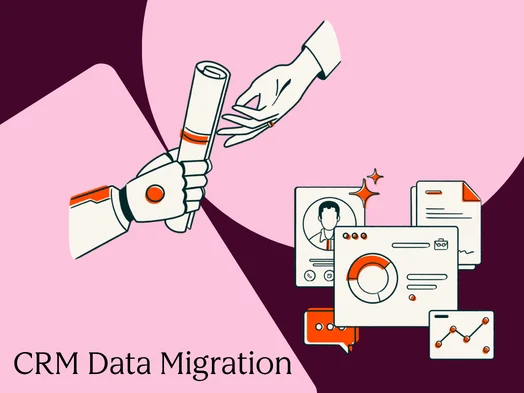
CRM data migration, the intricate process of transferring data, workflows, and assets from one Customer Relationship Management system to another, stands as a critical operational undertaking for any revenue-generating team. Its significance stems from the CRM’s role as the central nervous system of sales and marketing operations. When the data residing within this system is compromised, inaccurate, or incomplete, every subsequent process built upon it is destined to falter, leading to significant operational inefficiencies and potential revenue loss. This comprehensive guide delves into the multifaceted aspects of CRM data migration, from the initial planning stages through the crucial post-launch hypercare period, offering a structured methodology for successful execution.
The challenges inherent in CRM data migration are often underestimated. Numerous projects falter due to a failure to adequately scope the undertaking, neglecting essential data cleansing procedures, or rushing the go-live process without a robust contingency plan for rollback. The most successful migrations, conversely, treat the endeavor not as a mere technical data transfer but as a strategic business change initiative, requiring meticulous planning and execution. This approach acknowledges that the CRM is not just a repository of information but a dynamic engine driving revenue growth.
Understanding the Scope of CRM Data Migration
At its core, CRM data migration involves the movement of records, their intricate relationships, historical interactions, user permissions, and interconnected automated workflows from an existing system to a new platform. The phrase "moving data" often belies the complexity involved. A true migration transcends simple data import via spreadsheets. It encompasses the meticulous transference of:
- Contact and Company Records: Essential demographic and firmographic information.
- Deal and Opportunity Data: The entire sales pipeline, including stages, values, and close dates.
- Activity History: A chronological record of interactions, including calls, emails, and meetings.
- Custom Objects and Fields: Tailored data structures unique to an organization’s specific needs.
- User Permissions and Roles: Defining access levels and data visibility for different team members.
- Associated Workflows and Automations: The rules and triggers that govern operational processes.
Each of these elements is interconnected. A contact record, for instance, is linked to a company, associated with ongoing deals, woven into the fabric of email correspondence, and often part of automated marketing or sales sequences. Disrupting any of these connections can result in orphaned records, fractured sales pipelines, or critical gaps in reporting, immediately impacting day-to-day operations.
It is crucial to distinguish migration from integration. While integration focuses on maintaining ongoing synchronization between two active systems, migration is a deliberate, often phased, transfer of data with the objective of establishing a single, authoritative source of truth in the new system. Both processes may coexist, but they represent distinct workstreams with different ownership and objectives. This strategic approach mirrors the rigor required in revenue performance management, emphasizing data integrity and operational alignment.
A successful CRM data migration is defined by clear objectives, defined constraints (such as scheduled downtime or freeze windows), and measurable success criteria. These inputs dictate every decision made throughout the project lifecycle, ensuring a focused and goal-oriented execution.
The Foundational CRM Data Migration Plan
The migration plan serves as the central guiding document for the entire project team, outlining responsibilities, timelines, decision-making frameworks, and protocols for addressing unforeseen issues. Investing dedicated time in the planning phase, typically two to three weeks, can prevent months of costly remediation efforts post-launch.
Defining Roles and Responsibilities with RACI
Clear ownership is paramount. A robust migration requires defined roles across key functions:
- Project Sponsor: Provides executive oversight and champions the initiative.
- Project Manager: Oversees the day-to-day execution, coordination, and communication.
- Technical Lead: Manages the technical aspects of data extraction, transformation, and loading.
- Data Steward/Analyst: Responsible for data quality, cleansing, and validation.
- Business Stakeholders (Sales, Marketing, Service): Represent end-user needs and validate data integrity.
Implementing a RACI (Responsible, Accountable, Consulted, Informed) matrix for each major project phase is essential. Ambiguity, particularly around critical go/no-go decisions, is a common pitfall. Clearly defining who is accountable for approving the final migration is crucial for ensuring a timely and decisive transition.
The Eight-Phase Migration Framework
A structured approach typically involves eight distinct phases, ensuring a systematic progression:
- Assess: Understanding the current data landscape, system architecture, and business requirements.
- Cleanse: Identifying and rectifying data quality issues in the source system.
- Map: Defining the relationships between source and destination CRM fields.
- Sequence: Determining the optimal order for migrating different data objects.
- Test (Sandbox): Performing trial migrations in a non-production environment.
- Migrate (Production): Executing the live data transfer.
- Validate: Verifying the accuracy and completeness of the migrated data.
- Go-Live & Hypercare: Transitioning to the new system and providing post-launch support.
Leveraging Sandbox Environments for Risk Mitigation
Executing the initial migration in a sandbox environment is a non-negotiable best practice. This isolated replica of the production system allows for the testing of field mapping, identification of transformation errors, and validation of data relationships without jeopardizing live data. Purpose-built sandbox environments, such as those offered by HubSpot, enable iterative testing and refinement without risk. Running the sandbox migration at least twice is highly recommended; the first run uncovers mapping discrepancies, while the second, after corrections, establishes a reliable validation baseline.
Proactive Risk Management and Change Communication
A comprehensive risk register should be compiled early in the planning process, documenting potential issues such as data corruption, integration failures, or unexpected downtime. Equally important is change management, which ensures user adoption and minimizes day-one friction. A clear communication plan, with regular updates on project milestones, keeps stakeholders informed and aligned. This proactive approach to managing the human element of change is as critical as the technical execution for achieving widespread sales optimization.
HubSpot’s Smart CRM platform is designed to simplify this transition by offering a unified data model, which inherently reduces the complexity of remapping intricate relationships compared to more fragmented legacy systems.
The Criticality of Data Cleansing Pre-Migration
Data cleansing should precede, not accompany or follow, the full CRM migration. This principle is paramount because the migration of dirty or duplicate data into a new system creates a significant burden, making remediation far more challenging than addressing issues in the source environment.
Conducting a Thorough Data Audit
The process begins with a comprehensive data audit. For each object type (contacts, companies, deals, tickets), key metrics to document include:
- Record Count: Total number of existing records.
- Data Completeness: Percentage of records with essential fields populated.
- Data Accuracy: Identification of erroneous or outdated information.
- Data Duplication: The prevalence of duplicate records.
- Data Standardization: Consistency in formatting and values across fields.
This audit establishes a baseline for data quality, enabling the setting of specific cleansing targets and the measurement of progress.
Mastering Deduplication and Normalization
Deduplication, while time-consuming, is a cornerstone of data cleansing. Establishing clear matching rules before commencing is vital. An exact email match often serves as a safe starting point for contact deduplication, with fuzzy matching on name and company, or domain-level deduplication for company records, layered on as needed.
Normalization involves enforcing consistent data standards. This includes standardizing phone number formats, country codes, picklist values, and lifecycle stage definitions. Documenting these standards in a data dictionary not only cleans legacy data but also establishes governance rules for the new CRM, ensuring long-term data integrity.
Implementing Golden Records and Survivorship Rules
When duplicate records are merged, survivorship rules dictate which field values are retained. For instance, a rule might specify that the most recently updated phone number should be preserved. Documenting these rules before deduplication prevents inconsistent decisions and the creation of new data quality problems at scale.
HubSpot’s Data Hub offers native deduplication workflows and data quality automation tools that can enforce survivorship rules efficiently, significantly reducing manual review and ensuring consistency across large datasets.
Navigating the Complexities of Field Mapping
Field mapping, the alignment of data fields between the source and destination CRM, is often the first major hurdle in a migration project. This complexity arises from the inherent differences in data models across CRM platforms.
Building a Comprehensive Field Inventory
Before mapping can occur, a complete inventory of the source system’s objects and properties is required. For each object type, document:
- Object Name: e.g., Contact, Company, Deal.
- Field Name: The exact name of the data field.
- Field Type: e.g., Text, Number, Date, Picklist.
- Picklist Values: All available options for picklist fields.
- Data Volume: The approximate number of records associated with the field.
- Data Sensitivity: Any compliance or privacy considerations.
This information should be compiled into a mapping spreadsheet that includes columns for source and destination field names, types, picklist values, transformation requirements, and migration status.
Addressing Mapping Conflicts and Gaps
Common mapping conflicts include:
- Data Type Mismatches: e.g., attempting to map a text field to a numerical field.
- Picklist Value Discrepancies: Different sets of options for seemingly similar fields.
- Missing or Obsolete Fields: Source fields with no equivalent in the destination system, or vice versa.
Relationship mapping, the preservation of links between entities (e.g., contacts to companies, deals to contacts), is a parallel and equally critical workstream. Migrating contacts before companies, for example, will result in broken company associations.
HubSpot’s CRM import tool facilitates field mapping directly within the UI during upload, allowing for real-time validation of mapping logic before committing to the production migration.
Strategic Sequencing for Data Integrity
The order in which data objects are migrated is crucial for preventing orphaned records and maintaining data integrity. The fundamental rule is to migrate parent objects before child objects.
The Recommended Migration Sequence
A standard recommended sequence typically follows this order:
- Users: Ensuring all system users are set up correctly.
- Companies/Accounts: The overarching entities to which other records are linked.
- Contacts: Individuals associated with companies.
- Deals/Opportunities: Sales pipelines linked to companies and contacts.
- Activities: A record of past interactions.
- Tickets/Cases: Customer support inquiries.
- Products/Services: Items sold.
- Custom Objects: Any bespoke data structures.
Deviating from this sequence can lead to orphaned records, where a record exists without a valid parent association, creating downstream data integrity issues that compound over time. A post-migration audit of associations, checking for null identifiers, is essential for identifying and remediating orphaned records efficiently.
Managing Historical Data with Prudence
Migrating every historical activity and attachment is often an unnecessary undertaking that significantly inflates project timelines and costs. Historical data should be evaluated against four key criteria:
- Business Value: Does the data provide actionable insights or is it purely archival?
- Compliance Requirements: Are there legal or regulatory mandates for retaining specific historical data?
- System Performance: Will migrating large volumes of historical data negatively impact the new CRM’s performance?
- User Access Needs: How frequently will users need to access this historical information?
For most organizations, migrating 12-18 months of activity history is sufficient. Older data can be archived in a read-only data store, such as a cloud storage bucket or a legacy CRM instance in read-only mode. This approach balances historical context with practical system management. For email history, modern CRMs often offer user-level inbox connection, automating future logging, making historical email migration a lower ROI item.
Integrating Systems and Ensuring Security
Integrations represent a significant, often overlooked, dependency that can derail CRM migrations. A thorough integration inventory is essential before cutover, documenting each connected tool, its data flows, and endpoint requirements.
-1.png)
Comprehensive Integration Inventory and Testing
This inventory should include:
- Connected Tools: Marketing automation platforms, ERP systems, billing software, etc.
- Data Flows: Which data points are synced and in which direction.
- API Endpoints: The specific connection points for each integration.
- Data Transformation Logic: Any modifications applied to data during sync.
All integrations must undergo rigorous "smoke tests" in the sandbox environment before production cutover. This involves using real field names and sample data to verify functionality.
HubSpot Data Hub’s data sync capabilities streamline the process of keeping connected systems aligned during and after migration. For tools with native HubSpot integrations available in the HubSpot Marketplace, reconfiguration often involves a simple reconnection, minimizing the need for custom API work.
Remapping Permissions for Enhanced Security
Permissions remapping is an opportunity to rationalize security models rather than simply replicate them. It should align with real user roles and access needs in the new CRM, reflecting distinct responsibilities between marketing, sales, and service teams. For each user group, document:
- Object Visibility: Which data objects they need to access.
- Edit Capabilities: Which fields they should be able to modify.
- Record Ownership: Differentiating between owned and view-only records.
- Scope of Access: Team-scoped versus global access.
These requirements should then be mapped to the new CRM’s permission sets and rigorously tested with actual users. Security testing should be a mandatory part of the validation checklist, involving logins as different user roles to verify appropriate access levels.
Rigorous Validation: The Gatekeeper to Go-Live
Validation is the final, critical checkpoint before go-live, yet it is frequently underinvested. A robust validation framework encompasses multiple dimensions:
The Multi-Faceted Validation Framework
- Record Counts: Verifying that the number of migrated records matches the source.
- Sampled Spot Checks: Manual verification of individual records for accuracy.
- Automated Comparisons: Using scripts or tools to compare data sets.
- User Acceptance Testing (UAT): End-users confirming data meets their requirements.
Planning for Safe Rollback
Rollback planning is a prerequisite for any migration. It requires clearly defined backup procedures, trigger conditions for initiating a rollback, defined time windows for execution, and established communication channels. The source CRM should remain in a read-only state for at least two weeks post-go-live to serve as a reliable reference point and a potential recovery path for edge cases.
Choosing the Right CRM Data Migration Tools
The selection of a CRM data migration tool depends on data volume, technical resources, project timelines, and the complexity of field mapping and transformation logic.
When to Employ Dedicated Migration Tools
Dedicated tools are most effective when:
- Data Volume is High: Exceeding tens of thousands of records.
- Complex Transformations are Required: Involving intricate data manipulation.
- Multiple Data Objects Need Migrating: Including custom objects.
- Advanced Automation is Necessary: For recurring or complex migration tasks.
For simpler migrations with clean data and standard objects (under 25,000 records), HubSpot’s native CSV import tool offers a streamlined and efficient solution with in-UI field mapping.
Exploring Migration Tool Categories
- Native Import Tools (e.g., HubSpot): Ideal for smaller, less complex migrations. They offer direct import via CSV with built-in field mapping.
- iPaaS/Data Sync Tools (e.g., HubSpot Data Hub): These platforms serve as revenue operations hubs, maintaining synchronization between systems during phased migrations and for ongoing integration management.
- Dedicated Migration Tools (e.g., Trujay, Migrate.io, Data2CRM): Specialized solutions designed for complex, large-scale migrations with advanced features for data transformation and mapping.
- Custom API Migration: Developer-built solutions for highly bespoke or unique migration requirements, offering maximum flexibility but requiring significant technical expertise.
Regardless of the tool chosen, thorough testing in a sandbox environment is paramount to identify and address any tool-specific quirks or limitations before impacting production data.
The Essential CRM Migration Checklist
A comprehensive checklist ensures that all critical steps are addressed throughout the migration process. This checklist should be organized by phase, with explicit completion criteria for each item.
PHASE 1: ASSESS
- Define migration scope and objectives.
- Inventory all data objects, fields, and relationships.
- Document current workflows and automations.
- Identify key stakeholders and form the project team.
- Conduct an initial data quality assessment.
PHASE 2: CLEANSE
- Perform a detailed data audit.
- Execute deduplication processes.
- Normalize data standards and formats.
- Establish survivorship rules.
- Address data incompleteness and inaccuracies.
PHASE 3: MAP
- Create a comprehensive field mapping document.
- Define transformation logic for field mapping.
- Map relationships between data objects.
- Identify and address mapping conflicts.
PHASE 4: TEST (SANDBOX)
- Set up a production-like sandbox environment.
- Perform initial data migration tests.
- Validate field mapping and data transformations.
- Test relationship integrity.
- Conduct user acceptance testing in the sandbox.
- Refine mapping and test again.
PHASE 5: PRODUCTION MIGRATION
- Prepare for the production data freeze.
- Execute the primary data migration.
- Perform a delta migration for recent changes.
PHASE 6: VALIDATE
- Compare record counts against source data.
- Conduct sampled spot checks for accuracy.
- Run automated data validation scripts.
- Obtain user acceptance sign-off.
- Review the risk register for any residual issues.
PHASE 7: CUTOVER
- Deactivate the old CRM.
- Enable the new CRM for users.
- Redirect users to the new system.
- Communicate go-live to all stakeholders.
PHASE 8: HYPERCARE
- Provide dedicated post-go-live support.
- Monitor system performance and user issues.
- Address any emergent data quality problems.
- Ensure all automations and integrations are functioning correctly.
Go-Live and the Crucial Hypercare Period
Go-live is not the conclusion of the migration process but the commencement of a vital stabilization period. The subsequent 2-4 week hypercare phase is instrumental in ensuring a smooth transition and preventing the escalation of minor issues into long-term data debt.
The Go-Live Day Sequence
On go-live day, three critical actions must occur in precise sequence:
- Production Data Freeze: Halt all data entry and modifications in the source system.
- Final Delta Migration: Transfer any data changes that occurred since the primary migration.
- Production System Activation: Make the new CRM accessible to users.
The delta migration is a particularly sensitive step where data loss can occur if not meticulously planned and executed.
Structured Hypercare Support
Hypercare involves the migration team actively monitoring the new system, responding to user inquiries, and ensuring that revops automation workflows are operating as intended. Best practices for hypercare include:
- Dedicated Support Channels: Establishing clear communication lines for users to report issues.
- Daily Triage Meetings: A daily cadence to review reported issues and prioritize resolutions.
- Proactive Monitoring: Continuously observing system performance and data integrity.
- User Training Reinforcement: Providing ongoing guidance and support to users.
HubSpot’s Sales Hub and Service Hub offer intuitive activity feeds and pipeline views that can aid users in self-auditing their data post-migration, often surfacing missing records more efficiently than custom reports. A well-executed hypercare period, typically lasting two weeks for smaller migrations and up to four weeks for enterprise implementations, is essential for addressing edge cases that emerge during real-world usage and preventing them from becoming persistent data quality problems.
Frequently Asked Questions About CRM Data Migration
How long does a CRM data migration typically take?
The timeline varies significantly based on scope. Small migrations (under 25,000 records, standard objects, few integrations) can be completed in 4-6 weeks. Mid-market migrations (50,000-500,000 records, multiple object types, 5+ integrations) typically range from 2-4 months. Enterprise migrations, characterized by complex custom objects, large datasets, and numerous integrated systems, can extend to 4-9 months. Data cleansing often constitutes the longest phase, regardless of record volume.
How much should a CRM data migration cost?
Costs depend on whether the migration is self-managed, utilizes a migration tool, or involves a systems integrator. Self-managed migrations primarily incur internal labor costs, potentially ranging from 50 to over 200 hours for a mid-market project. Dedicated migration tools typically cost between $500 and $5,000, depending on data volume and complexity. Full-service system integrator engagements for enterprise migrations can range from $20,000 to $150,000 or more. Data cleansing consistently represents the most significant hidden cost, often accounting for 30-40% of the total project effort.
Can you migrate attachments and email histories?
Yes, with important caveats. Attachments can be migrated if accessible via the source CRM’s API or export, but large attachment libraries significantly increase time and storage costs. Email history migration depends on how emails were logged; BCC-logged emails are generally easier to migrate than inbox-synced threads. For email history, migrating 12-18 months and archiving the remainder is often the most practical approach.
What happens to automation and workflows during migration?
Automation and workflows do not migrate automatically and must be rebuilt in the new CRM. This is a distinct workstream requiring its own dedicated resources. Before go-live, a comprehensive inventory of all active workflows in the source CRM should be created, detailing triggers, conditions, actions, and ownership. These workflows must then be rebuilt and tested in the destination CRM sandbox. Deactivation of source workflows and activation of destination workflows should occur simultaneously to avoid gaps in automation coverage.
What is the difference between migration and integration?
Migration is a one-time or phased transfer of data to establish a new system of record. Integration is an ongoing, bidirectional synchronization between two systems that remain in active use. Migration replaces the source system, while integration connects coexisting systems. Many projects involve both: data is migrated to a new CRM, and then integrations are established to maintain ongoing data flow with other critical business systems.
Final Thoughts on Strategic CRM Data Migration
A meticulously executed CRM data migration lays a robust foundation for sustained growth and operational excellence. Conversely, a poorly managed migration can lead to enduring data debt, hindering progress for years. The critical differentiator is rarely the technology itself, but rather the commitment to strategic planning, disciplined sequencing, and rigorous validation.
The comprehensive approach outlined herein is applicable across diverse CRM platforms and organizational sizes. The core principles remain constant: cleanse data before migrating, sequence parent objects before child objects, validate thoroughly before go-live, and provide unwavering support to users throughout the hypercare period. Platforms like HubSpot’s Smart CRM and Data Hub are engineered to enhance the reliability and maintainability of this complex process, providing a robust data model, automated quality checks, and a flexible integration layer, empowering organizations to migrate with confidence and ensure enduring data integrity.
About the Author