The proliferation of Search Engine Optimization (SEO) tools presents both an opportunity and a challenge for small businesses. With finite resources and stringent budgets, identifying a technology stack that effectively supports a competitive edge in search rankings without incurring prohibitive costs is paramount. This necessity is underscored by HubSpot’s State of Marketing report, which reveals that a significant 50% of small businesses consider their website, blog, and SEO as their most impactful marketing channels. Given that organic search stands as a primary engine for business growth, equipping small enterprises with the right tools to excel in this domain is no longer optional but essential.
This comprehensive guide aims to empower business owners and SEO teams in their selection of tools that align with their objectives. It offers a strategic framework for building a technology stack that yields measurable results, beginning with recommendations for indispensable free tools and progressing to a categorized breakdown of must-have paid SEO software for small businesses.
How to Choose SEO Tools for Your Small Business That Fit Your Goals
Selecting the right SEO tools requires a strategic approach tailored to individual business needs, financial constraints, and existing team expertise. There is no universal solution; instead, small business decision-makers should establish clear criteria that potential tools must satisfy. A well-defined framework simplifies the selection process and ensures investments are directed towards solutions that deliver tangible value.
Aligning Tool Selection with Growth Objectives
The optimal set of online marketing tools for any business is inextricably linked to its current growth aspirations. A startup launching its inaugural website will have different priorities than an established company aiming to significantly increase its content output or expand into new markets. Understanding these distinct goals is crucial for identifying suitable tools:
- Launching a New Website: For businesses embarking on their digital journey with a new website, an initial focus on auditing tools is essential. These tools provide a baseline assessment of the current site’s health and identify key areas for immediate improvement and future growth opportunities.
- Driving Conversions from Organic Traffic: Businesses focused on increasing the effectiveness of their organic traffic should prioritize tools that excel in keyword research and content optimization. These tools help in identifying high-intent keywords and refining content to meet user needs and search engine criteria, thereby improving conversion rates.
- Rectifying Visibility or Ranking Declines: When faced with unexpected drops in search visibility or keyword rankings, technical SEO audit tools become critical. These tools can diagnose underlying website issues that may be negatively impacting performance, such as crawl errors, indexing problems, or site speed issues.
- Competing Locally: For businesses targeting a local customer base, a focus on local SEO tools and Google Business Profile management is key. These tools help optimize local listings, manage customer reviews, and improve visibility in localized search results and map packs.
- Demonstrating ROI to Stakeholders: To secure increased marketing budgets or justify existing investments, a strong emphasis on analytics and reporting tools is necessary. These tools provide the data and insights needed to showcase the direct impact of SEO efforts on business objectives, such as lead generation and revenue growth.
Matching Tools to SEO Categories
The field of SEO is multifaceted, encompassing several distinct pillars: on-page optimization, technical SEO, and backlinking. Each of these areas benefits from specialized tools, and identifying the overlap between tool functionalities can lead to more cost-effective solutions. A single tool that effectively addresses multiple SEO categories can represent a significant saving compared to acquiring separate solutions for each. The primary tool categories to consider include:

- Keyword Research Tools
- Technical SEO and Site Audit Tools
- Content Optimization and On-Page Tools
- Backlink Research and Outreach Tools
- Rank Tracking Tools
- Local SEO Tools
- Analytics and Reporting Tools
It is prudent for teams to avoid the temptation of acquiring tools for every category from the outset. Instead, they should prioritize tools that directly support their most pressing growth goals and expand their toolkit incrementally as needs evolve and budgets allow. The ultimate measure of an SEO software’s value lies in its ability to drive measurable business growth and its consistent utilization by the SEO team.
Evaluating Ease of Use and Integration
The financial outlay for SEO tools can accumulate rapidly, and the return on investment is diminished if team members do not actively utilize the subscribed platforms. Therefore, assessing the ease with which a tool can be integrated into daily workflows and the inherent desire of the team to use it is crucial. Look for tools that offer:
- Intuitive user interfaces that minimize the learning curve.
- Seamless integration capabilities with existing marketing technology stacks (e.g., CRM, CMS, analytics platforms).
- Clear documentation and readily available customer support.
- Features that automate repetitive tasks, freeing up team time for strategic initiatives.
Strategic Budget Allocation
Budgetary constraints often dictate the initial tool selection. If a particular tool is financially out of reach, procurement teams must explore alternative solutions or phased acquisition strategies. A general guideline for budget allocation based on common scenarios is as follows:
- Just Starting and Learning the Basics: Prioritize free tools to understand fundamental SEO principles and practices.
- Needing Data Beyond Tool Limitations and Active Tool Use: When free tools prove insufficient and the team is consistently leveraging existing tools for success, investing in paid solutions becomes justifiable.
- Lacking SEO Expertise and Needing Guided Recommendations: Paid tools often provide more in-depth guidance, tutorials, and actionable recommendations, which can be invaluable for teams new to SEO.
- Reporting Results to Clients or Leadership: Free analytics and reporting tools can often suffice for initial reporting needs, especially when combined with manual data compilation.
- Requiring Only One Specific Function: If a singular need exists (e.g., rank tracking via Google Search Console), utilizing free, dedicated tools is a cost-effective approach.
- Managing SEO Across Multiple Assets: For businesses with extensive online presence (multiple pages, products, or locations), paid tools offering scalable management and reporting capabilities are often necessary.
- Integrating SEO Data with CRM or Lead Data: Advanced integration requirements typically necessitate paid solutions or platforms like HubSpot that offer robust, interconnected functionalities.
Before committing to a new tool, a thorough review of the existing tech stack for functional overlap is essential. Eliminating redundant tools can unlock significant savings and streamline workflows.
Free SEO Tools for Small Businesses to Start Fast
Free SEO tools offer a low-barrier entry point for small businesses, enabling them to begin their search optimization efforts without significant financial commitment. While these tools may have limitations in terms of scalability and advanced features, they provide invaluable foundational capabilities.
Keyword Research Tools
-
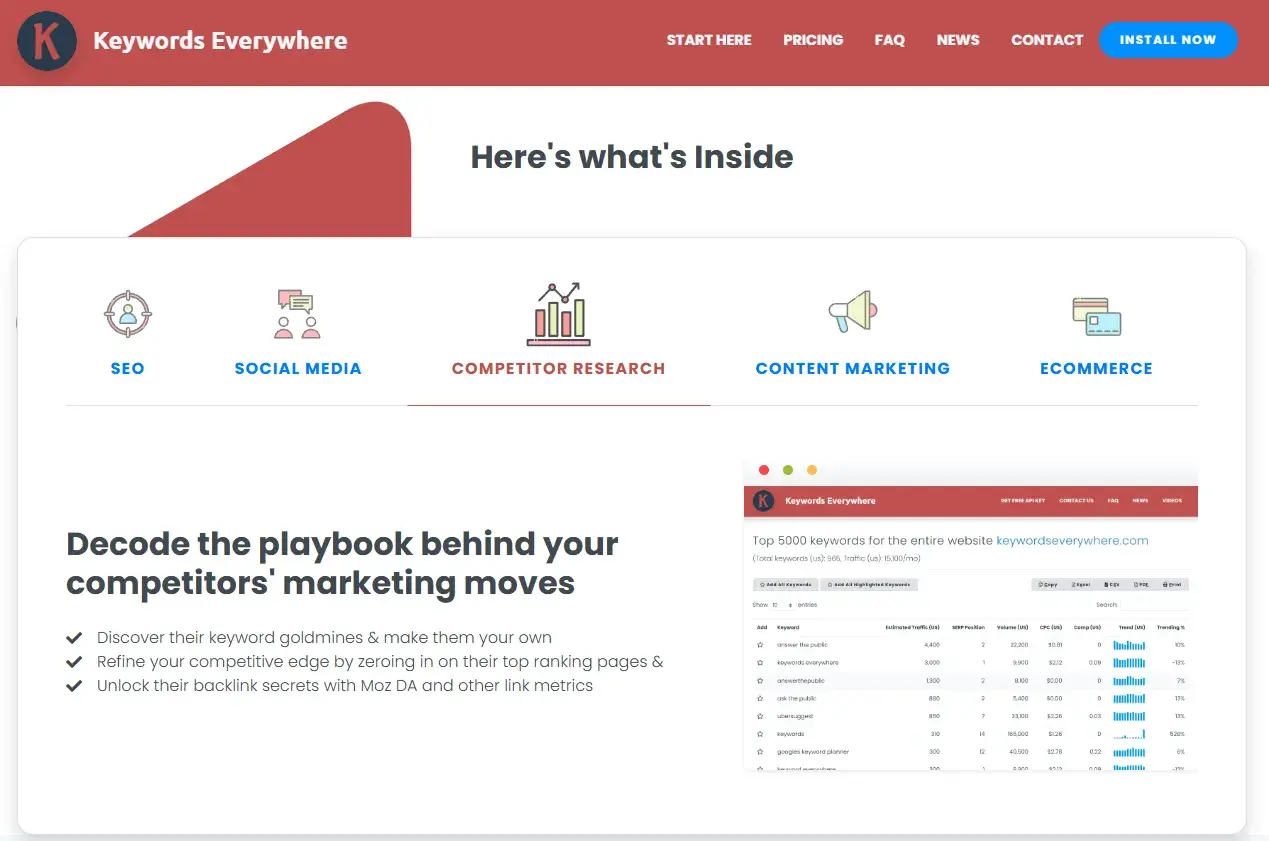
Keywords Everywhere: This browser extension overlays keyword data directly onto Google search results pages, offering a convenient way to gather insights without switching between multiple tabs. While it has transitioned to a paid model, its affordability makes it an immediate worthwhile investment for many.
- Best For: Freelancers, solopreneurs, and small teams seeking lightweight keyword insights integrated into their daily browsing.
- Pricing: Starts at $7/month.
- When to Upgrade/Buy: Immediately if SEO teams will actively use keyword insights during their daily browsing.
-
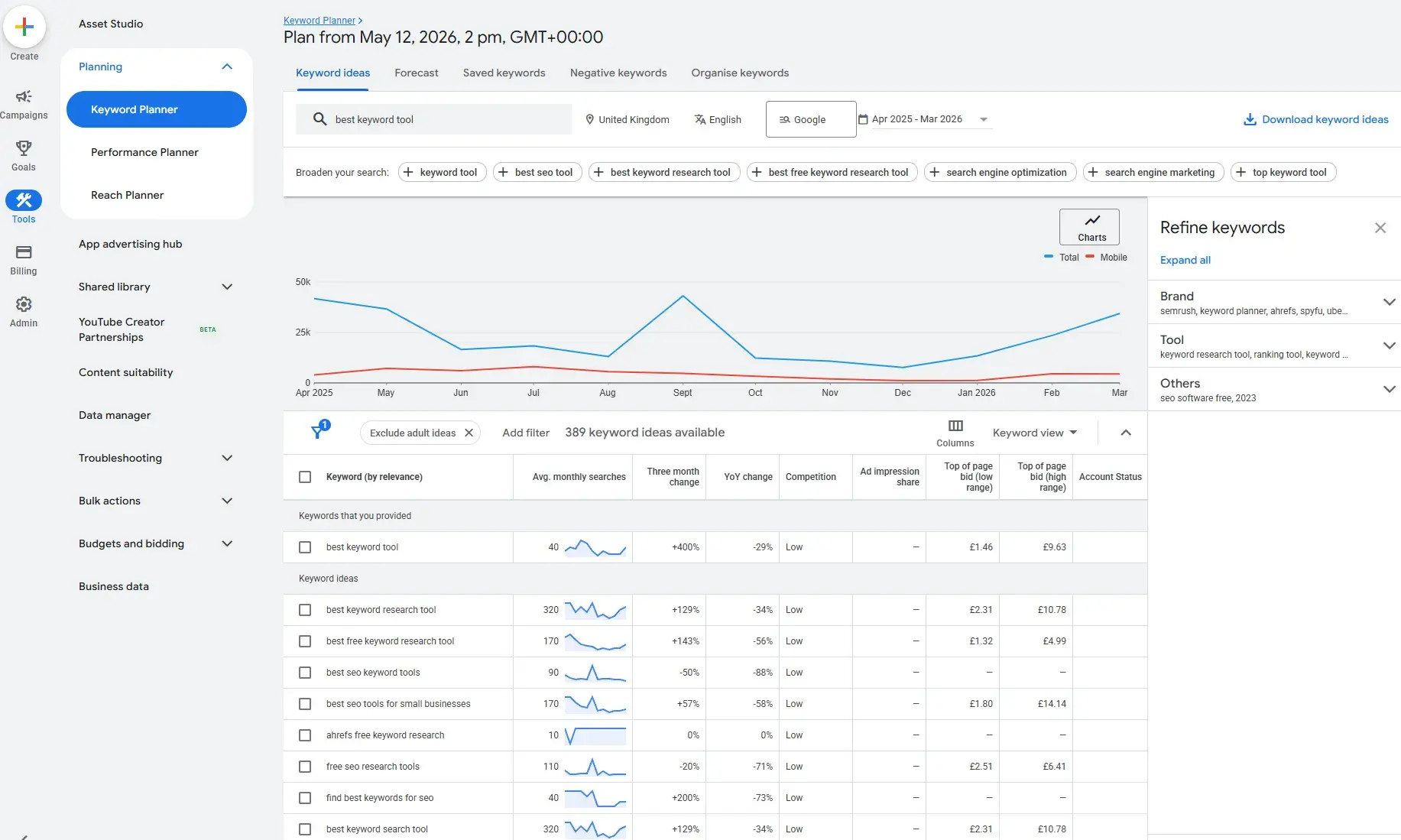
Google Keyword Planner: A free tool within Google Ads, it provides keyword ideas, search volume estimates, and competition levels sourced directly from Google. It serves as an excellent starting point for keyword research, especially for businesses already engaged with Google Ads.
- Best For: Small businesses seeking a free keyword research starting point.
- Pricing: Free with a Google Ads account.
- When to Upgrade/Buy: When the team requires a better user experience, competitor insights, advanced keyword segmentation, or filters like search intent.
-
Semrush (Free Version): While primarily a paid, comprehensive SEO suite, Semrush offers a free version that provides limited access to its extensive keyword database and other features. This allows small businesses to explore its capabilities before committing to a subscription.
- Best For: Businesses ready to explore more comprehensive SEO strategies and competitor analysis.
- Pricing: Free version available; paid plans start at $139/month.
- When to Upgrade/Buy: When teams need multiple SEO tools in one platform, robust competitor analysis, keyword tracking, or technical audits.
Technical SEO and Site Audit Tools
-
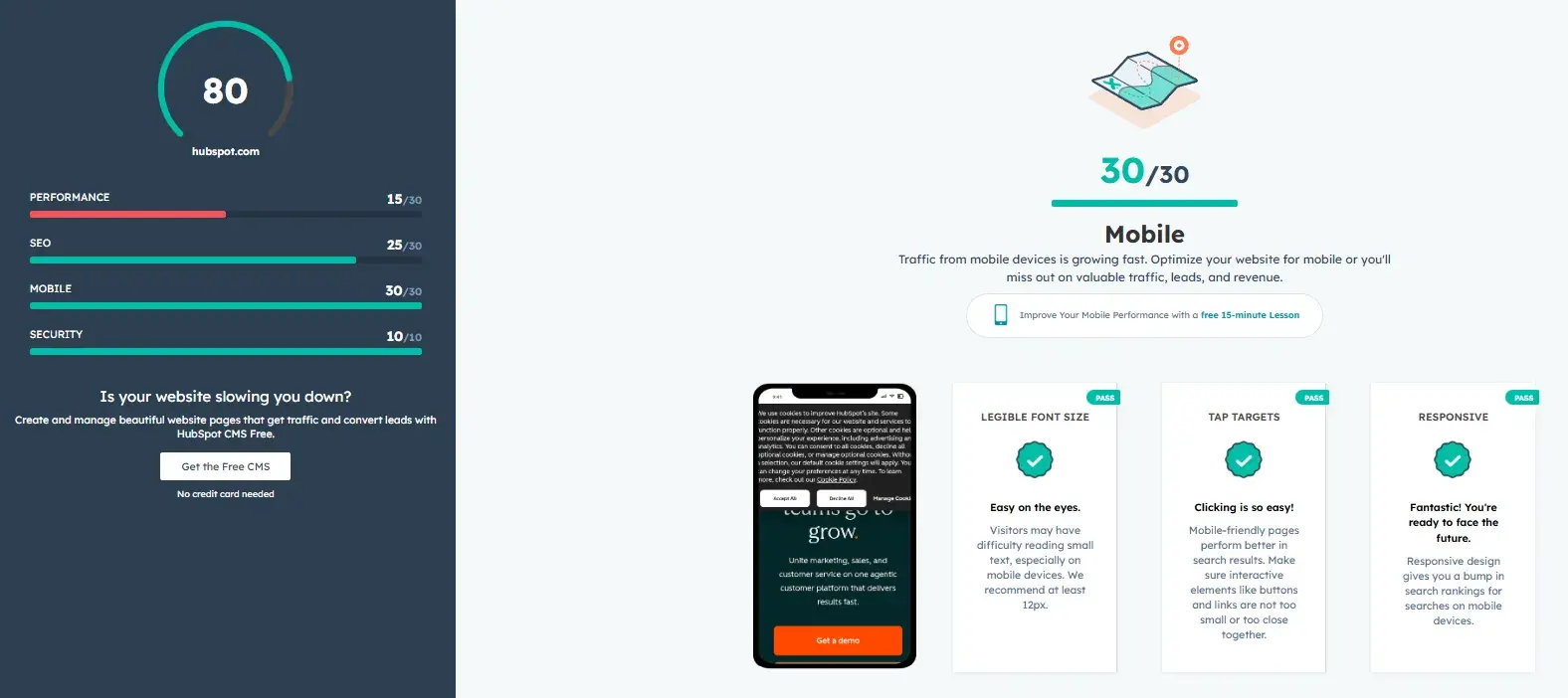
HubSpot Website Grader: This free, perpetual tool provides a quick and accessible technical audit of a website, offering scores for performance, SEO, mobile readiness, and security, along with actionable recommendations.
- Best For: Businesses conducting their first technical audit or needing simple website health reports.
- Pricing: Free forever.
- When to Upgrade/Buy: No upgrade required; it serves as an excellent entry-level auditing tool.
-
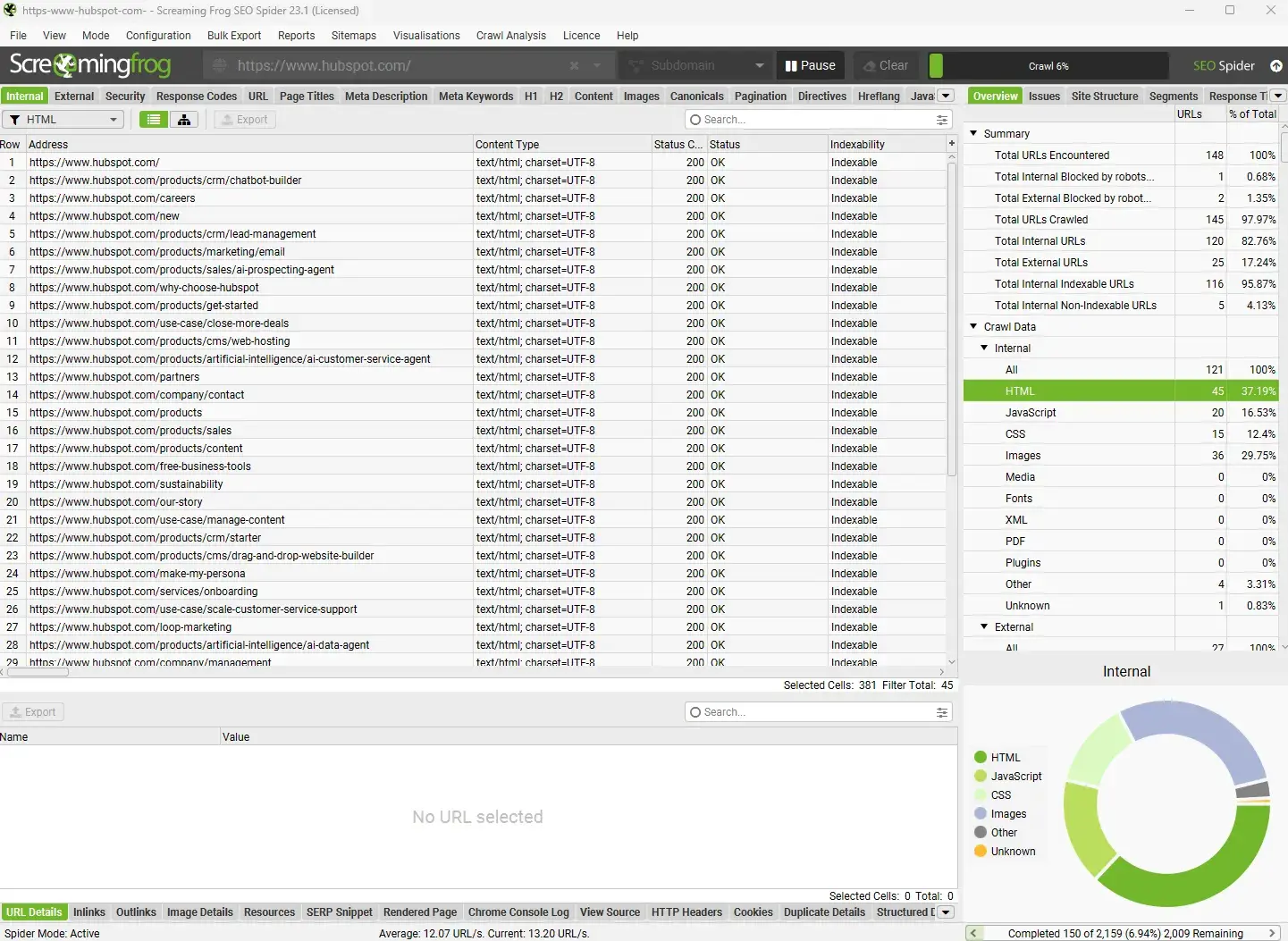
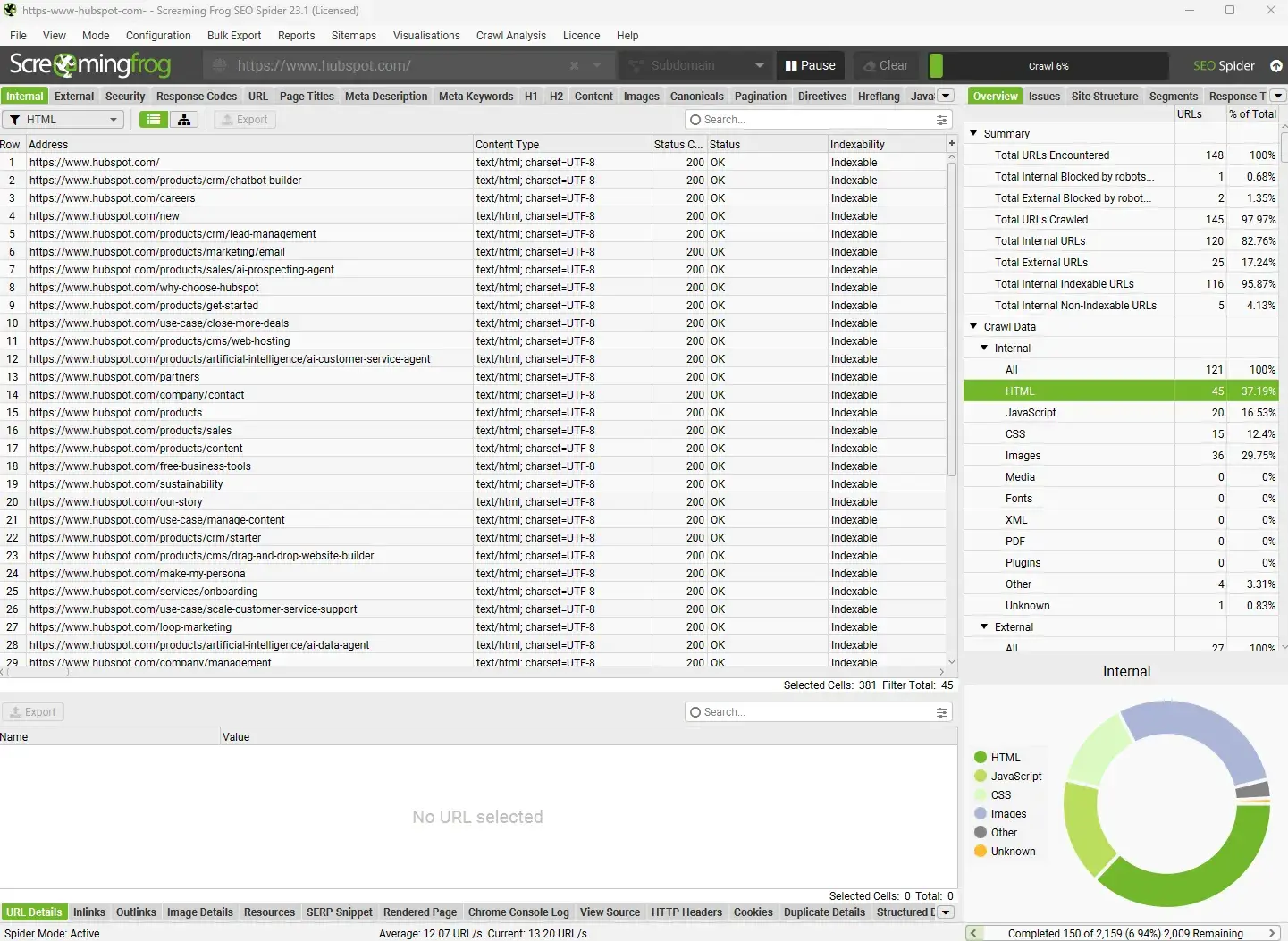
Screaming Frog (Free Version): A desktop-based crawler that audits up to 500 URLs for free. It provides detailed technical insights essential for identifying on-page and technical SEO issues.
- Best For: Growing websites needing detailed technical audits.
- Pricing: Free version for up to 500 URLs; paid version is $279/year.
- When to Upgrade/Buy: If crawling sites with over 500 URLs, scheduling crawls, or integrating with other tools like Google Analytics or Google Search Console becomes necessary.
-
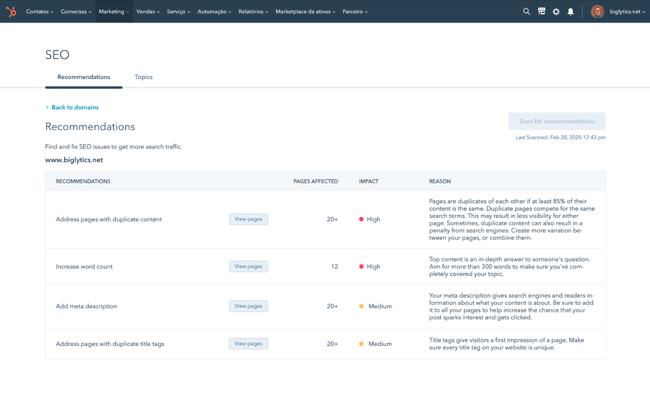
HubSpot SEO Recommendations: Integrated within HubSpot’s Marketing Hub, these recommendations offer guided workflows for technical SEO improvements, often linked to specific content and business objectives.
- Best For: Teams using or considering HubSpot Marketing Hub.
- Pricing: Available through Marketing Hub; free version available, Starter plans from $20/month.
- When to Upgrade/Buy: When replacing multiple marketing tools or CRM systems, or requiring guided technical SEO workflows.
Content Optimization Tools
- HubSpot Content Hub (Free Version): Allows for content creation, basic SEO optimization guidance, and performance tracking within a single platform.
- Best For: Businesses wanting to create and optimize content on one platform.
- Pricing: Free version available; paid plans start from $20/month.
- When to Upgrade/Buy: When publishing content regularly and needing lead/revenue attribution and advanced AI content tools.
Backlink Research and Outreach Tools
- Ahrefs (Free Backlink Checker): While Ahrefs is a premium tool, its free backlink checker offers a glimpse into a website’s backlink profile, providing essential data for initial analysis.
- Best For: Businesses needing basic backlink intelligence.
- Pricing: Free backlink checker; paid plans from $129/month.
- When to Upgrade/Buy: When scaling outreach and needing deep backlink intelligence.
Rank Tracking Tools
- Google Search Console: An indispensable, free tool that provides first-party data on website performance in Google Search, including impressions, clicks, average position, and search queries.
- Best For: All businesses needing direct SEO performance data from Google.
- Pricing: Free forever.
- When to Upgrade/Buy: No upgrade needed; it’s foundational, but can be supplemented by dedicated rank trackers for daily monitoring.
Analytics and Reporting Tools
-
Google Analytics 4 (GA4): The industry standard for website analytics, GA4 offers comprehensive insights into user behavior, traffic sources, and conversions, all at no cost.
- Best For: Any business needing behavioral website analytics.
- Pricing: Free.
- When to Upgrade/Buy: No upgrade needed for most small businesses.
-
Looker Studio (formerly Google Data Studio): A free, powerful data visualization tool that allows users to create custom, shareable reports by integrating data from GA4, Google Search Console, and other sources.
- Best For: Teams needing shareable SEO and marketing reports.
- Pricing: Free.
- When to Upgrade/Buy: No upgrade needed unless migrating to enterprise BI/reporting ecosystems.
When Free Stops Being Enough
While free SEO tools are invaluable for getting started, their limitations become apparent as businesses scale and their SEO strategies mature. Several common indicators signal that it’s time to invest in paid solutions:
- Data Granularity and Depth: Free tools often provide aggregated data or limited insights. Paid tools offer more granular data, deeper analysis, and competitive intelligence.
- Automation and Efficiency: Free tools may require significant manual effort for data collection and analysis. Paid platforms often automate these processes, saving valuable time.
- Scalability: As website traffic and keyword portfolios grow, free tools may struggle to keep pace with the demands of comprehensive tracking and analysis.
- Advanced Features: Features like predictive analytics, AI-driven content suggestions, advanced backlink analysis, and sophisticated reporting dashboards are typically exclusive to paid tools.
- Competitor Benchmarking: Understanding how competitors are performing is crucial for strategic advantage. Paid tools often provide robust competitive analysis features that free options lack.
- Dedicated Support: Paid subscriptions typically include access to customer support, which can be critical for troubleshooting complex issues or maximizing tool utilization.
- Integration Capabilities: Advanced integrations with CRMs, marketing automation platforms, and other business intelligence tools are often a hallmark of paid SEO software.
Best SEO Tools for Small Businesses By Category and When to Buy
Building an intentional SEO tech stack involves selecting tools that align with specific objectives. Each category offers both free and paid options, with clear guidance on when an upgrade is warranted.
Keyword Research Tools
These tools are fundamental for identifying audience search queries and uncovering new content opportunities. Even with the rise of AI, understanding what users are actively searching for remains a cornerstone of effective SEO strategy.
Keywords Everywhere
This lightweight browser extension injects keyword data directly into Google search results pages, streamlining keyword discovery. It integrates seamlessly into everyday browsing, eliminating the need to switch between multiple platforms.
- Key Features: Real-time keyword suggestions, search volume data, cost-per-click (CPC) estimates, competitor ad data, and trend data.
- Best For: Freelancers, solopreneurs, or small teams seeking quick keyword insights without a full platform commitment.
- Pricing: The Bronze package starts at $7/month.
- When to Upgrade/Buy: This tool is paid, but its affordability makes it a worthwhile immediate investment if SEO teams will actively use its keyword insights during daily browsing.
Google Keyword Planner
A free tool within Google Ads, it provides keyword ideas, monthly search volume ranges, and competition data directly from Google. While it’s primarily a paid search tool, its keyword findings are highly transferable to SEO.
- Key Features: Keyword suggestions, search volume forecasts, competition levels, and bid estimates.
- Best For: Small businesses with an active or planned Google Ads account seeking a no-cost keyword research starting point.
- Pricing: Free with a Google Ads account (requires setting up a campaign, which can then be paused).
- What I Like: Google Keyword Planner is completely free and was a primary tool for many early in their SEO careers. It is perfectly adequate for foundational keyword research.
- When to Upgrade/Buy: When the team desires a better user interface, competitor insights, advanced keyword segmentation, or filters for search intent and keyword type.
Semrush
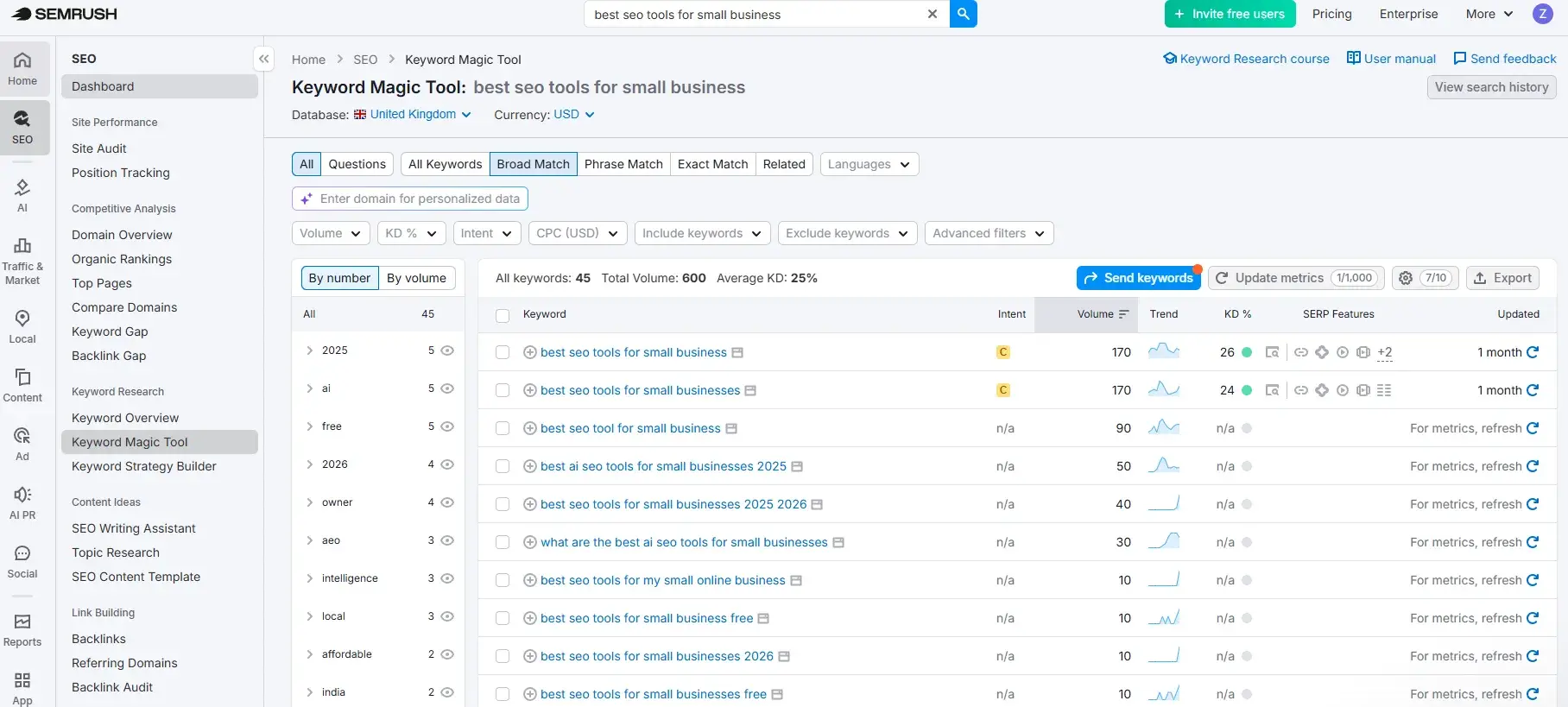
A widely recognized, comprehensive SEO platform, Semrush offers extensive keyword research capabilities, including access to a vast database of keywords and sophisticated intent filtering.
- Key Features: Extensive keyword database, intent analysis, keyword difficulty scores, competitor keyword gap analysis, topic research, and content template generation.
- Best For: Small businesses ready to invest in a data-rich keyword strategy and leverage comprehensive functionality across SEO, site auditing, and competitor research.
- Pricing: Paid plans start at $139.95/month. A free version with limited daily searches is available.
- What I Like: Semrush has been a long-standing tool in my tech stack, particularly for its Keyword Magic Tool, which is user-friendly and comprehensive. The intent filtering is invaluable for differentiating between informational and transactional keywords.
- When to Upgrade/Buy: Upgrade when teams require multiple specialized SEO tools (content, technical, etc.), need to benchmark competitor strategies, or track keyword positions extensively.
Technical SEO and Site Audit Tools
These tools are crucial for identifying and rectifying website structure issues, crawlability problems, speed bottlenecks, and indexing challenges that can negatively impact search rankings.
HubSpot Website Grader
This free tool offers a straightforward technical audit, providing a clear snapshot of website performance, SEO, mobile readiness, and security, along with actionable, easy-to-understand recommendations.
- Key Features: Performance score, SEO score, mobile readiness score, security score, and specific, actionable recommendations.
- Best For: Small businesses conducting their first technical audit or needing a simple, shareable site health report.
- Pricing: Free, no account required.
- What I Like: Website Grader is free and user-friendly, making it an excellent starting point for businesses with tight budgets to identify critical issues.
Screaming Frog SEO Spider
A powerful desktop-based crawler that provides a detailed technical picture of a website. The free version allows auditing of up to 500 URLs.
- Key Features: Crawls websites to identify broken links, redirects, duplicate content, missing metadata, and more. Generates comprehensive site audits.
- Best For: Small businesses with growing websites requiring thorough, page-by-page technical audits.
- Pricing: Free for up to 500 URLs; paid licenses are $279/year.
- What I Like: The paid version, when integrated with Google Analytics and Google Search Console APIs, offers a holistic view of page performance, aiding content analysis and strategic decision-making.
- When to Upgrade/Buy: If regularly crawling sites with over 500 URLs, needing scheduled crawls, or wanting to integrate crawl data with Google Analytics and Search Console.
HubSpot’s SEO Recommendations
Integrated within HubSpot’s Marketing Hub, these recommendations offer guided workflows for technical SEO improvements, directly linking them to content creation and business objectives.
- Key Features: Prioritized list of technical SEO recommendations, context on why each issue matters, and links to relevant content or actions within HubSpot.
- Best For: Teams already using or considering HubSpot’s CMS or Marketing Hub.
- Pricing: Available across all HubSpot plans, including the free edition. Marketing Hub Professional starts at $800/month (billed annually).
- What I Like: The integrated nature of HubSpot’s recommendations, which link technical fixes directly to content and business goals, saves significant time and effort in interpreting and acting on data.
- When to Upgrade/Buy: Upgrade when the broader HubSpot suite’s features, such as automation, custom reporting, and advanced personalization, justify the investment alongside SEO analytics access.
Content Optimization and On-Page Tools
These tools assist in refining content to enhance its relevance, comprehensiveness, and on-page optimization, bridging the gap between existing content and top-ranking results.
HubSpot Content Hub
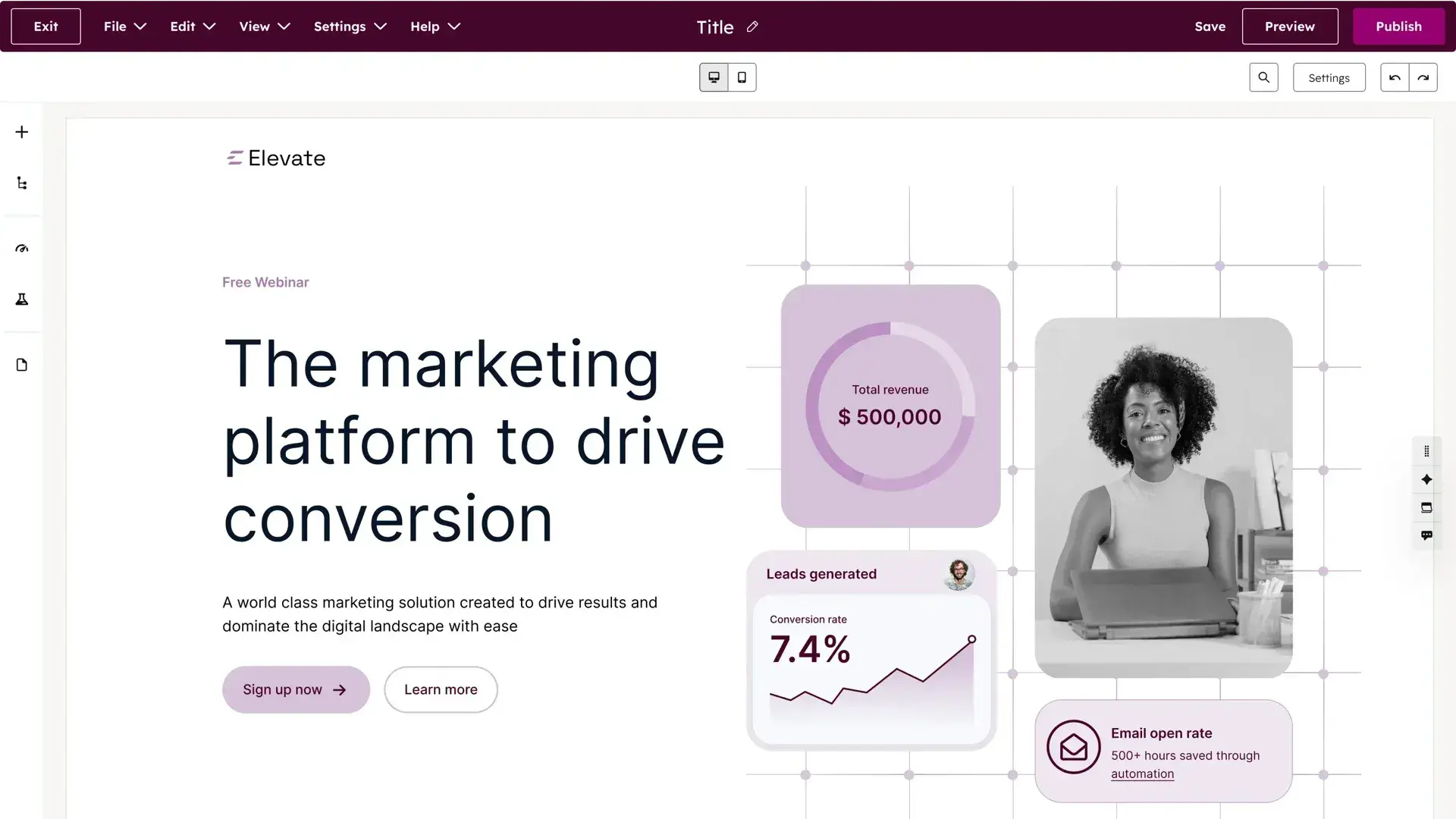
A comprehensive content solution that unifies creation, optimization, and performance tracking. For HubSpot users, it’s intrinsically linked to CRM data and marketing analytics, offering unparalleled attribution.
- Key Features: Drag-and-drop page builder, AI-powered content creation tools, on-page SEO guidance, topic cluster analysis, and performance tracking linked to revenue.
- Best For: Small businesses and growing marketing teams seeking a unified platform for content creation, SEO optimization, and analytics.
- Pricing: Content Hub Starter begins at $20/month. Pro package is $500/month.
- What I Like: The intuitive page design capabilities, especially with templates, significantly ease the process of creating high-quality web pages without requiring design expertise.
- When to Upgrade/Buy: If the team regularly publishes content and needs to connect output to lead generation and revenue outcomes, Content Hub Pro becomes essential.
HubSpot’s SEO Performance Analysis
This tool connects Google Search Console data directly to HubSpot content and CRM, offering a live view of organic search performance and enabling refinement of on-page SEO strategy.
- Key Features: Live view of organic search performance, analysis of key metrics (organic sessions, clicks, impressions, CTR), topic cluster performance tracking, and integration with CRM for revenue attribution.
- Best For: HubSpot Marketing Hub users aiming to connect SEO performance data to lead generation and pipeline outcomes.
- Pricing: Included in Marketing Hub Professional and Enterprise editions.
- What I Like: The ability to integrate Google Search Console data directly into HubSpot provides a unified view of SEO performance and its impact on business goals, invaluable for demonstrating ROI.
- When to Upgrade/Buy: This feature requires a Professional-level subscription; the decision hinges on the broader value of the Professional suite’s features for the business.
Surfer SEO
A data-driven content optimization platform that analyzes top-ranking pages for specific keywords, providing actionable recommendations on content structure, word count, keyword density, and NLP terms.
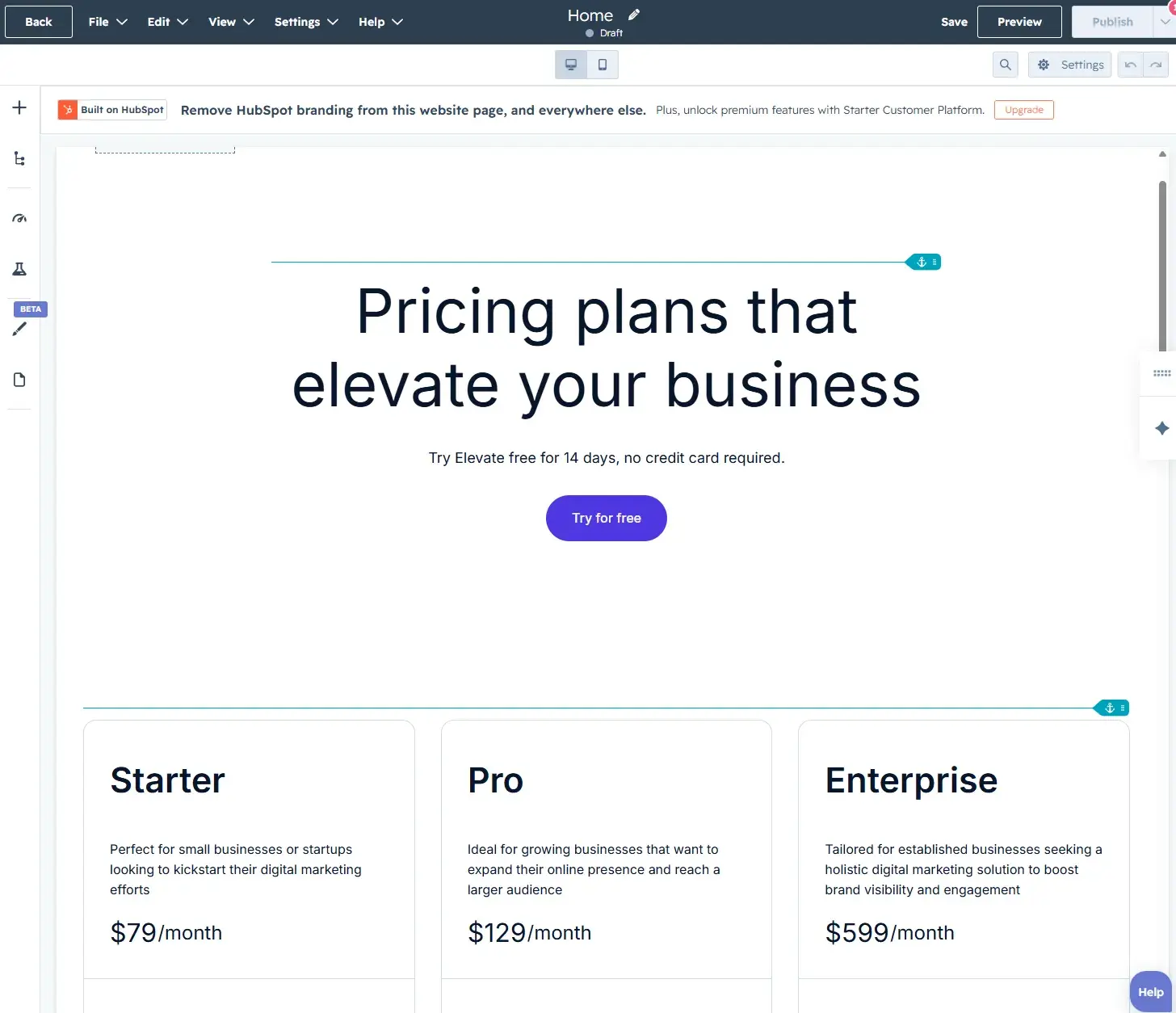
- Key Features: Content editor with SEO scoring, SERP analysis, outline generation, and AI-powered content briefs.
- Best For: Content teams regularly producing SEO content who want data-driven guidance to improve rankings.
- Pricing: Plans start at $99/month.
- What I Like: Surfer SEO effectively bridges the gap between SEO and content writing, enabling writers to integrate SEO best practices directly into their workflow.
- When to Upgrade/Buy: If content production is high-volume and pages aren’t ranking despite keyword targeting, Surfer’s tools are essential for diagnosing and closing the performance gap.
Backlink Research and Outreach Tools
These tools facilitate understanding of a website’s link profile, identification of link-building opportunities, and monitoring of competitor backlink strategies.
Ahrefs
A highly trusted backlink research tool with an extensive and frequently updated link database, providing the depth of data necessary for strategic link building.
- Key Features: Comprehensive backlink analysis, competitor analysis, keyword research, content gap analysis, and site audits.
- Best For: Small businesses with active link building strategies requiring reliable, in-depth backlink data.
- Pricing: Free Backlink Checker available; comprehensive plans start at $129/month. A starter plan costs $29/month.
- What I Like: Ahrefs is a robust tool that goes beyond backlink analysis, offering a suite of functionalities that make it a strong all-around SEO platform.
- When to Upgrade/Buy: If actively pursuing link building as a growth channel and needing to scale outreach beyond manual research.
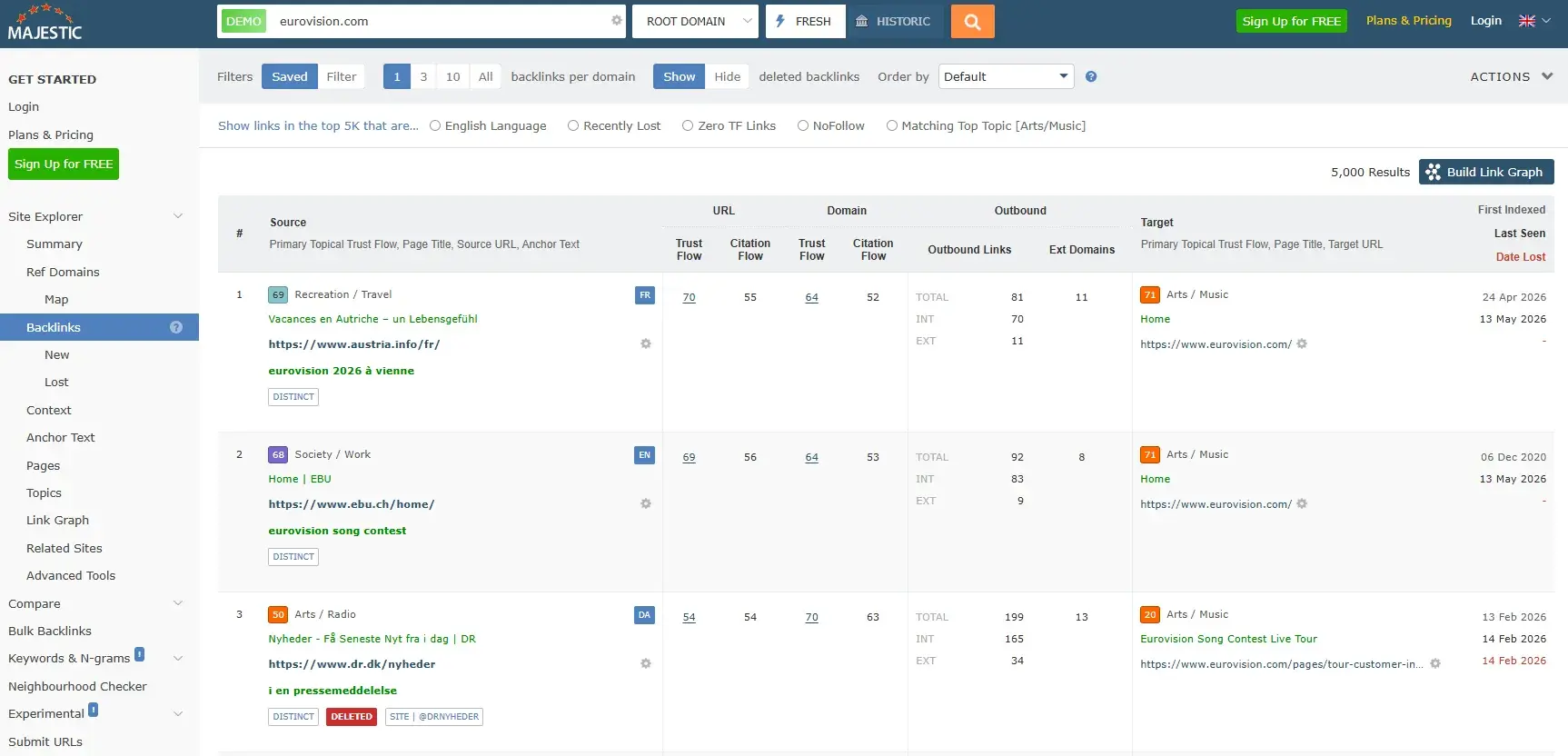
Majestic
A specialist backlink tool with one of the longest-standing independent link databases, offering granular link analysis without the cost of full all-in-one platforms.
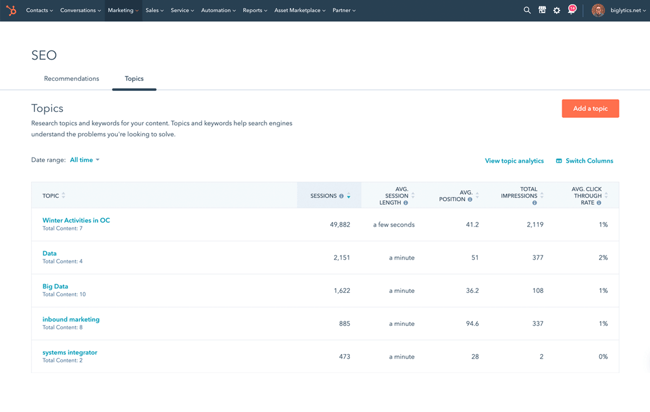
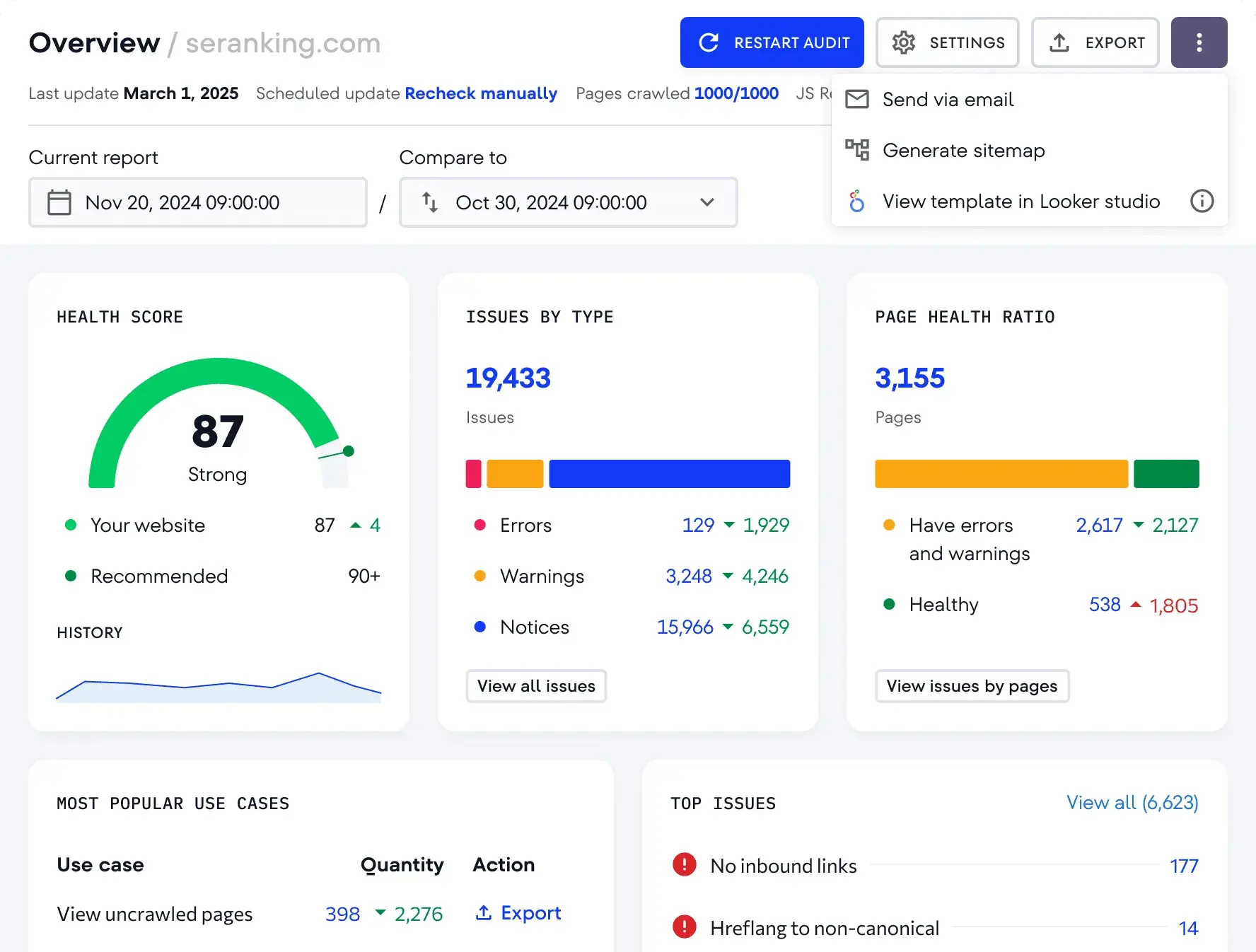
- Key Features: Extensive link index, link quality scoring (Trust Flow and Citation Flow), and bulk backlink analysis.
- Best For: Small businesses or SEO professionals needing specialist backlink intelligence without the overhead of a comprehensive platform.
- Pricing: Plans start at $49.99/month.
- What I Like: Majestic’s focus on deep link data makes it a valuable resource for understanding link profiles at a granular level.
- When to Upgrade/Buy: When analyzing competitor link profiles at scale, cross-referencing link prospects in bulk, or integrating link data into broader reporting workflows.
Rank Tracking Tools
These tools monitor changes in keyword positions over time, providing visibility into the effectiveness of optimization efforts and guiding future strategy.
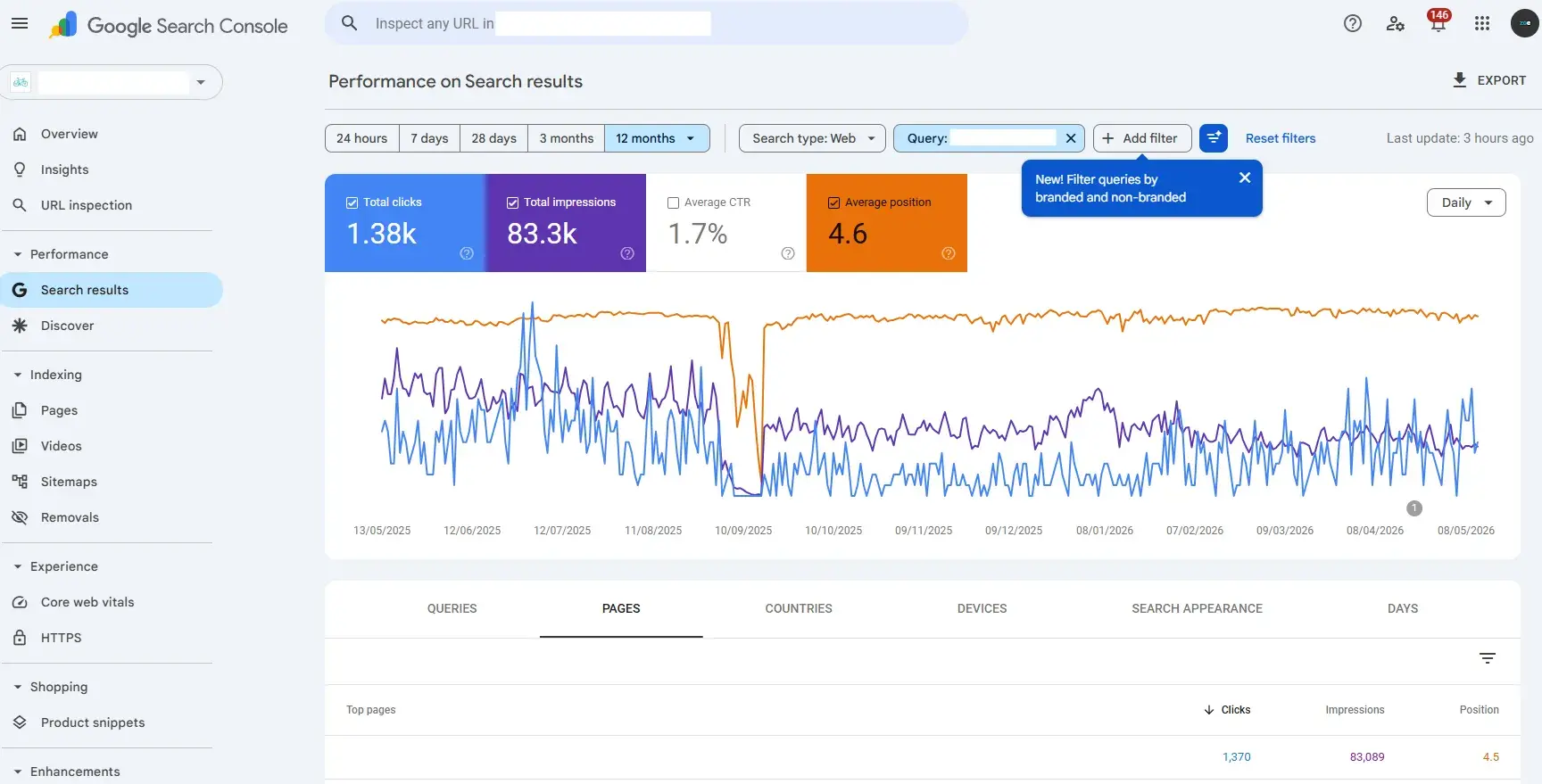
Google Search Console
An essential, free tool offering direct insights into website performance in Google Search, including query data, impressions, clicks, and average position.
- Key Features: Performance reports (queries, pages, countries, devices), indexing status, sitemaps, and mobile usability reports.
- Best For: All businesses needing reliable, first-party ranking and performance data from Google.
- Pricing: Free.
- What I Like: Google Search Console is a daily necessity for SEO professionals. The "Average Position" metric, while an average, provides crucial insights into keyword performance when filtered appropriately.
- When to Upgrade/Buy: No upgrade needed; it’s foundational, but can be supplemented by dedicated rank trackers for daily monitoring.
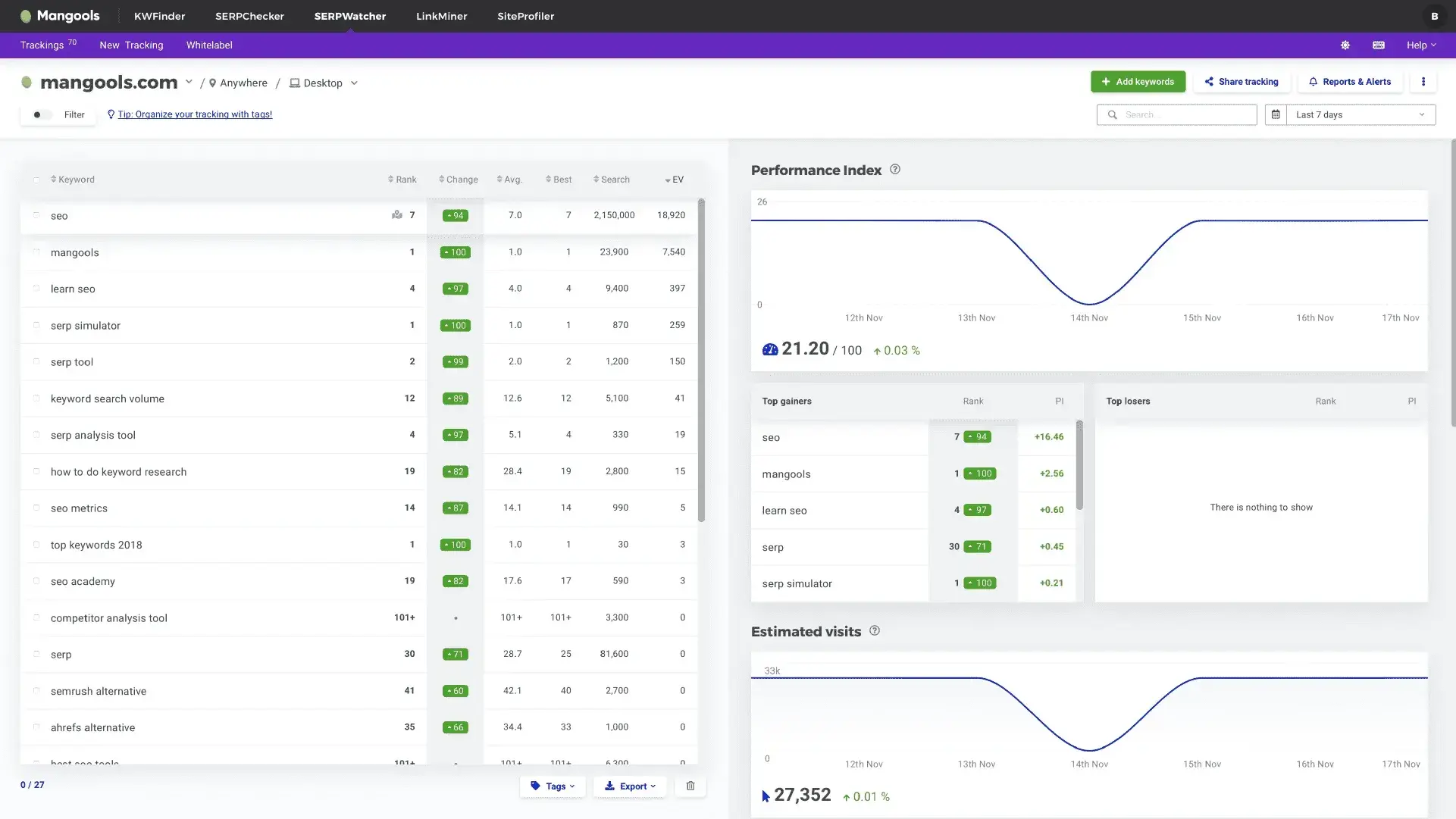
SERPWatcher by Mangools
A dedicated rank tracking tool offering daily position updates and clear trend visualization for specific target keywords, making it more user-friendly than aggregated data.
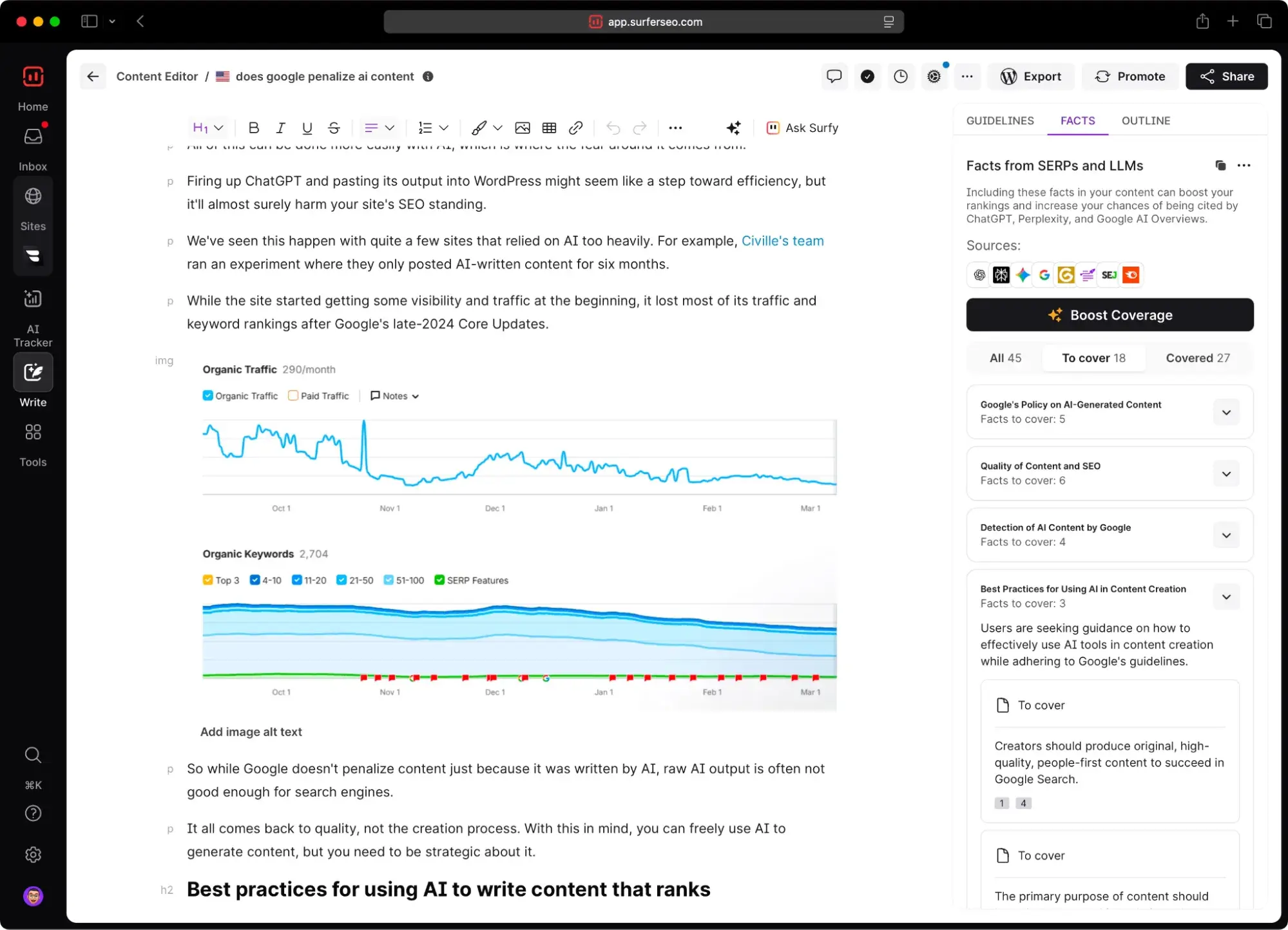
- Key Features: Daily rank tracking, trend visualization, keyword grouping, and competitor tracking.
- Best For: Small businesses and solo marketers seeking an affordable, easy-to-use dedicated rank tracker.
- Pricing: Starts at $37.70/month.
- What I Like: SERPWatcher simplifies rank tracking by providing continuous monitoring of set keywords, unlike the manual filtering often required in Google Search Console.
- When to Upgrade/Buy: As soon as tracking multiple keywords consistently over time becomes a workflow necessity.
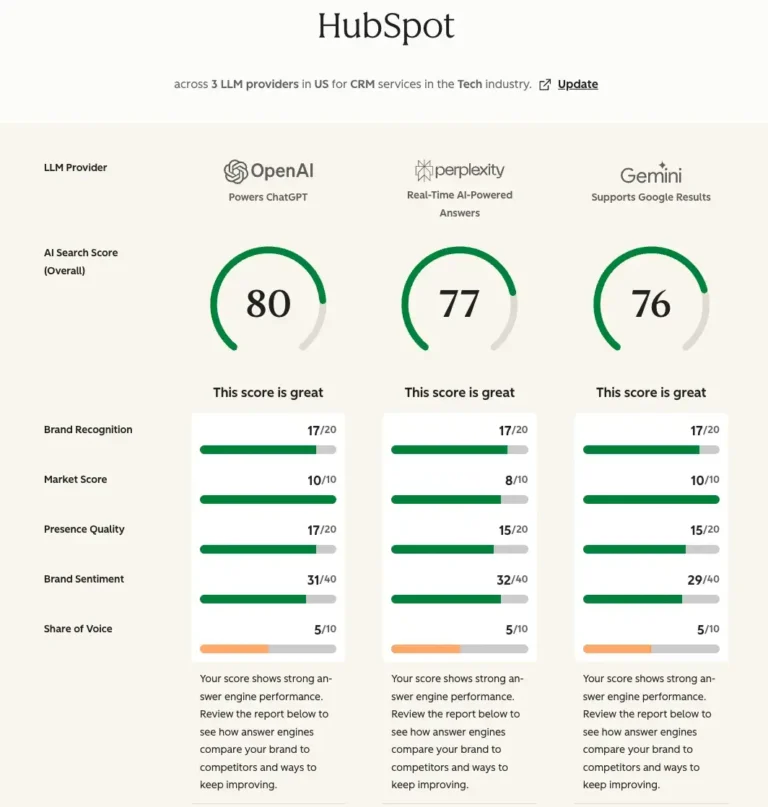
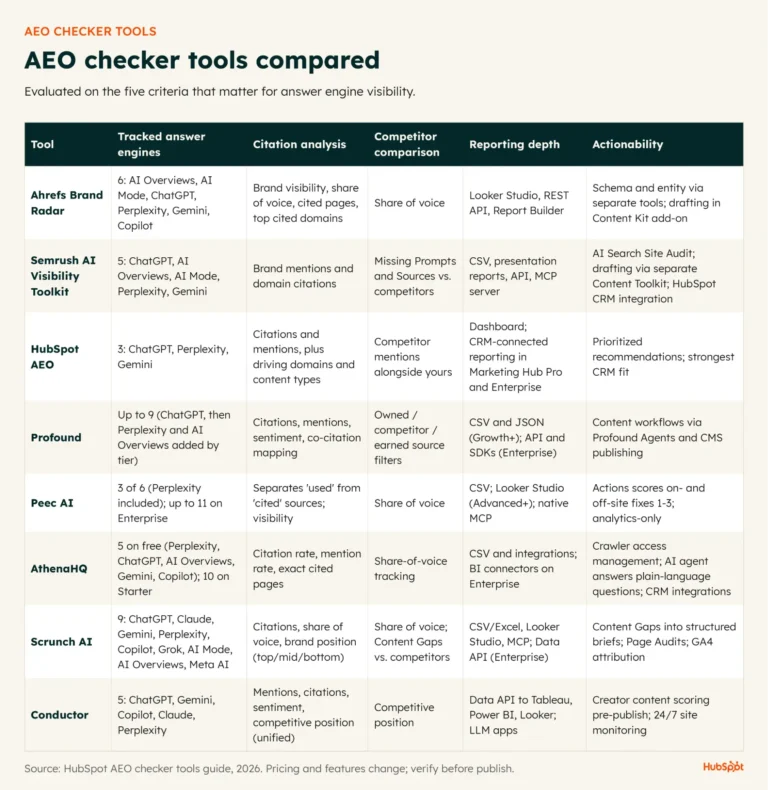
HubSpot AEO (Answer Engine Optimization)
This tool evaluates brand visibility in AI search results, extending traditional SEO tracking into the realm of AI-powered search experiences.
- Key Features: Brand Visibility Score, prompt tracking, citation analysis, and sentiment analysis within AI search results.
- Best For: Small businesses and marketing teams extending their SEO efforts into AI search visibility.
- Pricing: Available as a standalone subscription for $50/month or included in Marketing Hub Pro/Enterprise.
- What I Like: The CRM-powered prompt suggestions in HubSpot AEO are a standout feature, removing the guesswork from identifying relevant AI search queries for a business.
- When to Upgrade/Buy: If organic traffic has plateaued despite strong traditional rankings, or if AI-generated answers are visibly influencing customer discovery and evaluation in your industry.
Local SEO Tools
These tools are designed to enhance local search visibility by managing business listings, customer reviews, and local search rankings.
BrightLocal
A dedicated local SEO platform for multi-location businesses, offering citation management, review monitoring, and local rank tracking.
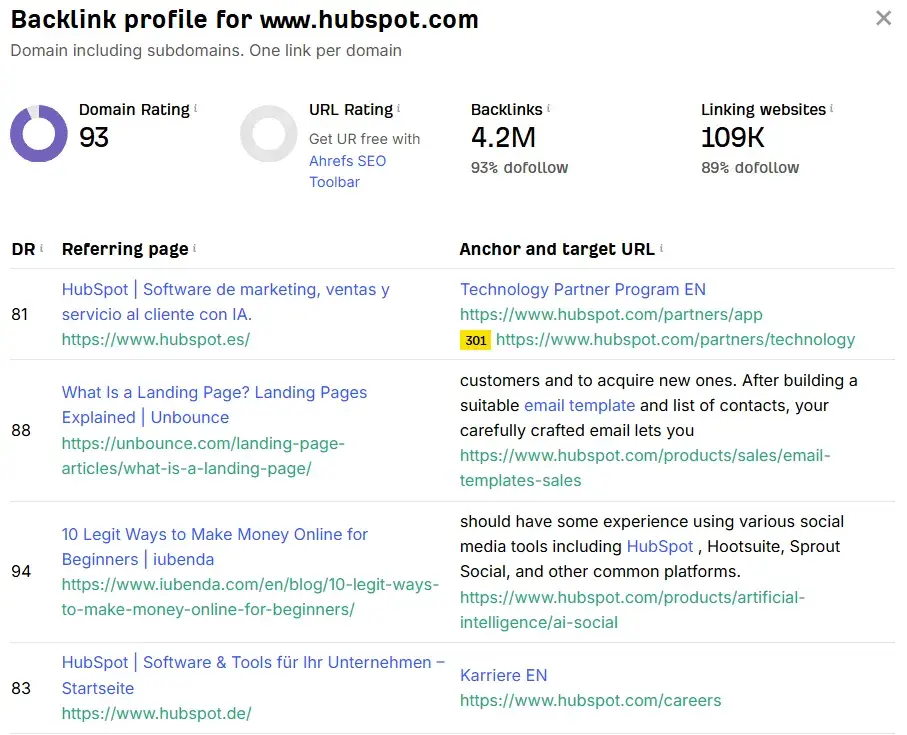
- Key Features: Local rank tracking, citation management, review management, and local audit tools.
- Best For: Businesses competing in local search markets, especially those with multiple locations.
- Pricing: Plans start at $29/month.
- What I Like: BrightLocal effectively addresses common local SEO issues like listing inconsistencies, providing a clear path to improved local visibility.
- When to Upgrade/Buy: When managing listings and reviews across multiple locations or requiring white-label reporting for stakeholders.
Nightwatch
A rank tracking and SEO analytics tool that offers granular, location-specific rank tracking, ideal for businesses where local visibility is a primary driver of leads and revenue.
- Key Features: Granular location-based rank tracking, SERP simulation, and competitor tracking.
- Best For: Small businesses and local service providers needing precise, location-specific rank tracking.
- Pricing: The Nightwatch Chrome extension is free; paid plans start at €79/month.
- What I Like: The Nightwatch Chrome extension, "Search Simulator," is an exceptionally fast tool for checking rankings in different countries.
- When to Upgrade/Buy: When needing to track a large keyword set across multiple locations simultaneously or wanting to integrate rank data into broader reporting workflows.
Analytics and Reporting Tools
These tools connect search performance to tangible business outcomes, demonstrating the value of SEO beyond rankings.
Google Analytics 4 (GA4)
The foundational tool for website analytics, tracking user behavior, traffic sources, and conversions, providing essential context for organic search traffic.
- Key Features: Event-based tracking, user journey analysis, conversion tracking, and audience segmentation.
- Best For: Any small business needing a free, reliable foundation for website analytics.
- Pricing: Free.
Looker Studio (formerly Google Data Studio)
A free data visualization tool that consolidates data from various sources (GA4, Google Search Console, etc.) into customizable, shareable dashboards, simplifying reporting for stakeholders.
- Key Features: Interactive dashboards, data blending from multiple sources, real-time updates, and customizable reporting templates.
- Best For: Small businesses needing to present SEO and marketing data from multiple sources into clean, shareable reports.
- Pricing: Free.
- What I Like: Looker Studio’s ability to integrate with numerous data sources and provide real-time, shareable reports makes it an indispensable tool for client and stakeholder communication.
HubSpot Marketing Hub Analytics
These analytics connect page visits to individual contacts, tracking their journey from initial touchpoint to becoming a customer, and attributing revenue to specific SEO efforts.
- Key Features: Full-funnel attribution reporting, contact-level analytics, revenue attribution by source, and integration with CRM and SEO tools.
- Best For: Small businesses and growing marketing teams using HubSpot that want to connect SEO performance directly to revenue.
- Pricing: Basic analytics are on the free plan; Starter plans begin at $20/month/seat; advanced attribution requires Marketing Hub Professional ($890/month).
- What I Like: The contact-level visibility and revenue attribution are transformative, shifting the focus from traffic metrics to concrete business growth.
- When to Upgrade/Buy: When advanced attribution reporting and custom dashboards are needed, requiring a Marketing Hub Professional subscription.
How to Measure Answer Engine Visibility and Adjust Your SEO Tools
Answer Engine Optimization (AEO) is the practice of optimizing content for AI-powered search experiences like Google AI Overviews and ChatGPT. This involves monitoring branded mentions, AI citations, query coverage, and visibility within generated answers, in addition to traditional rankings. Tools like HubSpot AEO are crucial for measuring this evolving landscape, ensuring that SEO tool stacks adapt to encompass both traditional search engine rankings and AI answer engine presence.
Frequently Asked Questions About SEO Tools for Small Business
Do I need an all-in-one SEO platform or separate tools?
The choice between an all-in-one platform and specialized tools depends on team size, budget, and workflow complexity. All-in-one platforms can be cost-effective for small businesses, offering integrated functionalities. However, specialized tools may provide deeper capabilities in niche areas like rank tracking or AI visibility monitoring. Many growing businesses adopt a hybrid approach, combining a core platform with select specialized tools.
What is the minimum tool stack to get started this month?
Essential free Google tools, Google Search Console and Google Analytics 4, are the absolute minimum for all businesses. For rank tracking, consider SERPWatcher or Semrush. For content optimization and broader SEO insights, HubSpot’s integrated offerings within Content Hub and Marketing Hub provide visibility into technical SEO, content opportunities, and lead generation, all connected to CRM and revenue data.
How should I integrate SEO tools with my website and CRM?
Integrating SEO tools with your Content Management System (CMS), analytics platform, and CRM is vital. Connections with platforms like HubSpot or WordPress enable teams to track how SEO performance directly contributes to leads, pipeline growth, and revenue, moving beyond mere ranking metrics.
Build an SEO Tech Stack That Future-Proofs Small, Growing Businesses
The optimal SEO tools for small businesses empower teams to analyze performance, enhance technical health, optimize content, and connect keyword performance to revenue. Crucially, the right tech stack must be scalable, supporting long-term growth without necessitating major workflow disruptions or unexpected cost increases. Whether a business opts for a comprehensive all-in-one platform or a curated selection of specialized tools, the key is to choose solutions that make SEO measurable, actionable, and adaptable to the evolving search landscape.
For businesses seeking to streamline their operations, HubSpot’s SEO Marketing Software and AEO tool offer a unified solution covering both traditional and AI search visibility. With integrated content optimization, reporting, and CRM capabilities, these tools are designed to grow with a business, even at an enterprise scale.
About the Author