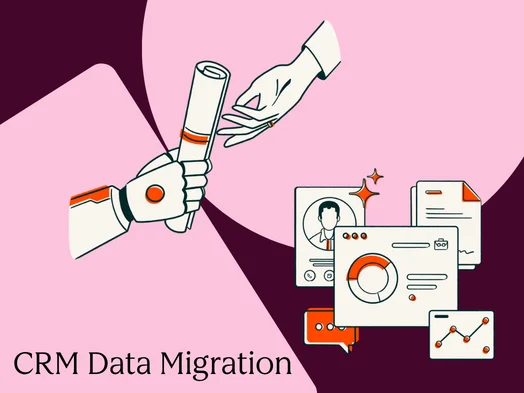
CRM data migration, the intricate process of transferring an organization’s valuable customer relationship management data, workflows, and associated assets from one system to another, stands as a critical operational undertaking. At its core, a Customer Relationship Management (CRM) system serves as the vital backbone for revenue-generating teams, dictating the efficacy of sales, marketing, and customer service operations. When the data residing within this foundational system is compromised—whether through inaccuracies, duplication, or incompleteness—every subsequent process, from lead nurturing to deal closure, is fundamentally undermined. This reality underscores the profound significance of a meticulously planned and executed CRM data migration, transforming it from a mere technical data transfer into a strategic business change initiative.
The landscape of CRM adoption has seen a proliferation of platforms, each offering unique functionalities and data architectures. This diversity, while beneficial for specialized needs, often necessitates migration to consolidate, upgrade, or adopt more integrated solutions. Such transitions, when mishandled, can lead to significant operational disruptions. Common pitfalls observed in failed migrations include underestimating the project’s scope, neglecting essential data cleansing protocols, and rushing the go-live process without a robust contingency plan. Conversely, successful migrations are characterized by a structured, phased approach, treating the move as a comprehensive business transformation rather than a simple data dump. This guide delves into the complete CRM data migration lifecycle, from initial strategic planning through the crucial post-launch hypercare period.
Understanding the Nuances of CRM Data Migration
At its most fundamental level, CRM data migration involves the transfer of records, their intricate relationships, historical interaction data, user permissions, and interconnected workflows. The term "moving data" often undersells the complexity inherent in this process. A genuine migration transcends a simple export and import of files. It encompasses the meticulous transfer of:
- Records: Contacts, companies, leads, opportunities, and other core entities.
- Relationships: The crucial links between these records (e.g., which contact belongs to which company, which deal is associated with a specific contact).
- History: Past activities, communications, notes, and logged interactions that provide context and insight.
- Permissions: User roles, access levels, and data visibility settings to ensure security and compliance.
- Workflows and Automation: The sequences of actions and rules that drive sales and marketing processes.
The interconnected nature of CRM data means that breaking even a single link can have cascading effects. An orphaned contact record, a deal without an associated company, or a broken reporting chain can emerge from seemingly minor oversights. This complexity distinguishes CRM migration from system integration, which focuses on maintaining synchronized data flow between two active systems. Migration, conversely, aims to establish a new, definitive system of record, a single source of truth for all customer-related information.
The strategic imperative behind CRM migration is often akin to the meticulous planning required for revenue performance management initiatives. A successful migration is defined by clear objectives, achievable constraints, and measurable success criteria. These inputs—what constitutes a successful migration, what are the permissible downtime windows, and what are the triggers for a rollback—guide every decision throughout the project.
The Foundation: Crafting a Robust Migration Plan
The migration plan serves as the central document for the entire project team, delineating roles, responsibilities, timelines, decision-making protocols, and contingency measures. Investing dedicated time in this planning phase, typically two to three weeks, can avert months of costly post-migration cleanup.
Defining Roles and Responsibilities: The RACI Matrix
Clear ownership is paramount for a successful CRM migration. A RACI (Responsible, Accountable, Consulted, Informed) matrix should be established for each major phase, ensuring clarity on who is doing the work, who is approving it, who needs to be consulted, and who needs to be kept in the loop. Ambiguity in decision-making authority, particularly for go/no-go decisions, is a frequent cause of project derailment.
Key roles typically include:
- Project Sponsor: Provides executive oversight and champions the project.
- Project Manager: Oversees the day-to-day execution, manages timelines, and facilitates communication.
- Data Steward/Analyst: Responsible for data quality, cleansing, and validation.
- Technical Lead/CRM Administrator: Manages the technical aspects of the migration, including system configuration and data mapping.
- Business Stakeholders: Representatives from sales, marketing, and customer service who define requirements and validate data.
The Eight-Phase Migration Journey
A structured CRM migration typically unfolds across eight distinct phases:
- Assessment & Planning: Defining scope, objectives, and resources.
- Data Cleansing: Identifying and rectifying data quality issues.
- Field Mapping: Aligning source and destination CRM fields.
- Testing (Sandbox): Conducting trial migrations in a non-production environment.
- Production Migration: Executing the actual data transfer.
- Validation: Verifying data accuracy and integrity post-migration.
- Cutover: Transitioning to the new CRM system.
- Hypercare: Providing intensive post-launch support.
Leveraging Sandbox Environments for Risk Mitigation
Conducting the initial migration in a sandbox environment is non-negotiable. Sandboxes mirror production environments, allowing teams to test field mapping, identify transformation errors, and validate data integrity without impacting live operations. This iterative process is crucial for refining the migration strategy. Running the sandbox migration at least twice is highly recommended; the first run will expose mapping deficiencies, and the second, after corrections, will serve as a baseline for validation.
Proactive Risk Management and Change Communication
A comprehensive risk register should be developed early in the planning phase, documenting potential issues such as data corruption, integration failures, user resistance, and timeline overruns. Equally important is robust change management. Users need to understand what is changing, why, and when. A clear communication plan, with regular updates at key milestones, fosters alignment and minimizes day-one friction. This proactive approach ensures that the transition contributes to broader sales optimization goals.
The Cornerstone of Success: Rigorous Data Cleansing
Data cleansing, performed before the main migration, is arguably the most critical determinant of success. Migrating "dirty" data—inaccurate, incomplete, or duplicate records—into a new system is significantly more challenging and costly to rectify than addressing these issues in the source environment.
Conducting a Thorough Data Audit
The first step in cleansing is a comprehensive data audit for each object type (contacts, companies, deals, etc.). This audit should document:
- Record Counts: Total number of records for each object.
- Data Completeness: Percentage of records with essential fields populated.
- Data Accuracy: Identification of known inaccuracies or inconsistencies.
- Duplicate Records: Estimation of duplicate entries.
- Data Format Variations: Inconsistent formatting of addresses, phone numbers, etc.
This audit establishes a data quality baseline, essential for setting cleansing targets and measuring progress.
Mastering Deduplication and Normalization
Deduplication is a labor-intensive but vital process. Defining clear matching rules—often starting with exact email matches for contacts and fuzzy matching on name and company for broader accuracy—is crucial. Normalization involves standardizing data formats across the dataset. This includes enforcing consistent formats for phone numbers, country codes, picklist values, and lifecycle stages. Documenting these standards in a data dictionary not only cleans legacy data but also establishes governance rules for the new CRM.
Establishing Golden Records and Survivorship Rules
When duplicate records are merged, survivorship rules dictate which field values are retained. For instance, the most recently updated phone number might be preserved, or email addresses might be consolidated. Documenting these rules before deduplication prevents inconsistent decision-making and the creation of new data quality issues. Advanced tools, like those found in HubSpot’s Data Hub, offer native deduplication workflows and data quality automation that can enforce survivorship rules at scale, reducing manual intervention.
Navigating the Labyrinth of Field Mapping
Field mapping, the process of aligning data fields between the source and destination CRMs, is often the first major technical hurdle. No two CRM systems share identical data models, making this a complex undertaking.
Building a Comprehensive Field Inventory
Before mapping can commence, a complete inventory of the source system’s objects and properties is required. For each object type, this inventory should detail:
- Object Name: (e.g., Contact, Company)
- Field Name: (e.g., First Name, Email)
- Field Type: (e.g., Text, Number, Date, Picklist)
- Picklist Values: For fields with predefined options.
This information should be compiled into a mapping spreadsheet, including columns for source and destination field names, types, picklist values, transformation requirements, and migration status.
Addressing Mapping Conflicts and Gaps
Common mapping challenges include:
- Data Type Mismatches: A text field in the source system may need to be mapped to a number field in the destination.
- Picklist Value Discrepancies: Different terminology or values for similar options.
- Missing Fields: Fields in the source system that have no direct equivalent in the destination.
Relationship mapping—preserving the links between companies, contacts, and deals—is a parallel and equally critical workstream. Migrating contacts before companies, for example, will result in broken company associations.
HubSpot’s CRM import tool offers in-UI field mapping during upload, allowing for real-time validation of mapping logic before committing the import, a valuable feature during sandbox testing.
Strategic Sequencing for Data Integrity
The order in which data objects are migrated is crucial for preventing orphaned records—records that lose their intended associations because their parent objects haven’t yet been migrated. The general rule is to migrate parent objects before child objects. A typical recommended sequence is:
- Companies/Accounts: The highest-level organizational entity.
- Contacts: Individuals associated with companies.
- Deals/Opportunities: Sales transactions linked to contacts and companies.
- Activities: Tasks, calls, and meetings related to contacts, companies, or deals.
- Tickets: Customer support issues.
Deviating from this sequence can create data integrity risks that compound over time. A post-migration association audit after each batch is recommended to identify and rectify any orphaned records promptly.
-1.png)
Managing Historical Data: A Pragmatic Approach
Migrating all historical activities and attachments is a common reason for scope creep, exceeding timelines and budgets. A pragmatic approach involves evaluating historical data against specific criteria:
- Relevance: Is the data still pertinent for current operations?
- Accessibility: Can the data be easily exported and imported?
- Volume: Does the sheer volume justify the migration effort?
- Value: Does the data provide actionable insights for the new system?
For most organizations, migrating 12-18 months of activity history is sufficient. Older data can be archived in a read-only repository. For email history, modern CRMs often support direct inbox connections, making historical email import a high-effort, low-ROI task.
Navigating Integrations and Security During Migration
Integrations are often the "silent dependencies" that can derail a migration. Before cutover, a comprehensive inventory of all revenue operations tools connected to the current CRM is essential, detailing data flows and endpoint requirements. This includes marketing automation platforms, ERP systems, billing software, and any custom integrations.
These integrations require careful planning, owner assignment, and rigorous "smoke tests" in the sandbox environment before production cutover. Reconfiguring integrations with HubSpot, especially for tools with native integrations in the HubSpot Marketplace, often simplifies to a matter of reconnection.
Permissions remapping presents an opportunity to rationalize security models rather than simply replicating them. This involves mapping user roles and access needs to the new CRM’s permission sets, ensuring that users have precisely the access they require and no more. Security testing, including logging in as different user types, is crucial for validation.
The Critical Phase: Validation and Rollback Planning
Validation is the final checkpoint before go-live and a phase frequently underestimated. "Data looks about right" is insufficient. Validation encompasses record counts, sampled spot checks, automated comparisons, and user acceptance testing (UAT). A robust validation framework should include:
- Record Count Verification: Ensuring all expected records have been migrated.
- Data Accuracy Checks: Verifying key fields against source data samples.
- Relationship Integrity Testing: Confirming that associations between records are intact.
- User Acceptance Testing (UAT): End-users testing critical workflows in the new system.
Crucially, rollback planning must be conducted before migration begins. This includes defining trigger conditions for a rollback, establishing time windows, and outlining clear communication paths. Maintaining the source CRM in a read-only state for at least two weeks post-go-live provides a fallback reference point and a recovery path if unforeseen issues arise.
Selecting the Right CRM Data Migration Tools
The choice of migration tools hinges on data volume, technical resources, project timelines, and the complexity of data transformations.
- Native Import Tools (e.g., HubSpot’s CSV Importer): Ideal for smaller migrations with clean data and standard objects. They offer in-UI field mapping for quick setup.
- iPaaS/Data Sync Tools (e.g., HubSpot Data Hub): Suitable for ongoing data synchronization during phased migrations and post-migration integration management. They act as a central hub for revenue operations.
- Dedicated Migration Tools (e.g., Trujay, Migrate.io): Offer specialized features for complex mappings, data transformations, and handling larger data volumes.
- Custom API Migration: For highly complex or unique migration requirements, developer-built solutions using APIs offer maximum flexibility but require significant technical expertise.
Regardless of the tool chosen, thorough testing in a sandbox environment is paramount to identify and mitigate any tool-specific quirks or limitations.
The CRM Migration Checklist: A Phased Approach to Success
A detailed checklist, broken down by migration phase, provides a clear roadmap for tracking progress and ensuring all critical steps are completed:
- Phase 1: Assess: Define scope, objectives, stakeholders, and success criteria.
- Phase 2: Cleanse: Conduct data audit, deduplicate, normalize, and establish golden records.
- Phase 3: Map: Create field inventory, map fields, and define transformation rules.
- Phase 4: Test (Sandbox): Perform trial migrations, validate mappings, and test workflows.
- Phase 5: Production Migration: Execute the data transfer to the live environment.
- Phase 6: Validate: Verify record counts, data accuracy, and user acceptance.
- Phase 7: Cutover: Transition users to the new system and deactivate the old.
- Phase 8: Hypercare: Provide intensive post-launch support and issue resolution.
Go-Live and Hypercare: The Stabilization Period
Go-live is not the culmination of the migration; it marks the beginning of a critical 2-4 week stabilization period known as hypercare. This structured support phase ensures that any emergent issues are addressed promptly, preventing them from becoming long-term data quality problems.
On go-live day, three sequential actions are crucial:
- Final Delta Migration: Transferring any data changes that occurred since the last full migration. This is a high-risk step where data loss can occur if not meticulously managed.
- Cutover: Deactivating the old system and activating the new one for users.
- Smoke Tests: Quick verification of critical functionalities and data points.
During hypercare, the migration team actively monitors for errors, responds to user inquiries, and ensures that revenue operations automation workflows are functioning as intended. Best practices include establishing a dedicated support channel, prioritizing bug fixes, and conducting regular check-ins with user groups. Utilizing activity feeds and pipeline views within the new CRM can facilitate faster data auditing by users, streamlining the identification of missing records.
Frequently Asked Questions About CRM Data Migration
How long does a CRM data migration typically take?
Timelines vary significantly. Small migrations (under 25,000 records, standard objects) can take 4-6 weeks. Mid-market projects (50,000-500,000 records, multiple object types, 5+ integrations) typically range from 2-4 months. Enterprise migrations (complex custom objects, large datasets, numerous integrations) can extend to 4-9 months. Data cleansing often represents the longest phase.
How much should a CRM data migration cost?
Costs depend on whether the migration is self-managed, uses dedicated tools, or involves a systems integrator. Self-managed migrations primarily incur internal labor costs. Dedicated tools range from $500-$5,000, while enterprise-level SI engagements can cost $20,000-$150,000+. Data cleansing should be allocated 30-40% of the total project budget.
Can you migrate attachments and email histories?
Yes, but with caveats. Attachments can be migrated if accessible, but large volumes add significant time and cost. Email history migration depends on how emails were logged; migrating 12-18 months of history and archiving the rest is often the most practical approach.
What happens to automation and workflows during migration?
Automation and workflows must be rebuilt in the new CRM. A detailed documentation of existing workflows is essential before migration. They should be deactivated in the source system and activated in the destination system simultaneously to avoid gaps in automation.
What is the difference between migration and integration?
Migration is a one-time data transfer to establish a new system of record. Integration is an ongoing, bidirectional sync between two active systems. Some projects involve both: migrating to a new CRM and then integrating it with other essential business systems.
Conclusion: A Foundation for Future Growth
A meticulously executed CRM data migration provides a clean, reliable foundation for an organization’s future growth. Conversely, a poorly managed migration creates a persistent data debt that can hinder operations for years. The key differentiators between success and failure lie not in the technology itself, but in disciplined planning, strategic sequencing, and rigorous validation. The principles outlined—cleansing data before migration, migrating parent objects before children, validating thoroughly before go-live, and providing robust post-launch support—are universally applicable across CRM platforms and organizational sizes. Platforms like HubSpot’s Smart CRM and Data Hub are designed to streamline this process, offering integrated data models, quality automation, and a robust integration layer, enabling organizations to migrate with confidence and maintain data integrity long after the transition.
About the Author